

Meta doesn’t know what you really sell. Show it every purchase.
A browser pixel loses purchases when the shopper blocks scripts or closes the tab before the thank-you page. Basketly sends paid shop orders from the server to Meta and seven more platforms, from GA4 and TikTok to Google Ads, fixes your product feed for Google and Meta, and shows what the shop sold against what the ads cost.
Or try the demo with example data- Free up to 100 orders a month
- No credit card
- Shoper without a developer
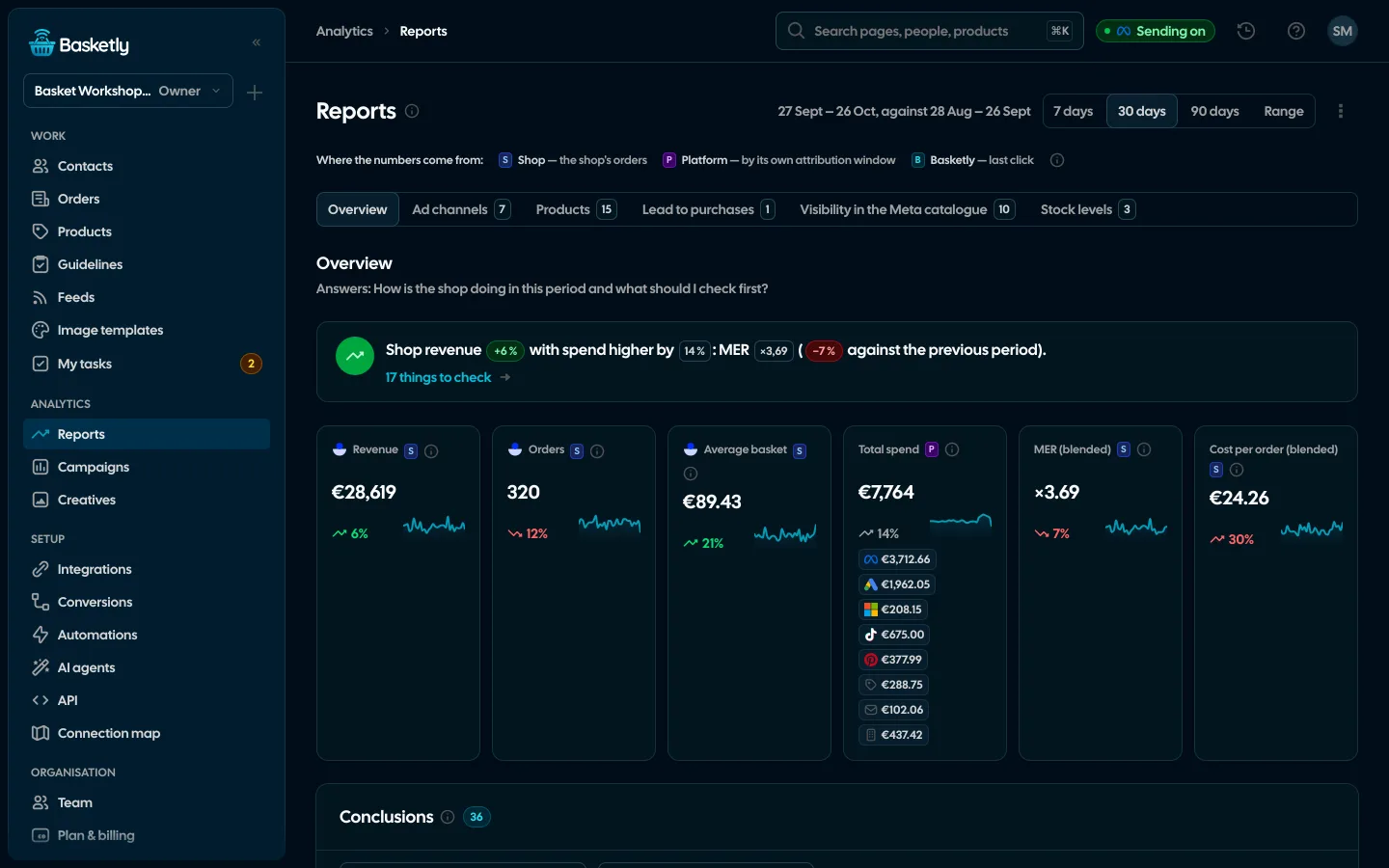
Screenshots from a demo organisation. People and numbers are fictional.
The same shop. Different data for Meta.
Meta learns from the purchases it hears about. See what changes when a purchase comes from your shop’s server, not only from a pixel in the browser.


An illustration of how it works, not campaign results.
| Comparison | Without Basketly | With Basketly |
|---|---|---|
| How Meta learns of a purchase | Without Basketly: Only from the browser pixel | With Basketly: From the shop’s server, alongside the pixel |
| The shopper blocks scripts | Without Basketly: The purchase is lost | With Basketly: The purchase arrives from the server |
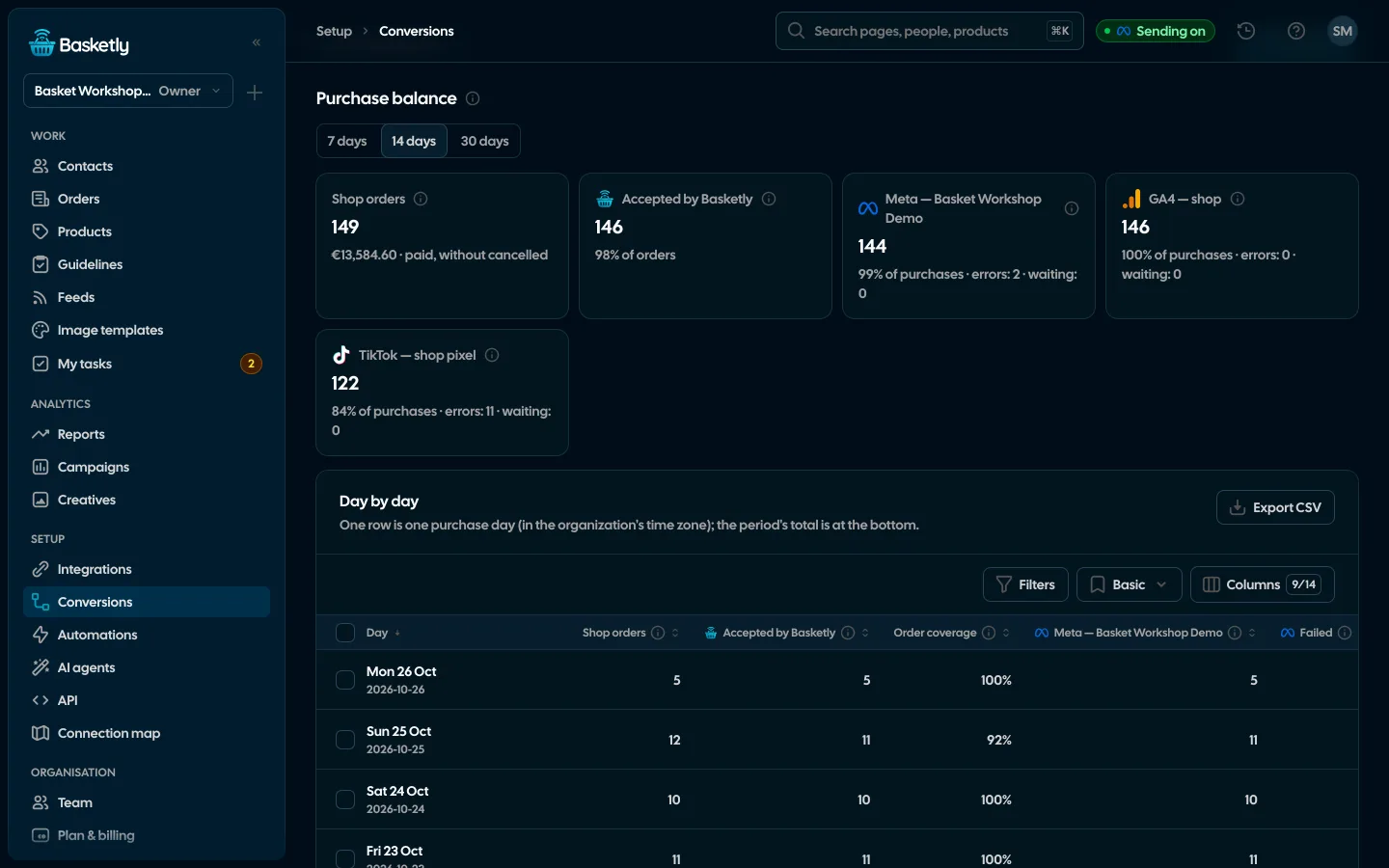
| Did they all arrive | Without Basketly: Nobody knows | With Basketly: A day-by-day balance: shop next to each platform |
| Product feed | Without Basketly: Errors fixed by hand in the shop | With Basketly: Fixed automatically and by rules |
| Upkeep | Without Basketly: Plugins, scripts, your own server | With Basketly: None. Runs 24/7 |
A new shop or campaigns already running. You start the same way.
Four steps. You do the first three once; the fourth runs on its own.
1.Connect your Meta account
Sign in with Meta and pick an ad account. Basketly asks only for the access it needs and tells you plainly what is missing.
Example data
Everything a shop needs between the ad and the order
No implementation agency, no server, no developer. We never change your Meta campaign settings, and if something needs fixing there, we show exactly what and where. New ads from Creatives are created only when you click, and always paused.
Self-check and repair
Logins, the shop, sending to Meta, background jobs and automations checked in one place. Every problem links to its fix, and some repair themselves.
Runs 24/7
Queues with retries and background jobs. Nothing to host, nothing to maintain.
Clients with purchases
One person per phone or e-mail, with orders and the full history on the card. Segments: new, returning, lapsed.
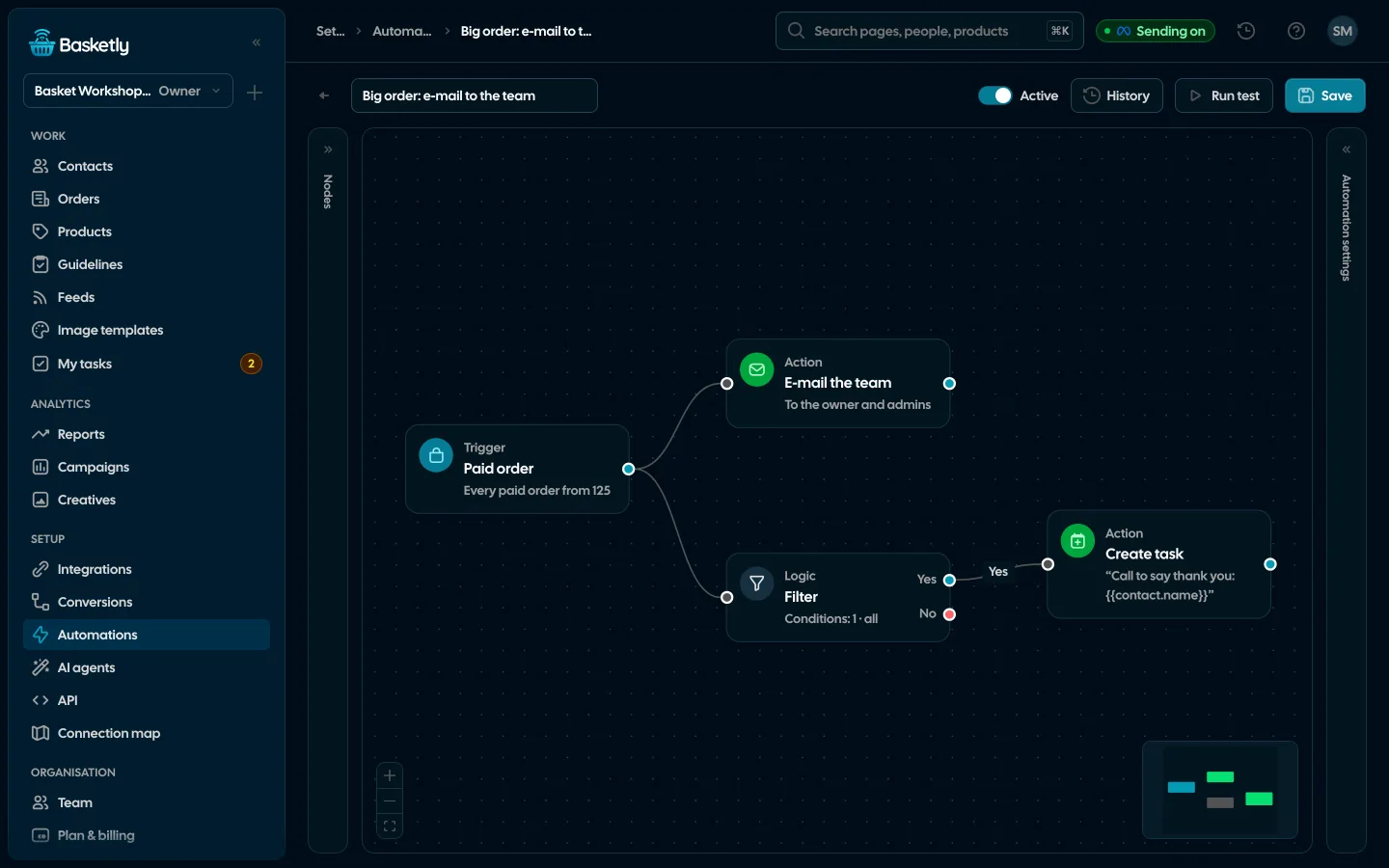
Shop automations
A large order, a customer who stopped buying, an alert when purchases stop arriving: e-mail the team, a task or a text.
Cost per purchase and MER
Meta, Google Ads, Microsoft Ads, TikTok, Pinterest and ChatGPT Ads spend next to conversions from the platforms’ reports and the shop revenue counted from your orders.
Server-side purchases
Paid orders reach Meta and seven more platforms from your shop’s server, with value and catalogue products.
Many shops, one account
Separate organisations and roles, every client’s results on one screen.
Illustrations with example data
Every paid purchase where you measure results
A browser pixel is not enough for ad platforms and analytics to know all your sales. Basketly sends paid shop purchases from the server to eight platforms, to each in its own format.
- Every purchase once: deduplication on our side and the event id on the platform’s side.
- Its own queue and retries for each platform.
- A day-by-day balance shows where something got lost.
| Platform | Event |
|---|---|
| Metawith value and catalogue products | Purchase |
| Google Analytics 4order number as transaction_id | purchase |
| TikTokthe same event id as the pixel | CompletePayment |
| Pinterestwith value, order number and products | checkout |
| Klaviyoonly purchases with an email address, on the buyer’s profile | Placed Order |
| Google Adspurchases from Google ad clicks (click id) | ClickConversion |
| Microsoft Adsonly purchases from Microsoft ad clicks (msclkid) | OfflineConversion |
A platform accepting a purchase means it received and counted it. It does not prove that a campaign optimises on this data, or whom the platform attributes the sale to.
From the order to Meta and seven more platforms
The shop sends orders to the queue. The queue saves the buyer in Clients and sends the purchase to every platform you switched on. Client segments go back to Meta as audiences.
Segment → Meta: A client segment, e.g. lapsed buyers, goes to Meta as a custom audience and updates every night.
- Sources: Shoper shop, orders by webhook and every 15 minutes
- Sources: Product feed, downloaded every 1–24 hours
- Sources: Shop script, views and carts, only with consent
- Destinations: 7 platforms (Meta, Google Analytics 4, TikTok, Pinterest, ChatGPT Ads, Klaviyo, Google Ads, Microsoft Ads), purchases from the shop’s server
- Destinations: Clients and reports, buyers, segments, sales
Concrete, no promises
These numbers come from how the product works. We don’t promise results for your campaigns.
- order readsShoper sends a webhook, and every 15 minutes we also check for status changes.
- 15 min
- of order historyOnce the shop is connected, we read 24 months of orders once, sending nothing to Meta.
- 24 mo
- product checksEvery product checked against Google Merchant Center and Meta catalogue requirements.
- 44
- platforms get purchases
- 8
Your shop tells you when something important happens
You build an automation from blocks: a trigger, conditions and actions. A large order can reach the team by e-mail at once, and a customer who stopped buying can become a task for their owner.
- Shop triggers: paid order, customer stopped buying, shop alert
- E-mail the team, a task, a text or an HMAC-signed webhook
- Texts only between 08:00 and 20:00, at most 500 a day, with the “Do not text” list
- A history of every run and “Retry step” on errors
Trigger
Paid order
Every order from 500
Logic
Filter
The customer’s first order
Action
E-mail the team
“Large first order: {{order.number}}, {{order.total}} {{order.currency}}”
Action
Create task
Call to say thank you, due: tomorrow 10:00
Your phone as an SMS gateway
Connect Basketly to smsportal.app with one click. Texts from automations go out from your own number on an Android phone, and replies and statuses come back to the client list.
From your number
The customer gets a text from a number they know and can call back.
Priced like your plan
Texts cost what your mobile operator charges. smsportal.app also has a free plan.
Replies on the card
A customer’s reply lands in their history, and “STOP” puts the number on the “Do not text” list.
See if it arrived
For every send: sent, delivered or not delivered, with the reason.
Connect in three steps
- 1Click “Connect phone” on the smsportal.app tile in Integrations
- 2Pick your phone and click “Allow”
- 3Choose the smsportal.app account in an automation
Anna Smith
+44 7700 900001
Today
Hi Anna, thank you for order #10482. Your parcel ships tomorrow.
Delivered
Thanks! Can I pick it up in person?
Connected
Google Pixel 7
Reply on the card
Anna Smith · “Can I pick it up in person?”
“STOP” from a customer
Number on the “Do not text” list
Example data
What a purchase costs and what the shop sold
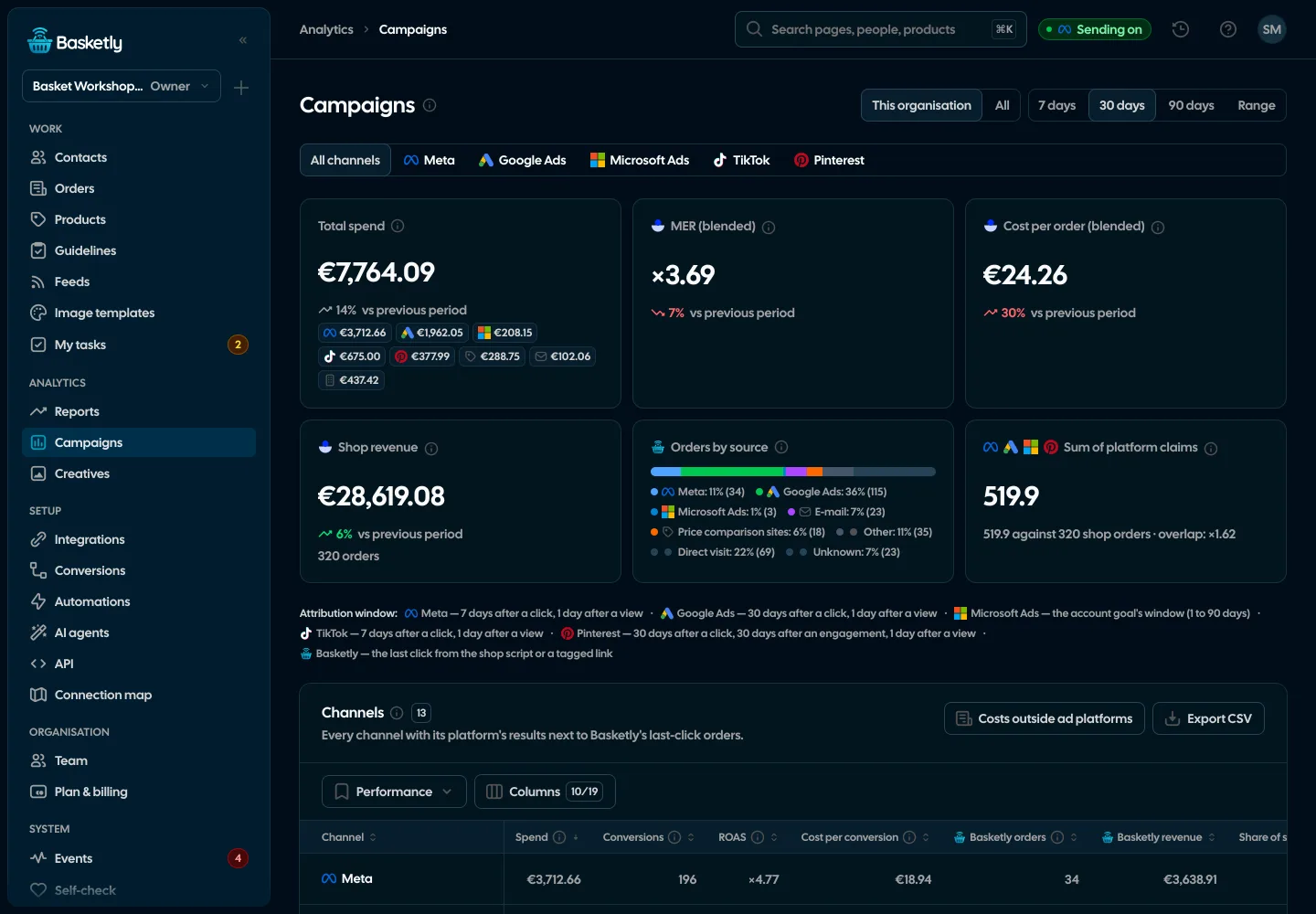
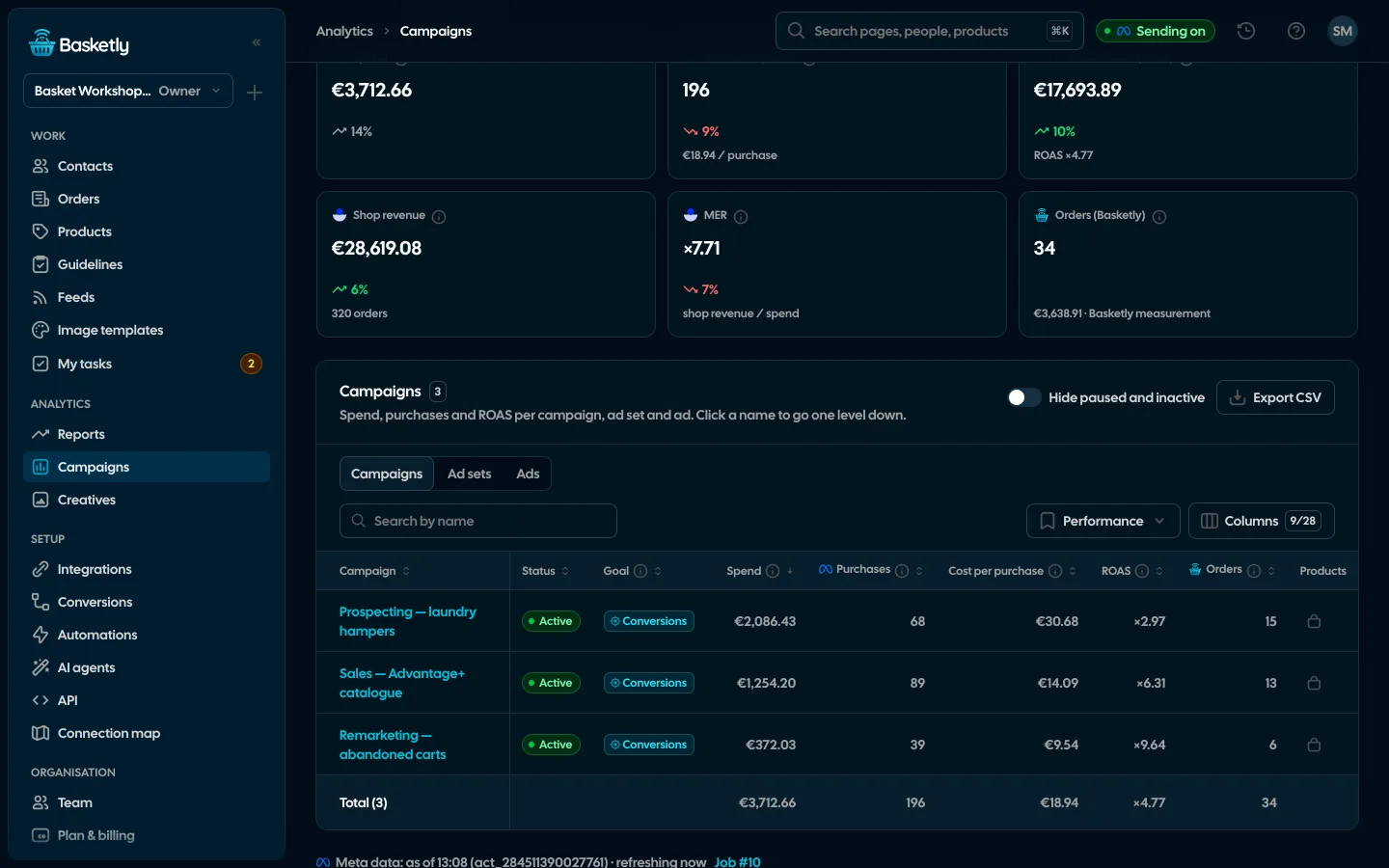
Basketly pulls your Meta spend every hour and puts it next to the purchases Meta reports and the revenue your shop sees. For every campaign, ad set and ad, with Google Ads, Microsoft Ads, TikTok, Pinterest and ChatGPT Ads beside it on their own campaigns.
- Purchases and ROAS from Meta’s report, shop revenue and MER from your orders, never mixed
- All channels: total spend, blended MER and the source of every order, platform conversions never added up
- Drill down from campaign to ad set and ad, export to CSV
- “Show products”: catalogue products in an ad and their sales in the shop
- Shop revenueMER 6.6€18,900
- Purchase value (Meta)ROAS 5.0€14,400
- Spend€2,860
- Purchases (Meta)€9.20 per purchase310
Everything between your shop and your ads
One place instead of plugins, scripts and spreadsheets. Every feature has its own page.
Shop and clients
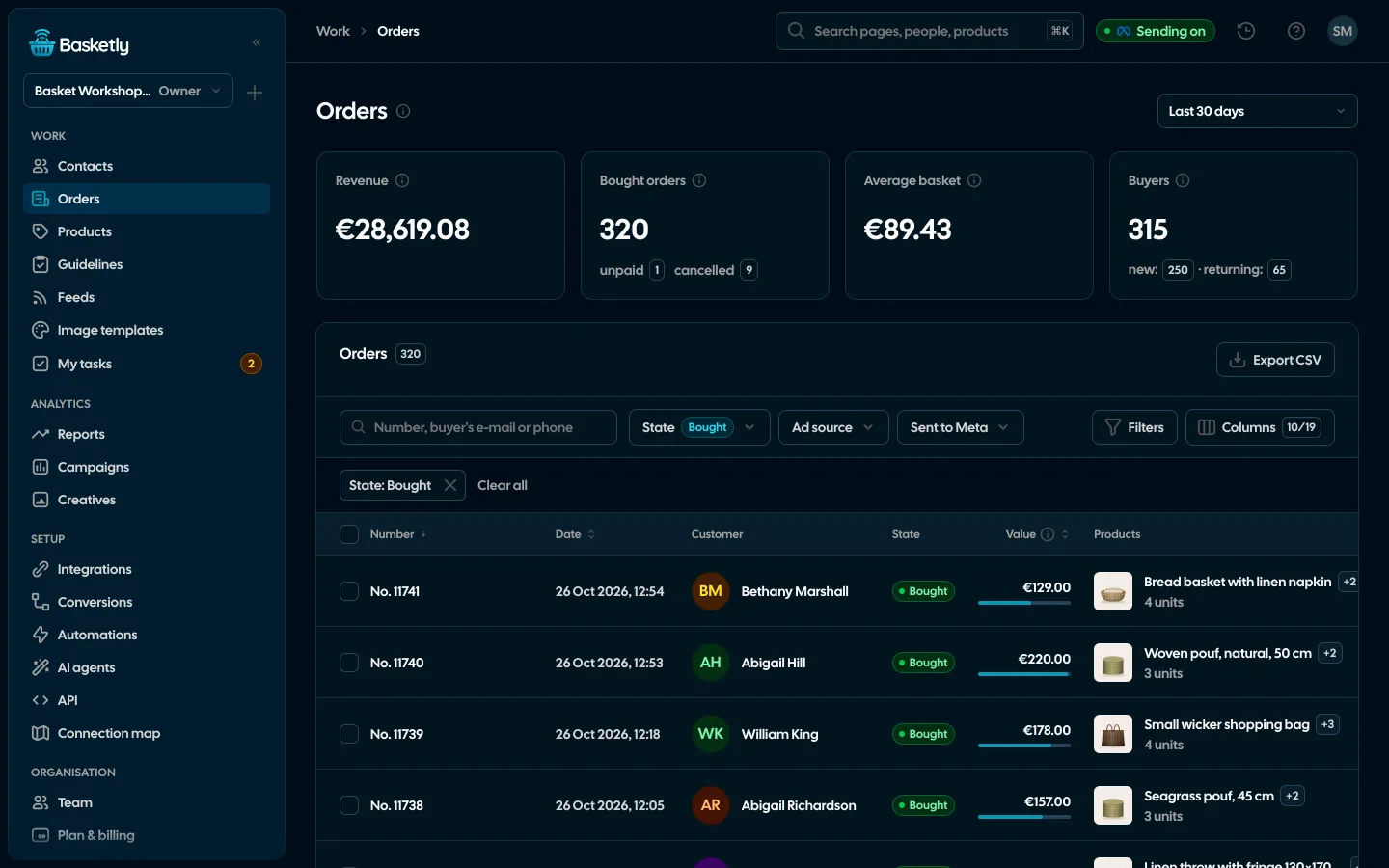
- Orders and buyersEvery shop order with its lines and state, revenue, average basket, new and returning buyers, and 24 months of history.See details
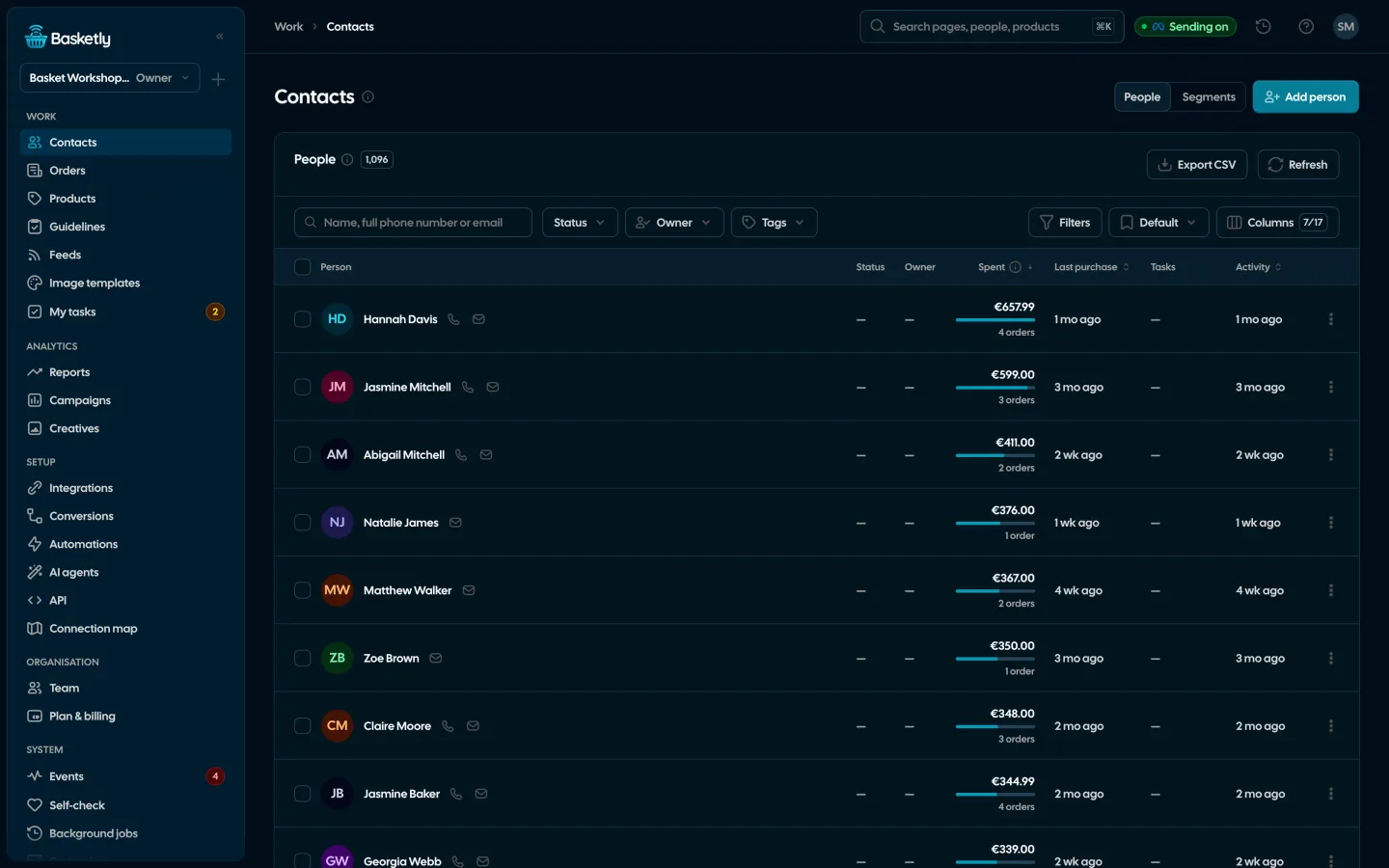
- Client listEvery buyer as one person: shop purchases, history, purchase filters, owner, tasks and a data retention period.See details
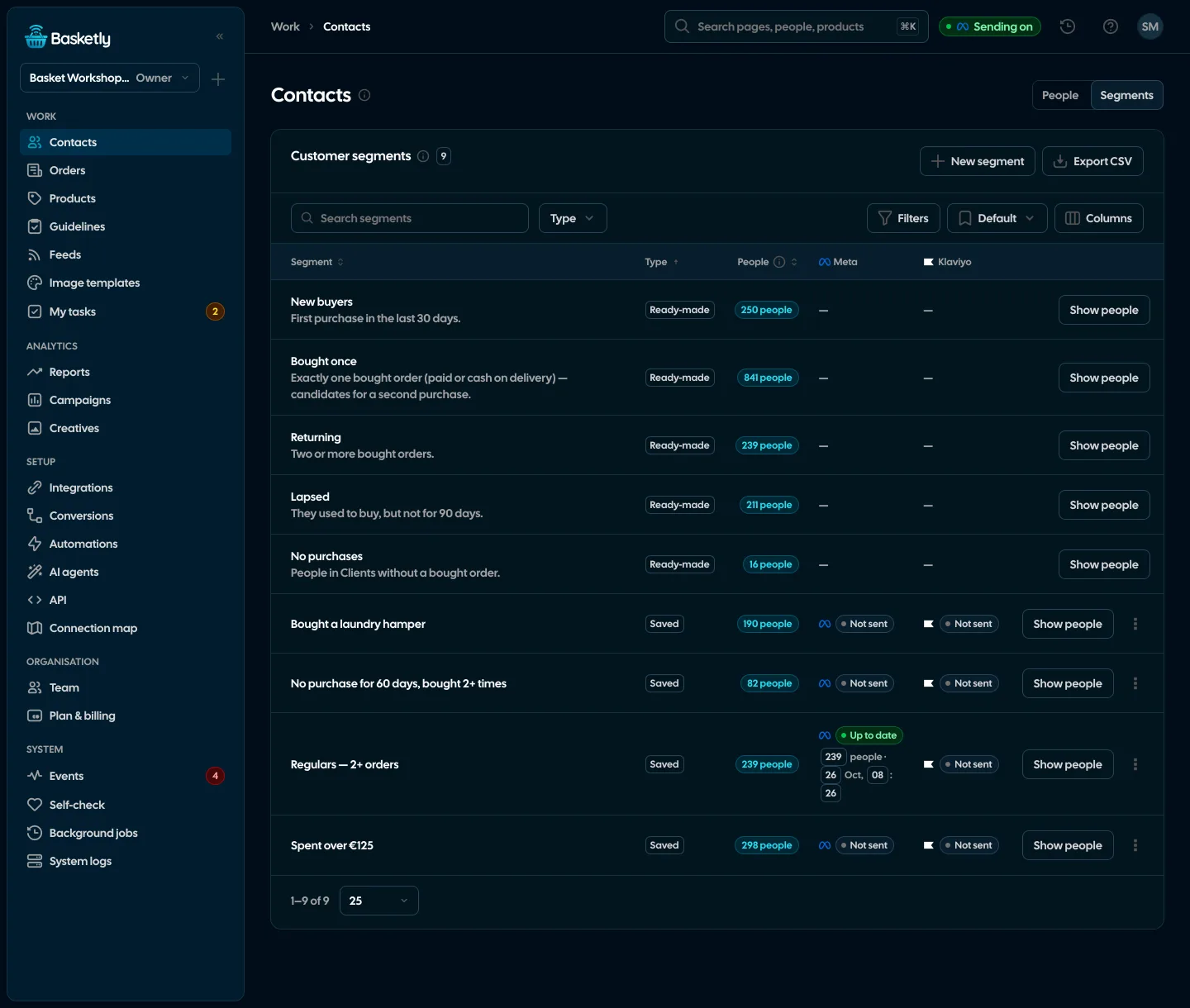
- Segments and audiencesReady-made and saved customer segments by purchases, and a segment as a Meta custom audience that updates every night.See details
- AutomationsA paid order, a customer who stopped buying, a shop alert: e-mail the team, create a task, send a text or a webhook, built in a visual editor without code.See details
Products and catalogue
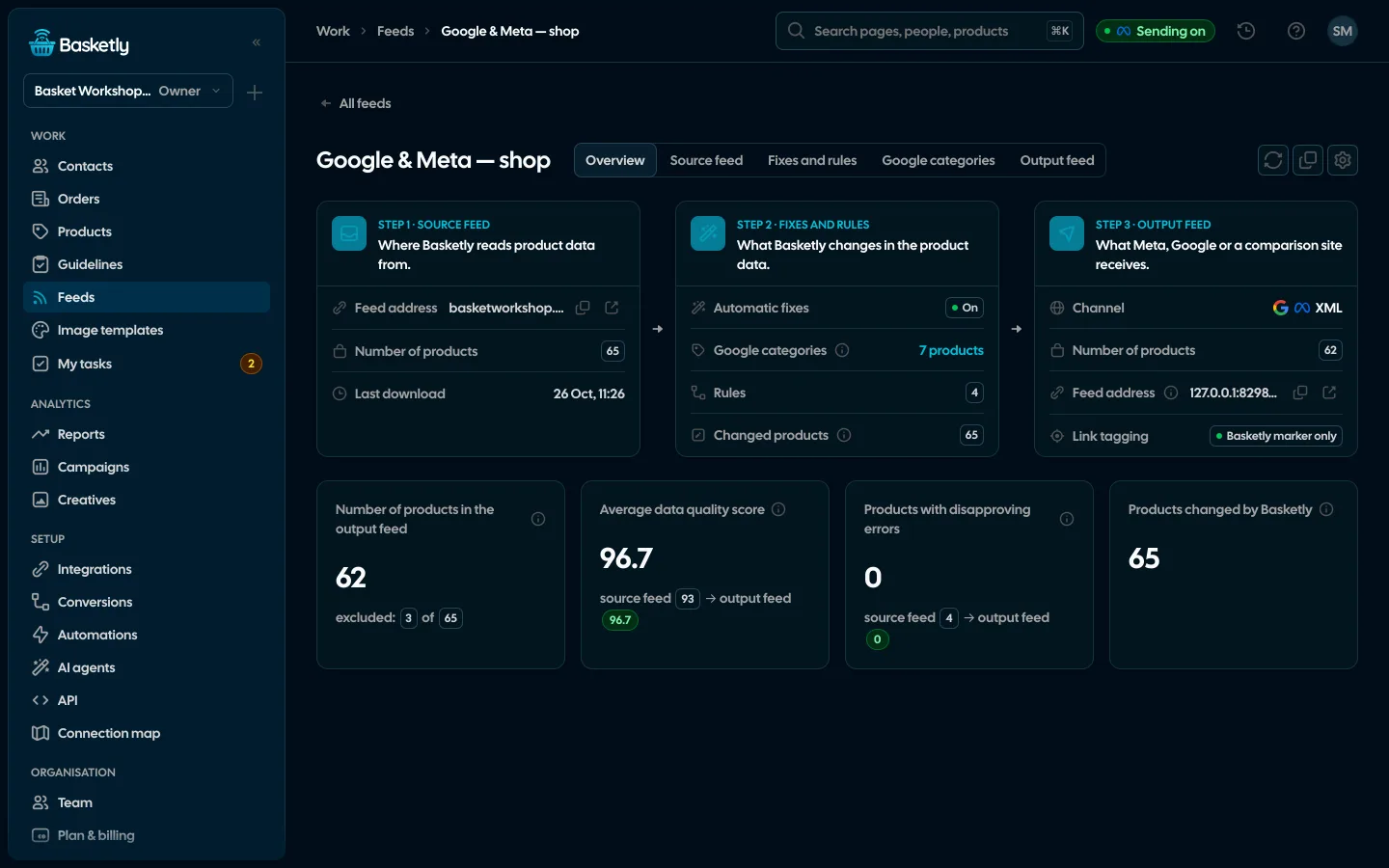
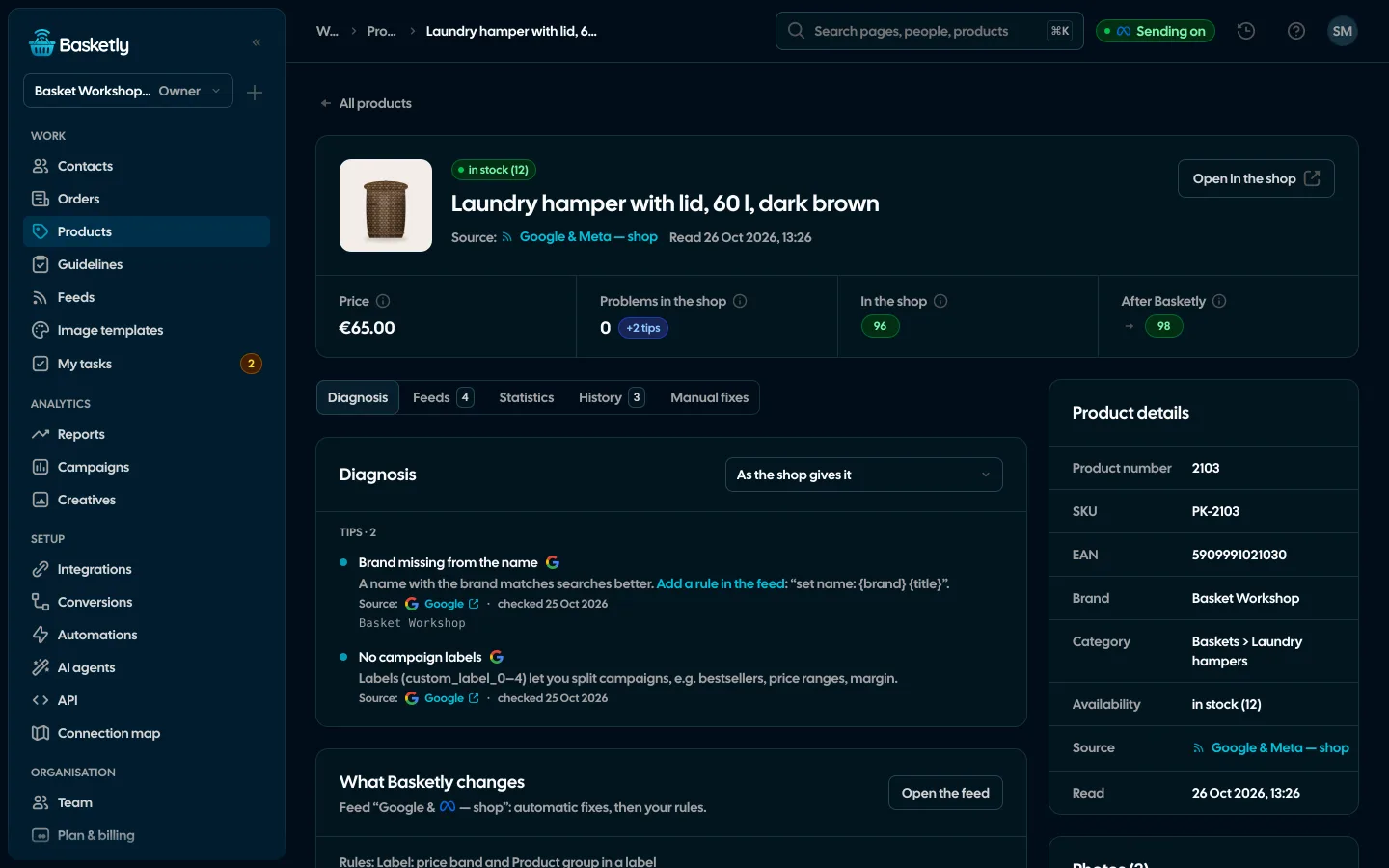
- Product feedsYour shop’s feed fixed automatically and by your rules, every product diagnosed against Google Merchant Center and Meta catalogue requirements, served at its own address.See details
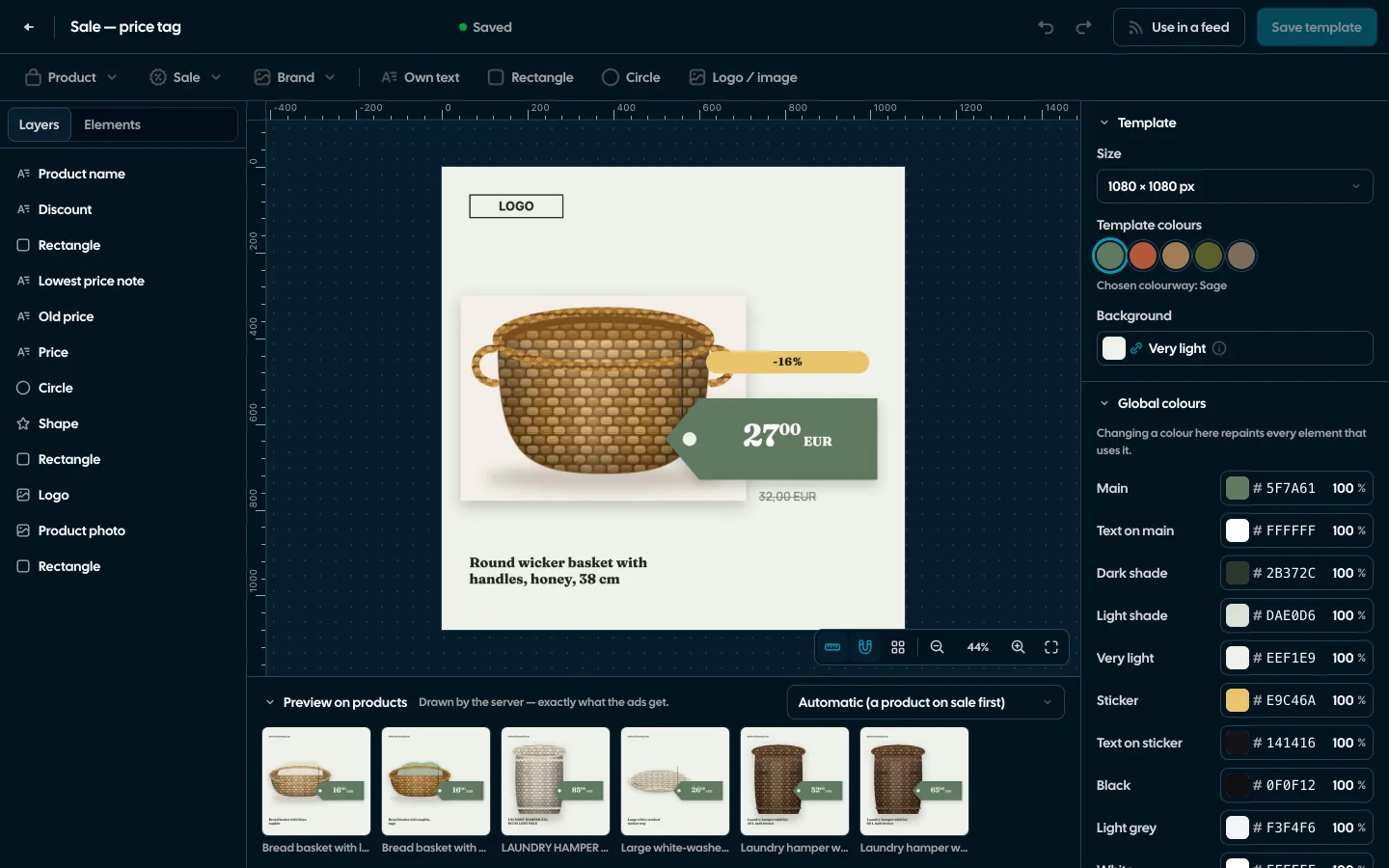
- Image templatesImages for carousel and catalogue ads drawn for each product: 122 ready designs, an editor and import from Figma.See details
- Product statisticsImpressions, clicks and spend of every product in Meta catalogue ads, next to views, carts and sales in your shop.See details
Analytics
- Sales reportOne sentence on how the shop is doing, the six key figures and conclusions with a next step — and tabs below, each answering one question. Every number with its truth level: the shop, a platform or the last click.See details
- All channelsMeta, Google Ads, Microsoft Ads, TikTok, Pinterest and ChatGPT Ads next to the shop’s sales: total spend, blended MER, each channel on its own campaigns and three truth levels that never mix.See details
- Campaign reportingCampaigns of Meta, Google Ads, Microsoft Ads, TikTok, Pinterest and ChatGPT Ads, each platform on its own figures and attribution window, next to the shop’s orders and revenue, with products in catalogue ads.See details
Conversions and data
- ConversionsShop purchases sent server-side to Meta and seven more platforms, and a day-by-day balance: how many orders, how many purchases accepted and where something got lost.See details
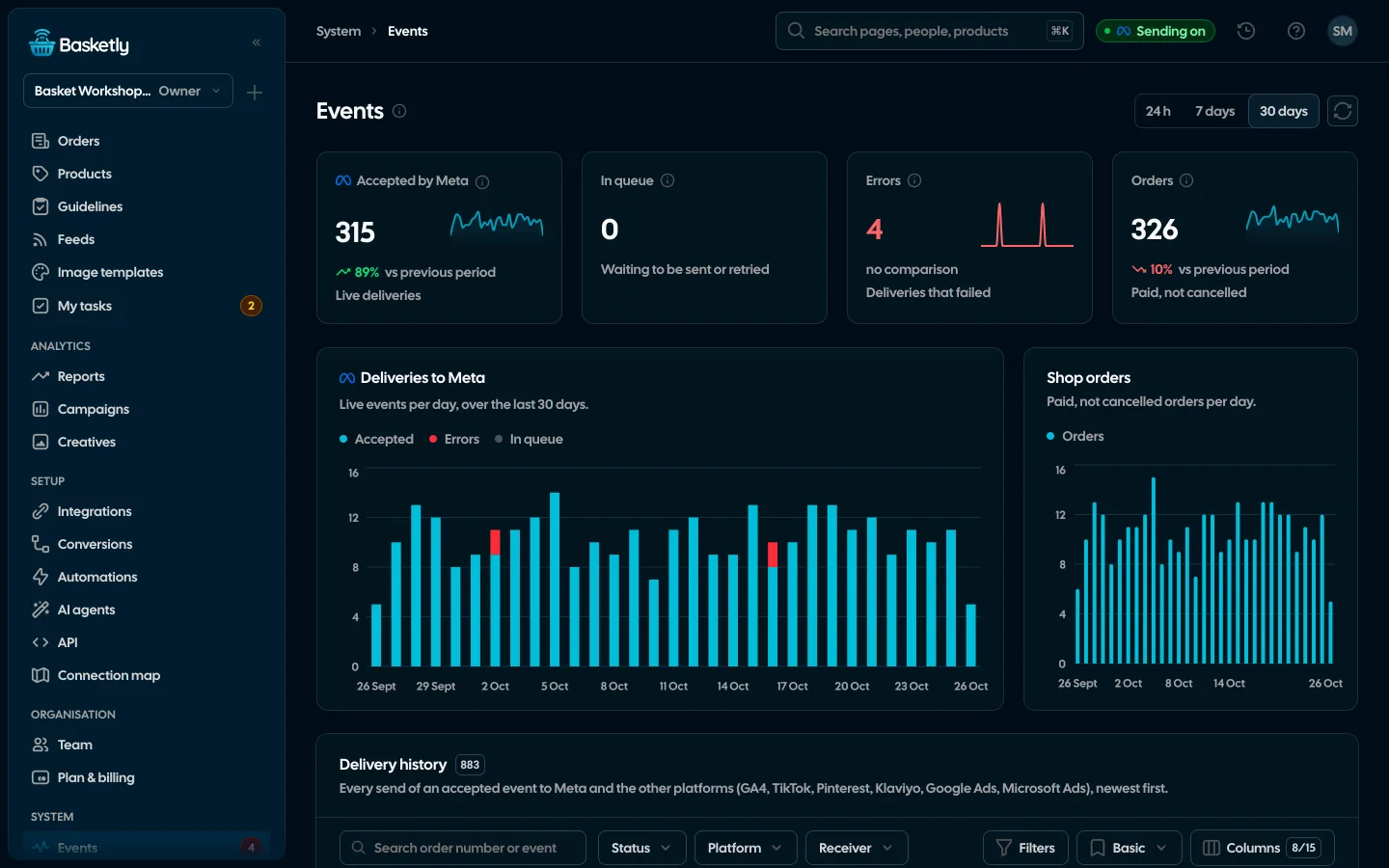
- Meta Conversions APIPaid shop orders sent to Meta from the server: a durable queue, deduplication, SHA-256 hashing and a result for every delivery.See details
- IntegrationsShop, ads, product catalogues, analytics and marketing in one catalogue, each integration’s state counted from what is actually connected.See details
- Self-checkOne check of your whole setup: the shop, purchases sent to Meta, logins, background jobs and automations, with a link to the fix for every problem.See details
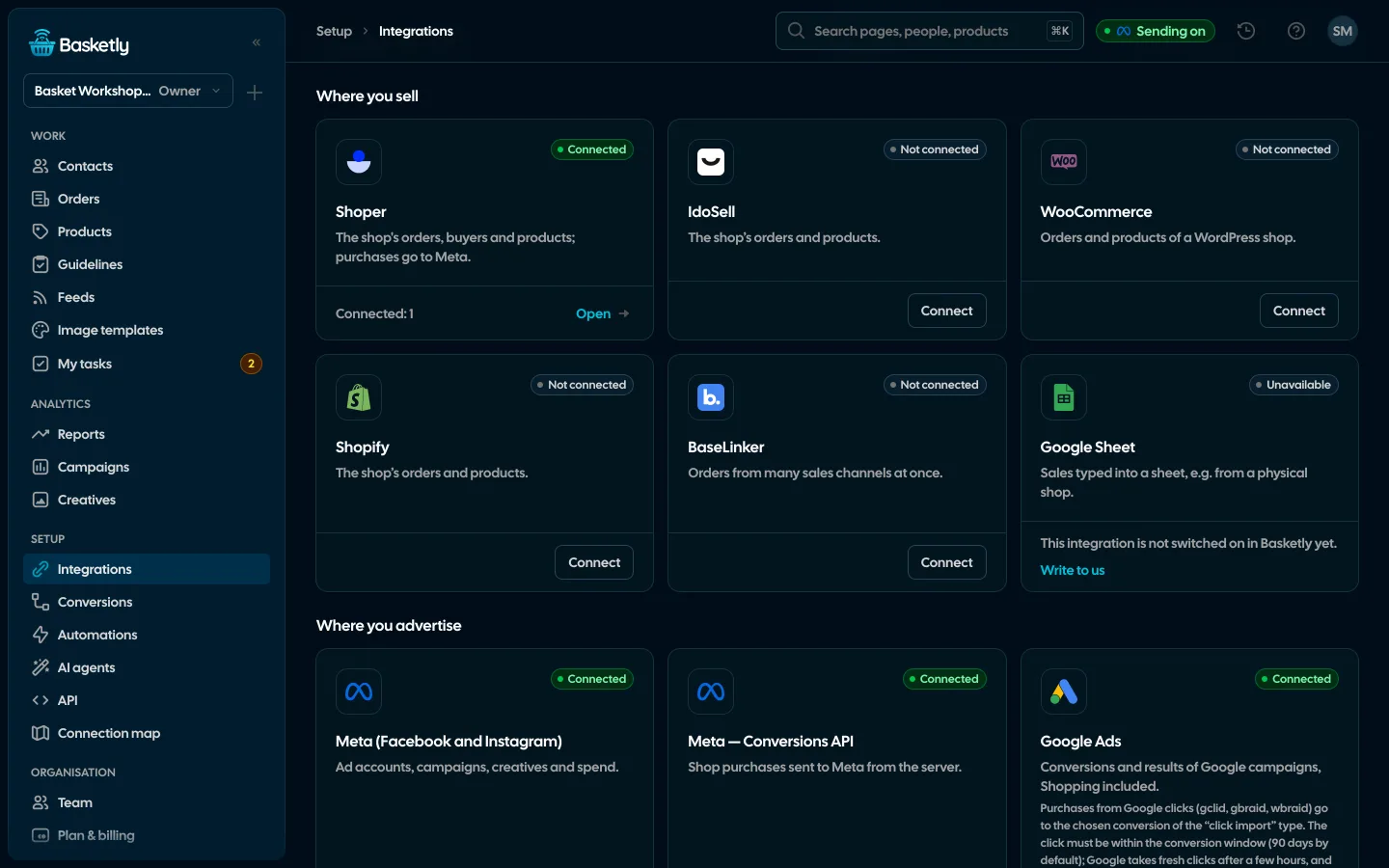
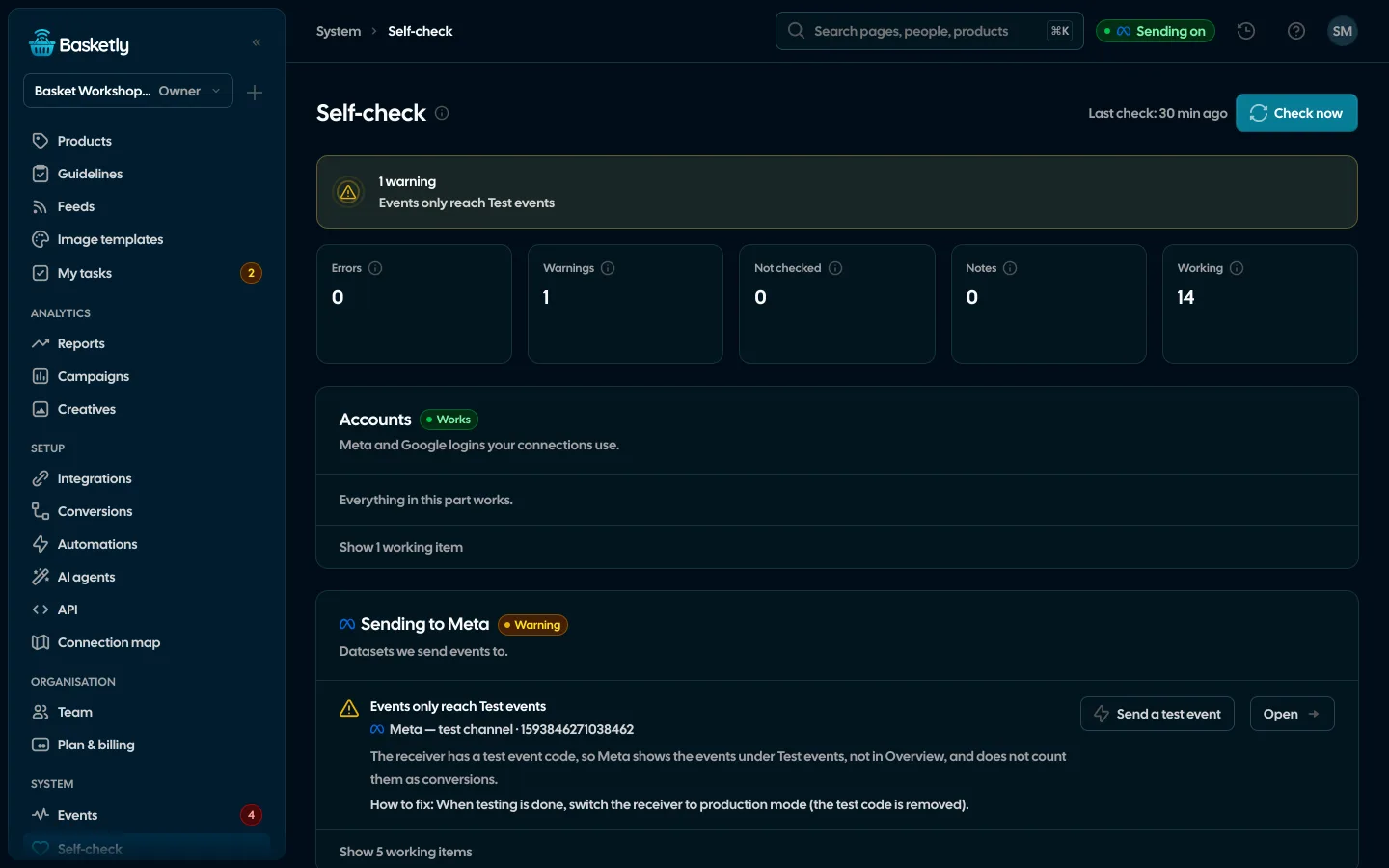
Company
- For agenciesA separate workspace for every client shop, roles, an all-clients overview and a job queue for each.See details
- Security and privacyEncryption, hashing, roles, retention and self-hosting.See details
- AI agentsClaude, ChatGPT and other assistants work with your shop’s data in Basketly: orders, products, feeds, campaigns and conversions.See details
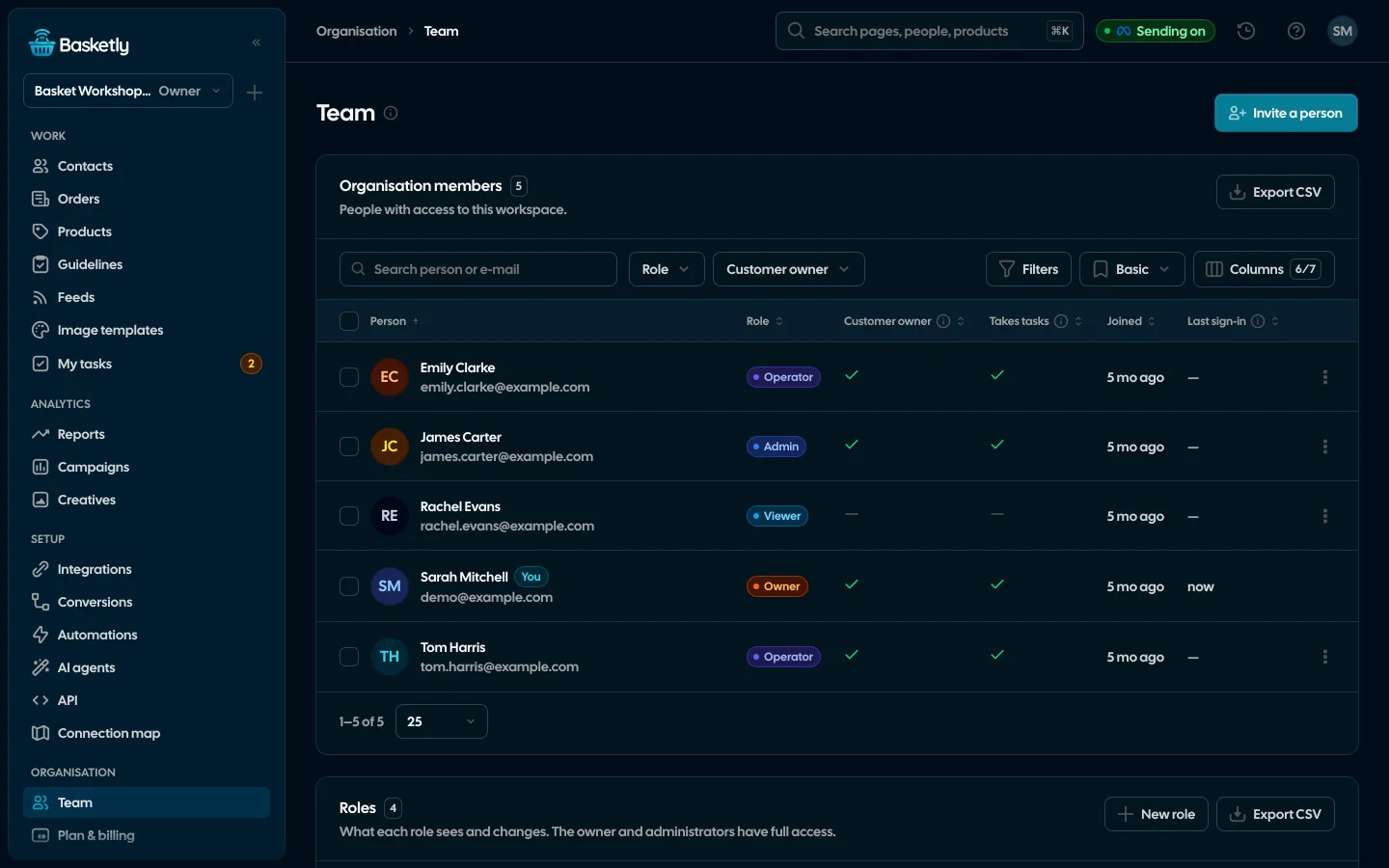
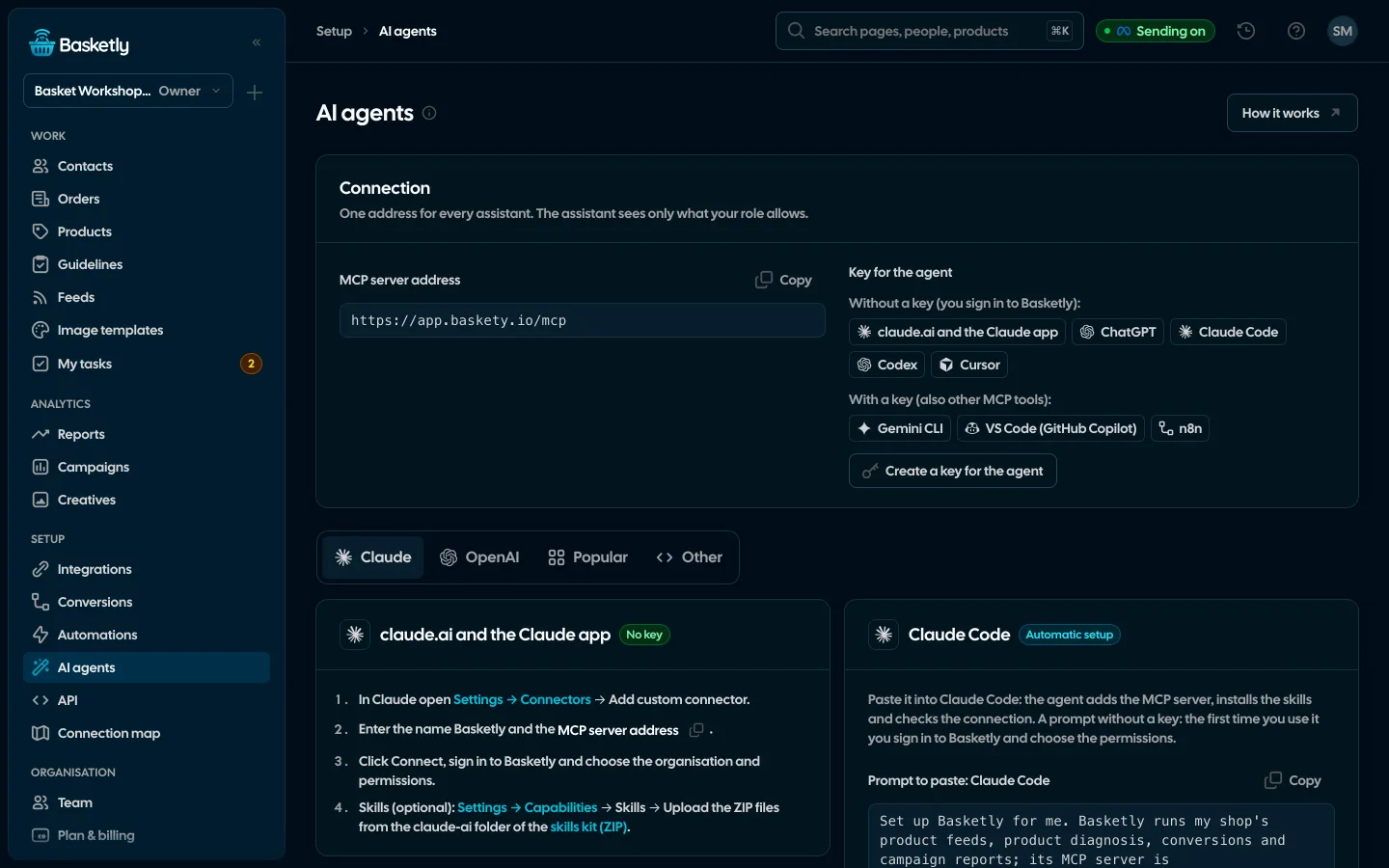
Every client shop in its own space
One account, many organisations. Each client’s data, connections and team stay separate. You see everyone’s results on one screen.
Separate organisations
Each client has its own shop, feeds, client list and team. Data never mixes between organisations.
Roles by area
Built-in and custom roles: each area of the app set to none, view or edit. A client can view results without touching settings.
All-clients view
One row per organisation with the campaign report’s totals and how fresh the data is.
Background jobs
Each client’s order history, feeds and spend run in their own queue. You can see what is running and what failed.
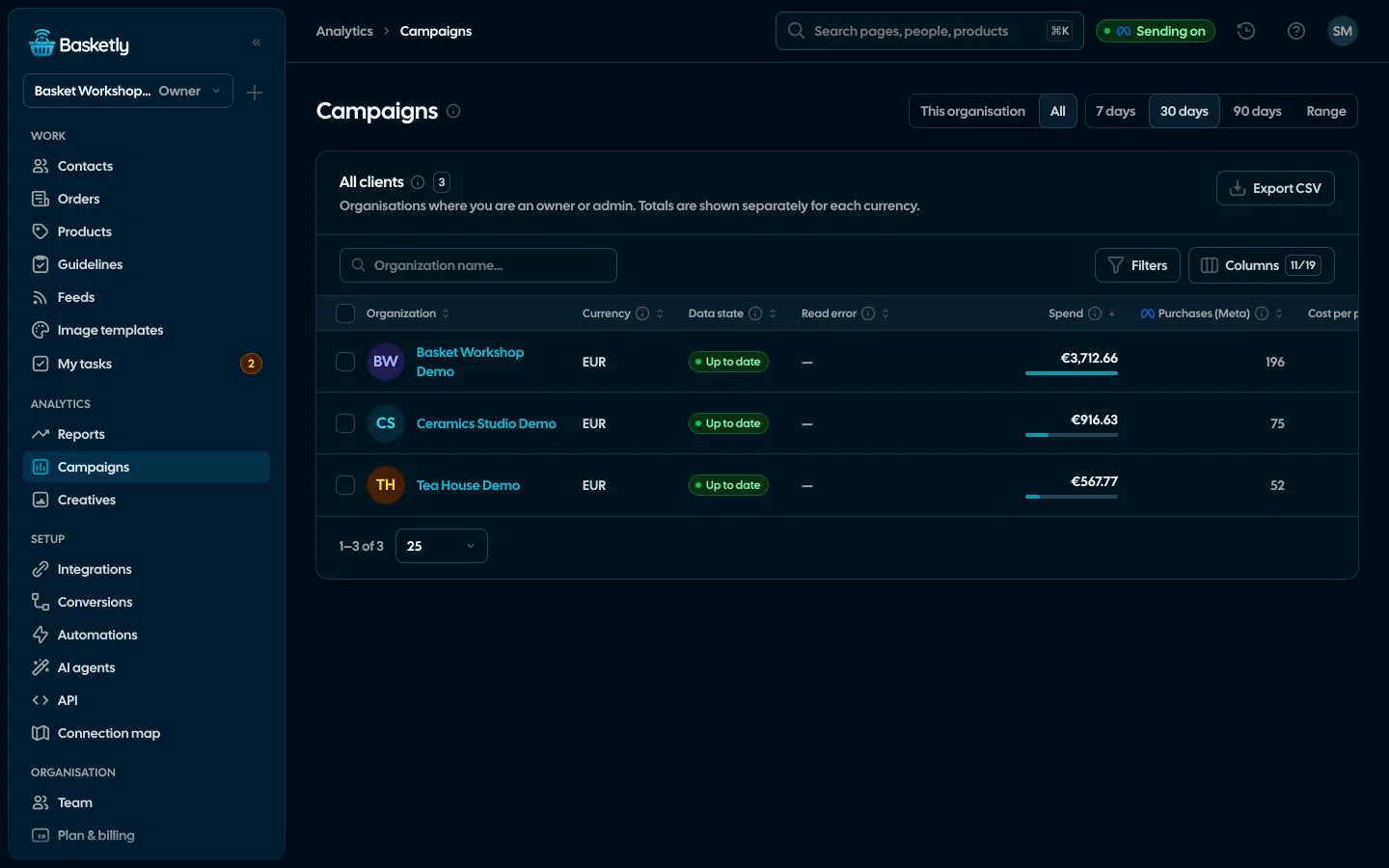
Screenshots from a demo organisation. People and numbers are fictional.
Every feature on every plan, AI agents and the API from Growth up
You pay for the number of orders a month, and up to 100 is free. Prices exclude VAT and other sales taxes. Meta does not charge for the Conversions API.
Free
Free$0 forever
Every feature except AI agents and the API, for up to 100 orders a month. No card and no time limit. When your orders grow, pick a plan with a higher limit.
- Server-side purchases to Meta and 7 more platforms
- Product feeds and product diagnosis
- Reports, segments and automations
Start
$39/ month
Billed monthly.
One shop with a steady flow of orders.
- Orders / month: 1,000
- Every feature except AI agents and the API
- Unlimited organisations, users and ad accounts
- Help: e-mail
Growth
Recommended$89/ month
Billed monthly.
A growing shop, or several shops and brands.
- Orders / month: 5,000
- Every feature, including AI agents and the API
- Unlimited organisations, users and ad accounts
- Help: e-mail, priority
Agency
$229/ month
Billed monthly.
Agencies and networks with many client shops in one shared order pool.
- Orders / month: 25,000
- Every feature, including AI agents and the API
- Unlimited organisations, users and ad accounts
- Help: priority + onboarding call
Prices exclude VAT and other sales taxes.
The pixel runs in the shopper’s browser. When they block scripts, refuse cookies or close the tab before the thank-you page, the purchase never reaches Meta. Basketly sends paid orders from your shop’s server, so they do not depend on the browser.
The pixel only sees what happens in the browser. Basketly sends purchases from the server, with value, currency and catalogue product ids, to GA4, TikTok, Pinterest, ChatGPT Ads, Klaviyo, Google Ads and Microsoft Ads too. Both can run together, and Meta counts a purchase with the same event id once.
We don’t promise that. Meta gets more sales data to learn from, but how it uses it depends on Meta and on your campaign settings. Basketly shows how many purchases arrived, not how Meta used them.
Shoper, IdoSell, WooCommerce, Shopify and BaseLinker: orders and products are read through the shop’s API, no developer needed. A product feed from an address or a file works with any shop, and sales outside the shop can come from a Google Sheet or the API.
Not for Shoper, Meta, GA4, TikTok, Pinterest, ChatGPT Ads, Klaviyo, Google Ads or Microsoft Ads: you sign in or paste a key. The shop script that counts product views and carts has to be hooked into your consent banner; purchases come from the server and don’t need it.
It downloads it, fixes it automatically (HTML, capitals, availability, invalid GTINs, prices), rewrites it with your rules and serves it at its own address for Google Merchant Center and Meta. Every product gets a diagnosis against both platforms’ requirements and a score from 0 to 100.
Every page of the app has a tutorial that walks through its buttons, filters and lists step by step. The app offers it on your first visit to a page, and after that you find it under the question mark at the top. That is also where the guides for the open page and the “Write to us” form are; we answer by email.
Email and phone are normalised and hashed with SHA-256 before they are sent to Meta, GA4, TikTok, Pinterest, ChatGPT Ads and Google Ads. Klaviyo gets the email address in plain text, because that is how it recognises the buyer’s profile, and Microsoft Ads only the click id. Tokens, keys and event contents are encrypted. You set how long personal data is kept, from 6 to 120 months, and after that it is deleted automatically.
Texts go through your own SMSAPI, Twilio or other HTTP gateway account. You pay the provider directly, at their rates. With smsportal.app texts go out from your phone and cost what your mobile plan does; smsportal.app has its own plans, including a free one. Basketly adds no SMS fees.
The site, the guides and the app are in Polish and English. Choose the app language on the sign-in screen or in your account menu.
Yes, on the Custom plan. Basketly is a single executable with a built-in database. Write to us and we’ll work out the details.
Get started in under 5 minutes
Connect your shop and Meta and see how many purchases really arrive.
- Free up to 100 orders a month
- No developer needed
- Purchase balance and self-check