

Every client on one card, with what they bought
Buyers from every connected shop land in one client list. The same person across several orders is one card with the number of orders, the amount spent and the full history.
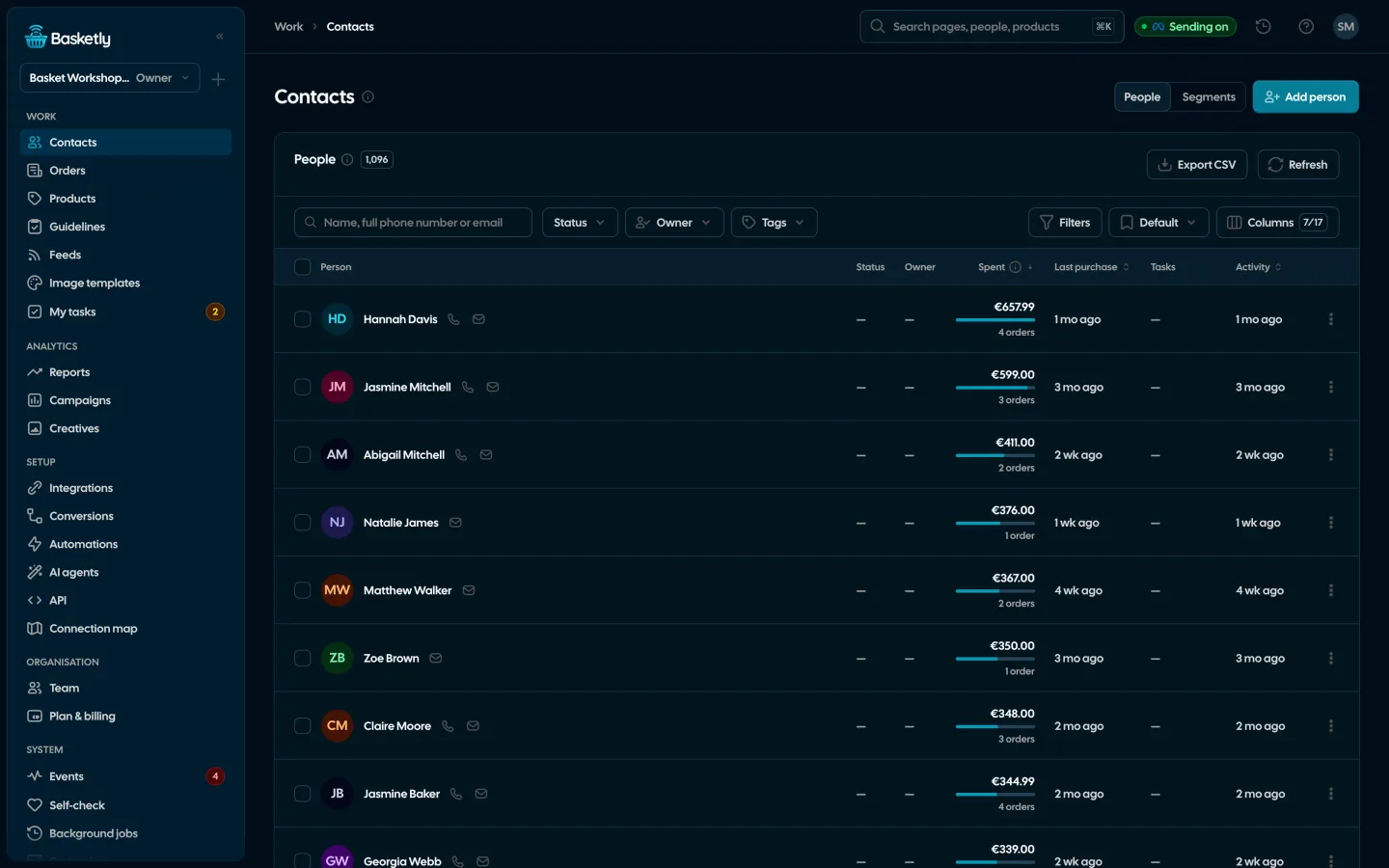
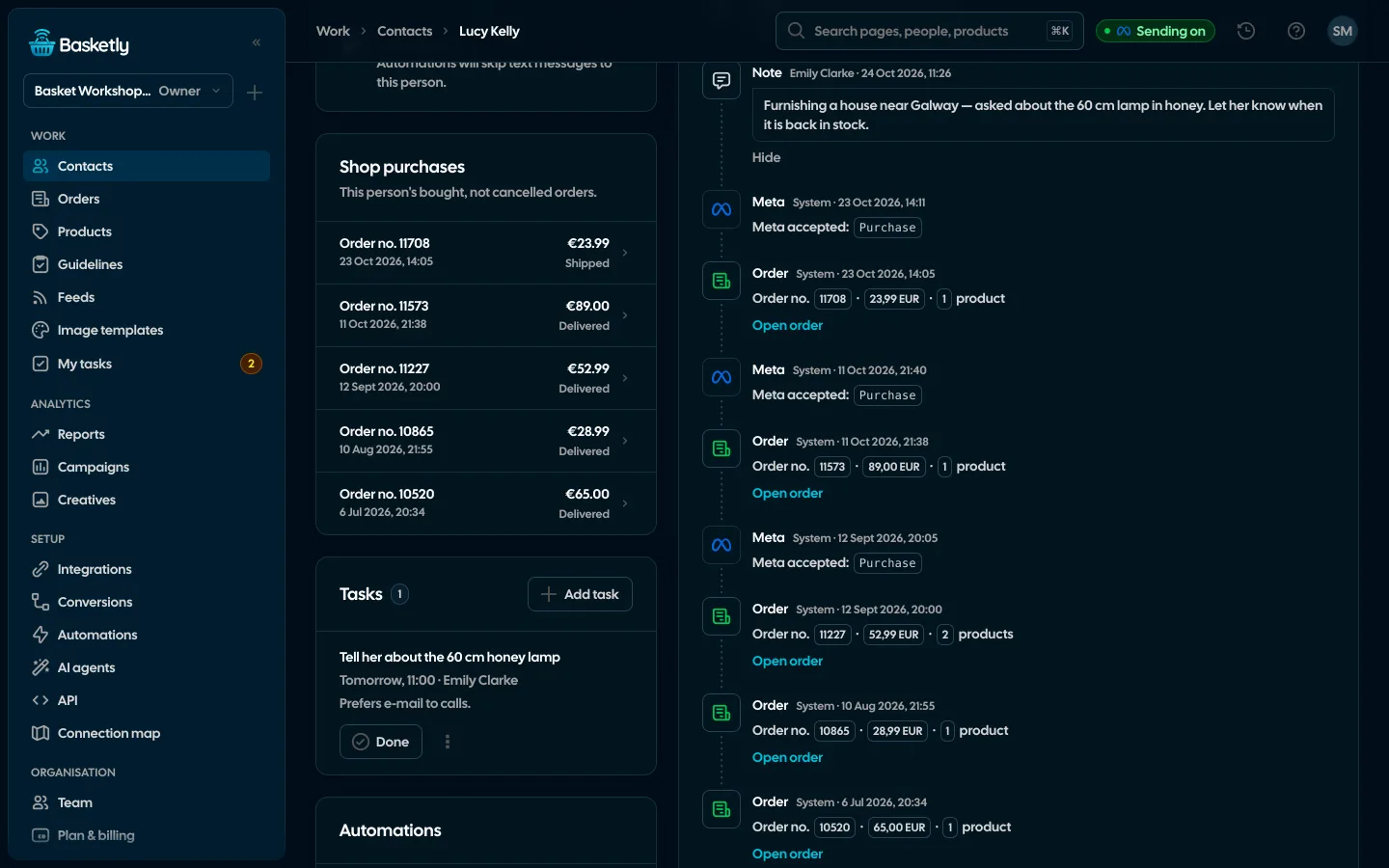
Screenshots from a demo organisation. People and numbers are fictional.
Shop purchases on the client card
“Shop purchases” shows the number of bought orders, their value, the first and last order and the newest five, each opening with one click. On the list the “Spent” column shows the amount with a bar against the page’s largest and the number of orders, and “Columns” switches on the average order, first order, tags, source with the shop, duplicates and more.
- Matched by phone, then e-mail: several orders by the same person are one card
- An “Order” line in the history when an order becomes bought
- Possible duplicates flagged; you merge them on purpose, after confirming
- Sort by clicking a header: spend, number of orders, average, last and first order
Purchase filters
The Clients list filters by how people buy. Filters combine, stay in the page address so a link shows a colleague the same list, and “Save as segment” turns them into a segment.
See segments and Meta audiences| Filter | Example |
|---|---|
| Bought orders | at least 2 |
| Amount spent | at least 500 |
| Last purchase | within the last 90 days |
| Bought before, but not for | 180 days |
| First purchase | within the last 30 days |
| Bought product | chosen products from the feed |
A person’s whole history
Orders, text messages as chat bubbles, webhooks from automations, results of purchase sends to Meta, and your team’s notes, calls and tasks. Automatic entries cannot be edited, so the history adds up.
Owner, statuses and tasks
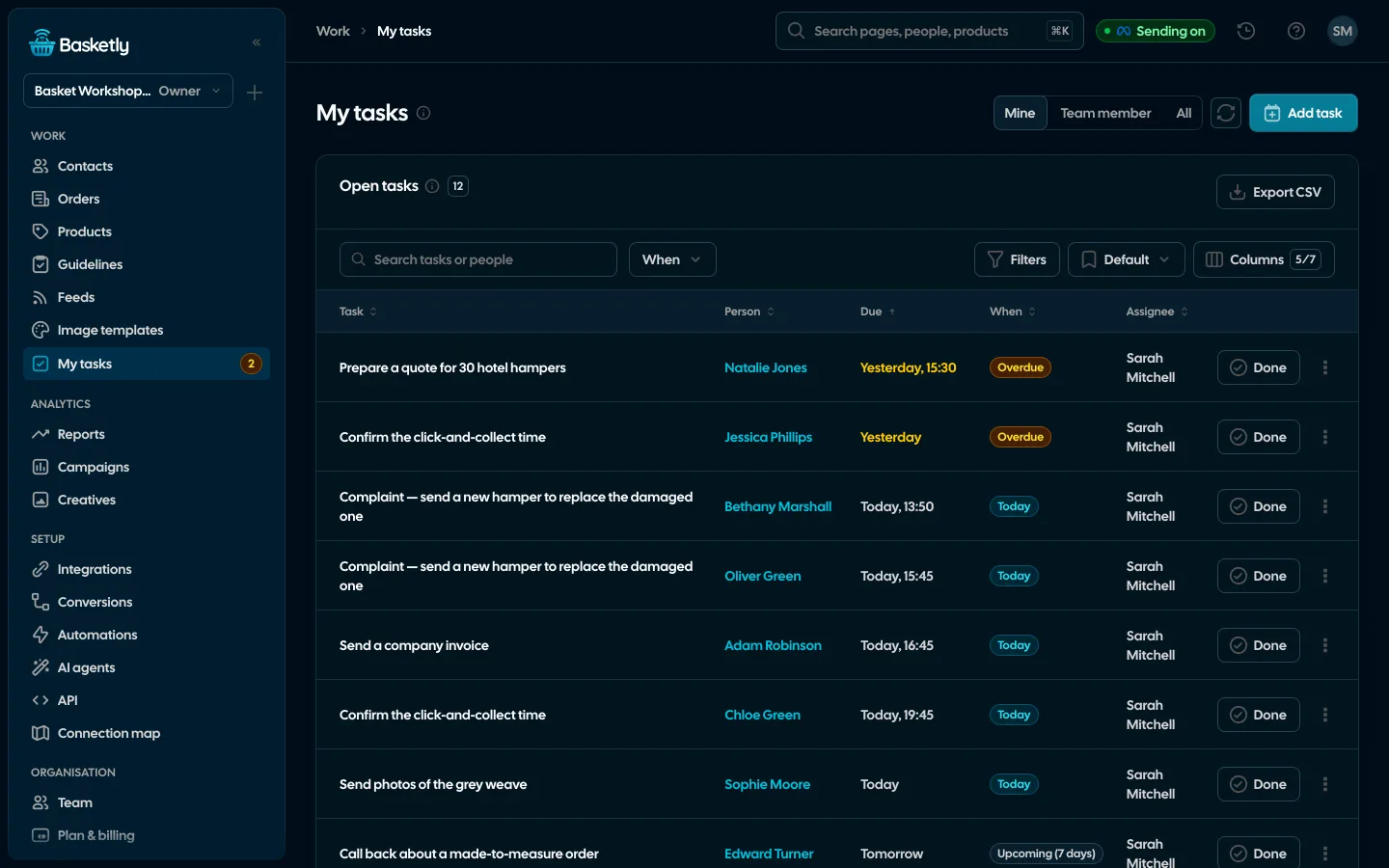
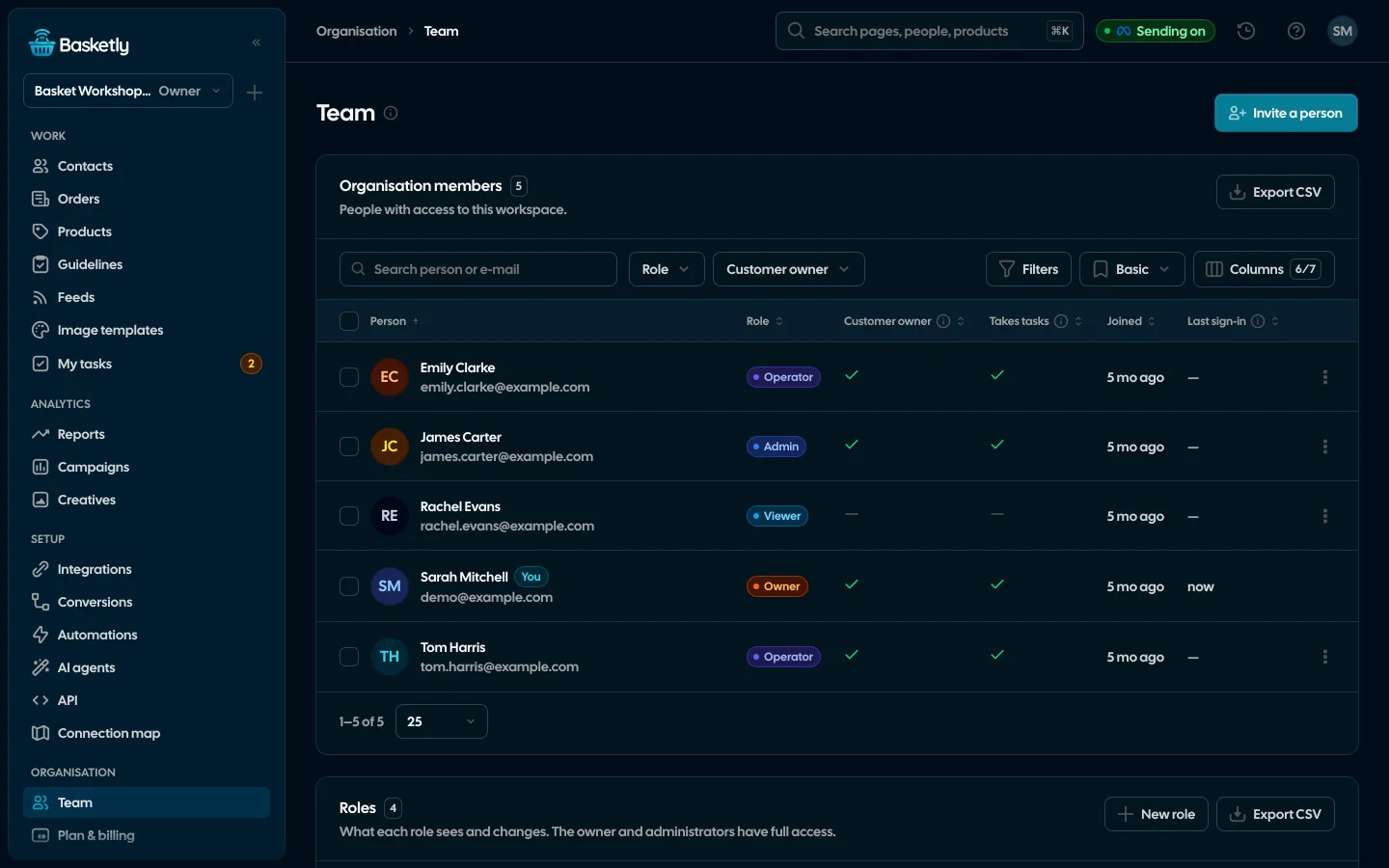
When a team looks after clients, each client can have an owner, assigned by hand or by an automation. Internal statuses (such as “Complaint”, “VIP” and your own, up to 30) describe what is going on and never go to Meta. Tasks have a due time in the company’s time zone, and “My tasks” shows what is due today and what is overdue.
- An automation can create a task for the owner, e.g. for a lapsed buyer
- A status change can start an automation, such as a text or a task
- Filters: owner, status, tags, source, last activity, overdue tasks
Data under control
You set the retention period from 6 to 120 months; after that, inactive people are deleted automatically. When you shorten it, you see how many people the next nightly cleanup will delete and confirm that separately. Roles decide who sees full details.
- A “Do not text” switch on the person card
- Delete a person on request, with an audit log entry
- A role without edit rights sees masked phone numbers and e-mails
Purchases on the client card come from the shop’s orders. They do not say which ad brought the buyer.
From shop orders (buyers), the “Save to CRM” automation step, the API and manual entry. The same person is one card, matched by phone, then e-mail.
No. A buyer from an order is left without an owner. You can assign one by hand or with the “Assign owner” automation step, for example on a large order.
By phone first, then by e-mail. If the phone points to one person and the e-mail to another, both cards get a “Possible duplicate” flag. Nothing merges automatically.
For many shops it is enough: clients with purchases, history, owner and tasks. If you already have a CRM, Basketly can send it webhooks from automations.
Related features
- Orders and buyersEvery shop order with its lines and state, revenue, average basket, new and returning buyers, and 24 months of history.See details
- Segments and audiencesReady-made and saved customer segments by purchases, and a segment as a Meta custom audience that updates every night.See details
- AutomationsA paid order, a customer who stopped buying, a shop alert: e-mail the team, create a task, send a text or a webhook, built in a visual editor without code.See details
- Product feedsYour shop’s feed fixed automatically and by your rules, every product diagnosed against Google Merchant Center and Meta catalogue requirements, served at its own address.See details
- Sales reportOne sentence on how the shop is doing, the six key figures and conclusions with a next step — and tabs below, each answering one question. Every number with its truth level: the shop, a platform or the last click.See details
- ConversionsShop purchases sent server-side to Meta and seven more platforms, and a day-by-day balance: how many orders, how many purchases accepted and where something got lost.See details


Get started in under 5 minutes
Connect your shop and Meta and see how many purchases really arrive.
- Free up to 100 orders a month
- No developer needed
- Purchase balance and self-check