

A feed Google and Meta accept without editing your shop
Basketly takes your shop’s product feed, repairs what can be repaired without guessing, rewrites it with your rules and serves the result at a secret address for Meta Commerce Manager and Google Merchant Center.
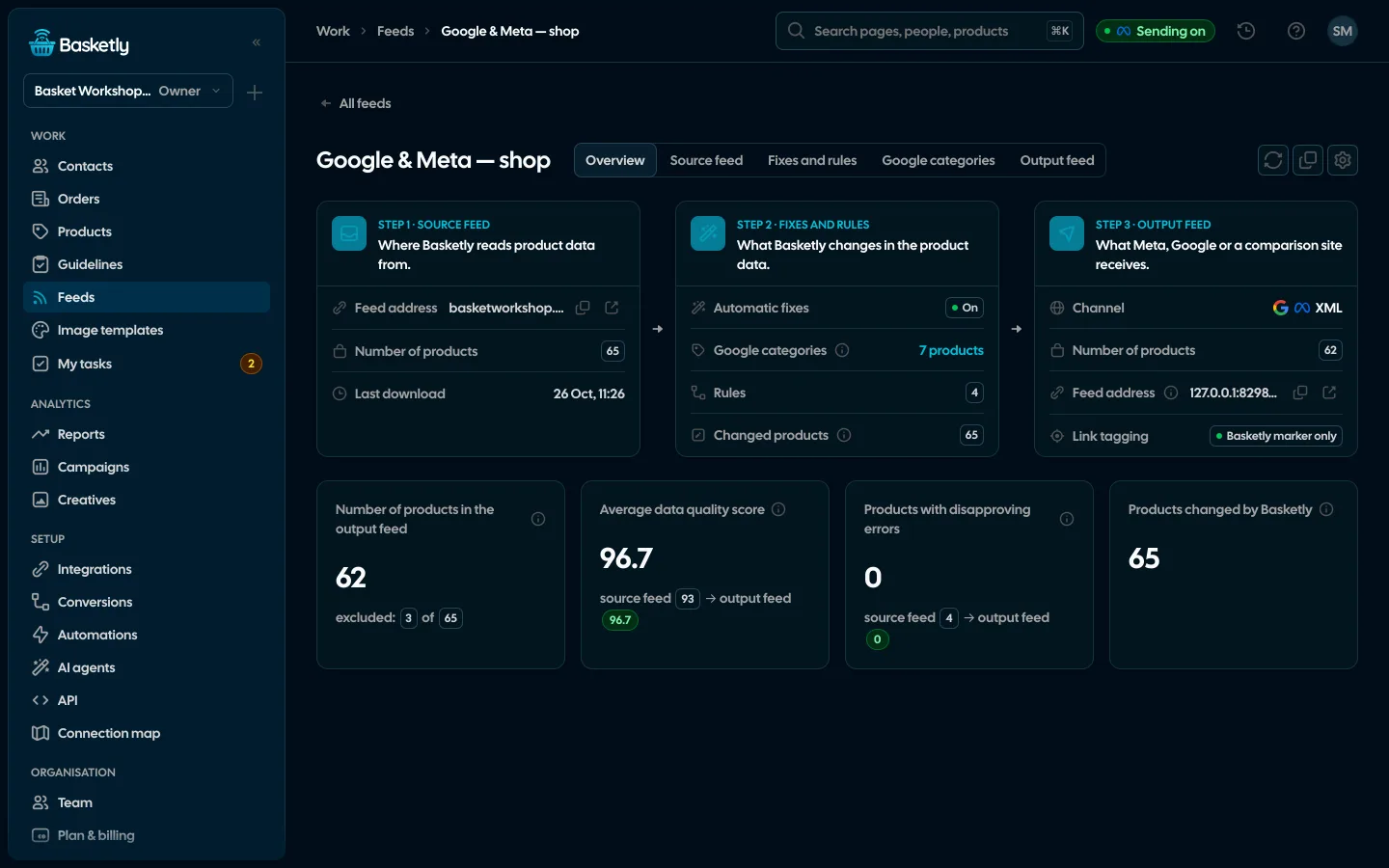
Screenshots from a demo organisation. People and numbers are fictional.
Input, fixes, output
A feed page has three steps side by side. The output is rebuilt on every fetch by Google or Meta, so it always matches the current products and rules.
- 1
Input
A feed address downloaded every 1, 3, 6, 12 or 24 hours, an uploaded file, or the products of a Shoper shop. Google XML, Ceneo XML, CSV and TSV, up to 300 MB and 200,000 products.
- 2
Fixes
Automatic fixes, Google categories picked automatically and your rules, in order.
- 3
Output
A feed at its own address: Google / Meta XML, Ceneo XML, CSV or a CSV for ChatGPT Ads (OpenAI), with tagged product links. “Generate a new address” retires the old one at once.
Automatic fixes
On for every feed, before the rules. Nothing missing is made up, and the product id is never touched. The feed page shows how many products each fix changed.
- HTML in description and name turned into text, extra spaces and emoji removed
- Sales phrases and “!!!” taken out of the name, a name in CAPITALS written normally
- Name shortened to 150 characters, description to 5,000, on a word or sentence boundary
- Availability in Google’s values, set from stock when the feed gives it
- A GTIN with a wrong check digit removed, a sale price not below the price removed
Rules and flows on a canvas
A rule is conditions and actions: set a field from a template (e.g. “{brand} {title} {color}”), add text, replace, translate through a table, shorten, change case, change a price or leave the product out. Up to 200 rules per feed. A more complex feed is laid out on a canvas like an automation: inputs, filters, Yes/No conditions, field changes and one output.
- Preview before saving: how many products each rule changes, with before → after examples
- Custom labels, Google category and any other field set by a rule
- Feeds made from feeds: a copy for another channel, or several shops in one feed
- Up to 20 feeds per organisation
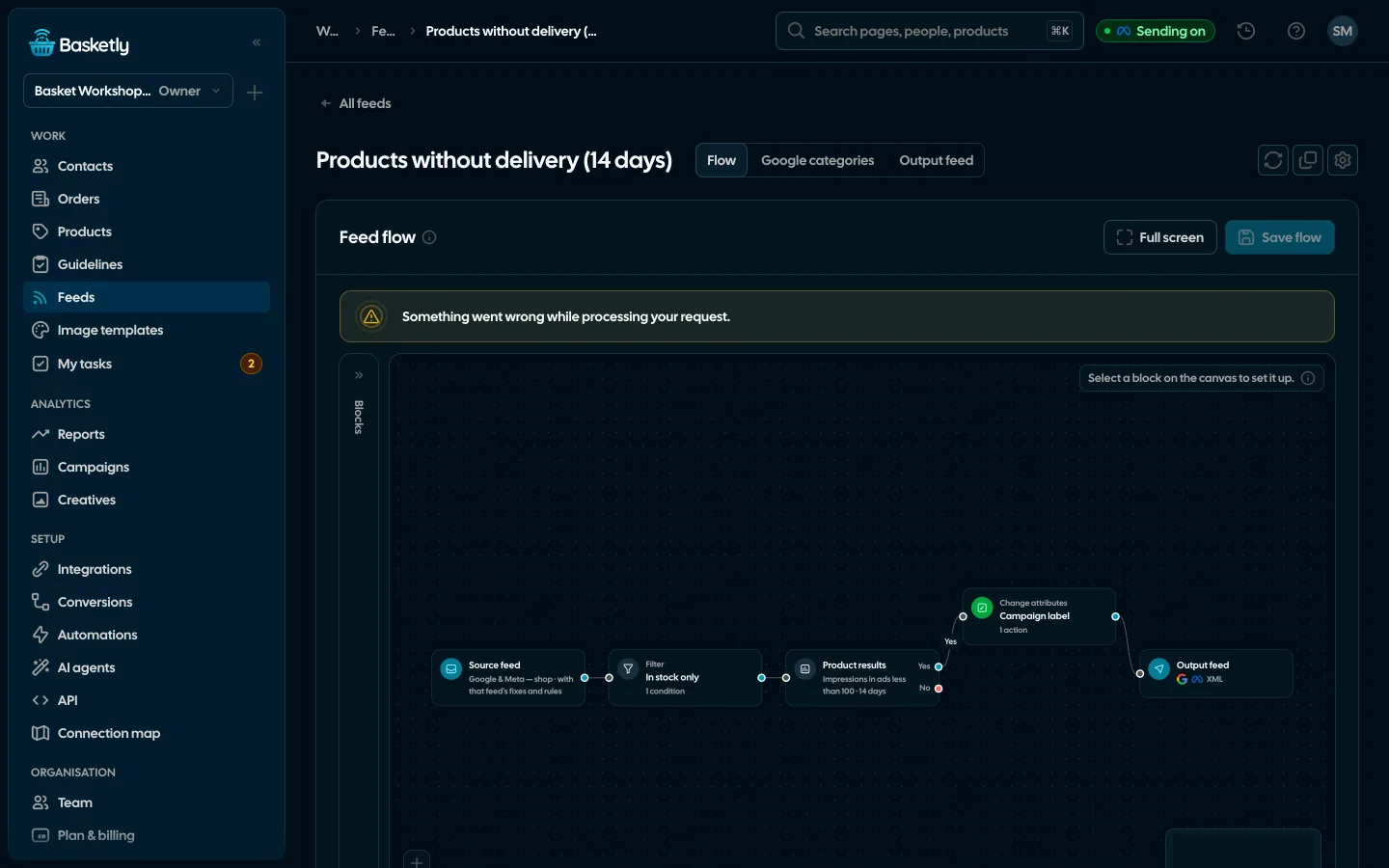
Tagged product links
Since Basketly serves the feed, Basketly also tags the product links — as the last step, after fixes and rules. Every link gets the Basketly marker (feed and product id), plus UTM parameters for Meta, Google or Ceneo, or your own template. The shop’s script reads the marker on landing, so an order shows which feed and product the shopper came from — even without a click id.
- Parameters a link already has are never replaced; the rest of the address and its anchor stay
- Product placeholders: {id}, {item_group_id}, {brand}, {product_type}, {feed}; channel macros (Google ValueTrack, Meta macros) are served unchanged
- Google: parameters only in ads_redirect (ad clicks), free listings untouched
- Live preview on a product of the feed and warnings, e.g. to keep Google Ads auto-tagging on
- New feeds start with tagging on; existing ones change only when you flip the switch
Every product diagnosed
The Products page checks every product of the shop and the feeds with 44 tests taken from Google Merchant Center and Meta catalogue requirements. Each test has a weight and the side it concerns, and the result is a score from 0 to 100.
Error
−20Google or Meta will refuse the product, e.g. no price, image or link.
Warning
−6The product is shown less or at risk, e.g. a title without the brand or a single image.
Tip
−2An opportunity, e.g. no custom labels.
Info
E.g. out of stock. Does not lower the score.
The product record
Every product has a record: its score in the shop and after the fixes, the diagnosis as the shop gives it and as each feed serves it, what the automatic fixes and the rules changed, every image, and the history of price, availability and name changes between reads.
- Manual fixes: a value typed in the record wins over the rules and survives the next read
- A Google category for every product picked automatically (from shop category and product names), with its confidence; you only confirm or change it in a table: shop category on the left, Google category on the right, search in English and Polish. Basketly checks Google's taxonomy weekly by itself
- Selected products as a feed of their own (“Create a feed from selected”)
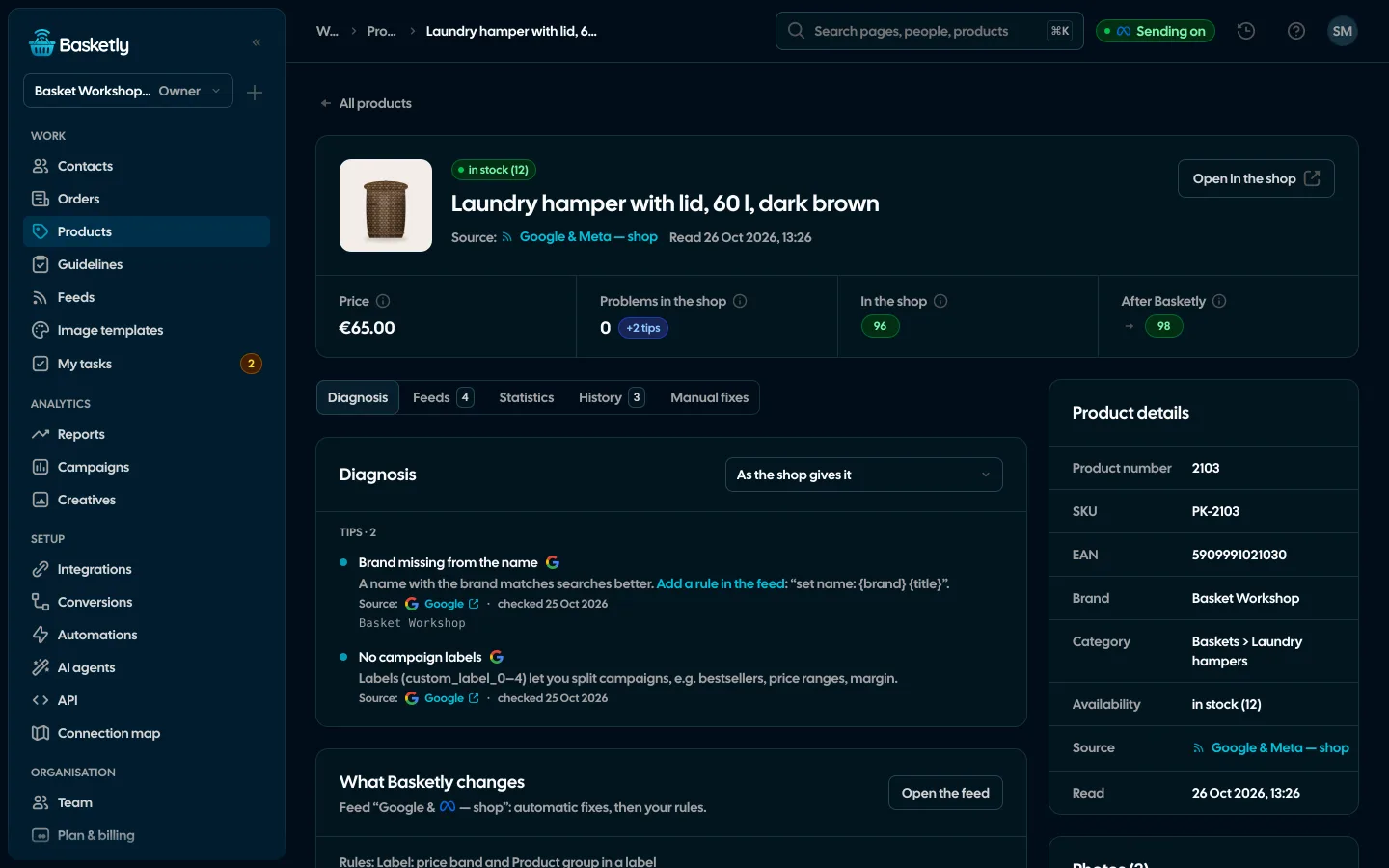
The score and diagnosis follow Google’s and Meta’s requirements as written into the tests. Whether a product is accepted is decided by Merchant Center and Commerce Manager.
No. Basketly reads the shop’s feed or products and serves a fixed copy at its own address. In Merchant Center and Commerce Manager you only swap the feed address.
The input is downloaded every 1, 3, 6, 12 or 24 hours (or with “Download now”). The output is built on every request from Google or Meta, from the current products, fixes and rules.
No, as long as Google Ads auto-tagging (gclid) stays on — Google Analytics 4 takes source and medium from it. For Google the parameters go only into the ad link (ads_redirect); free listings get just the Basketly marker, which does not change the source in Analytics.
No. Meta and Google match purchases to the catalogue by the id, so no rule, fix or manual change touches it.
Related features
- Image templatesImages for carousel and catalogue ads drawn for each product: 122 ready designs, an editor and import from Figma.See details
- Product statisticsImpressions, clicks and spend of every product in Meta catalogue ads, next to views, carts and sales in your shop.See details
- Orders and buyersEvery shop order with its lines and state, revenue, average basket, new and returning buyers, and 24 months of history.See details
- Sales reportOne sentence on how the shop is doing, the six key figures and conclusions with a next step — and tabs below, each answering one question. Every number with its truth level: the shop, a platform or the last click.See details
- ConversionsShop purchases sent server-side to Meta and seven more platforms, and a day-by-day balance: how many orders, how many purchases accepted and where something got lost.See details
- For agenciesA separate workspace for every client shop, roles, an all-clients overview and a job queue for each.See details


Get started in under 5 minutes
Connect your shop and Meta and see how many purchases really arrive.
- Free up to 100 orders a month
- No developer needed
- Purchase balance and self-check