

Server-side purchases for Meta, none lost and none doubled
Basketly sends your shop’s paid orders to the Meta Conversions API with value, currency and catalogue product ids. Every delivery has its own result, and failures go back to the queue.
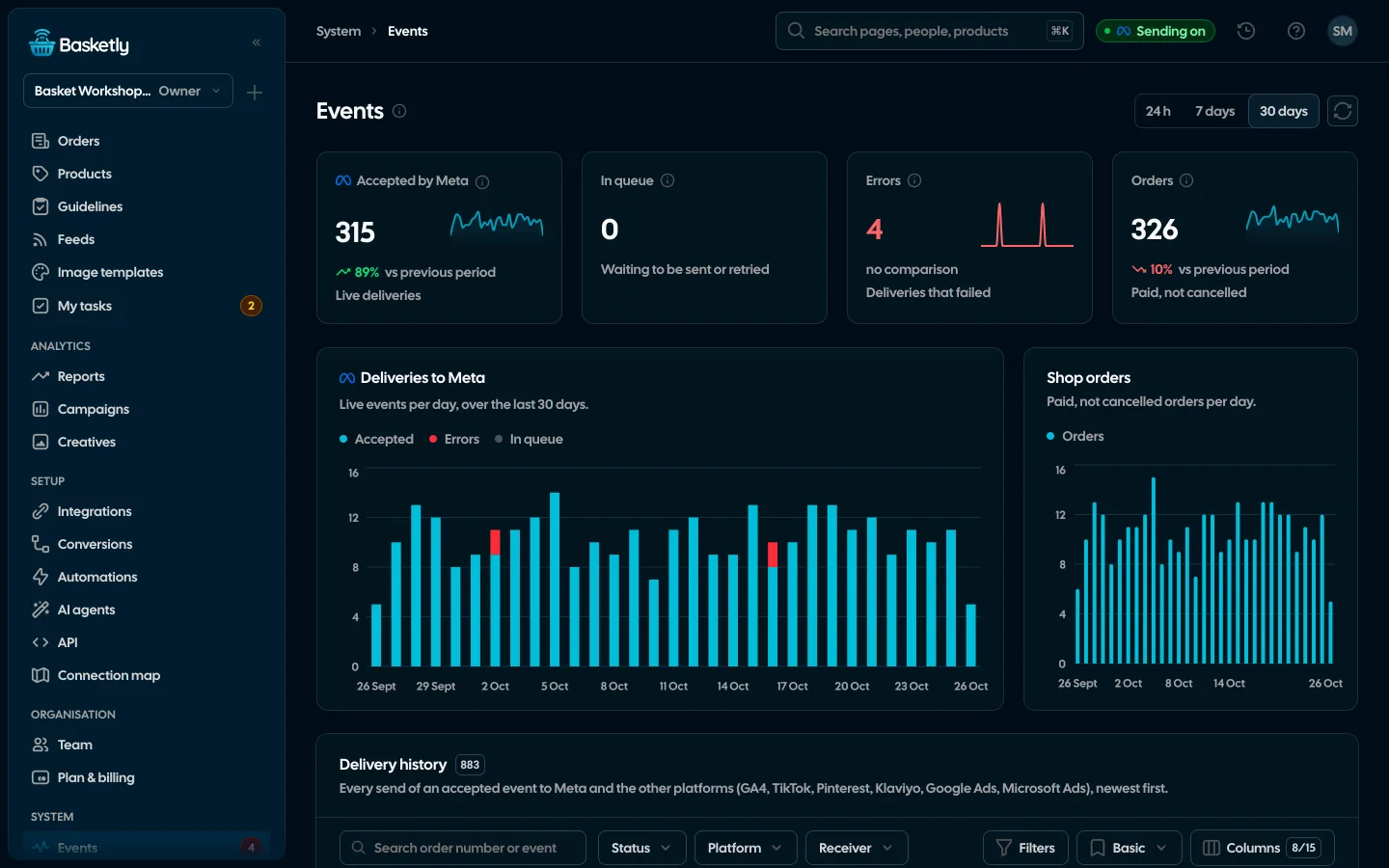
Screenshots from a demo organisation. People and numbers are fictional.
A shop order as a Meta purchase
A paid Shoper order becomes a Purchase event: order id, value and currency, product ids from the order lines, e-mail, phone and IP address. The product ids are the ones in your catalogue, so Meta joins the purchase to the product.
See orders and buyers- You choose which field is the catalogue id when connecting (product id, stock id, code or EAN)
- The shop script adds fbp and fbc, but only with the shopper’s consent
- Sales outside the shop can come from a Google Sheet or the API
An event’s road to Meta
Every event goes through the same steps. Each leaves a trace in the panel.
- 1
Intake
The event is stored. The same order and status is one conversion.
- 2
Flow
Picks the event name and dataset. E-mail and phone are hashed with SHA-256.
- 3
Durable queue
The event waits until Meta accepts it. A server restart does not drop it.
- 4
Batches of up to 500
Events for one dataset go together. A refused batch is re-sent one event at a time.
- 5
Result
“Accepted by Meta”, or an error with Meta’s description, for every delivery.
Nothing lost, nothing sent twice
Delivery is “at least once”, and repeats are caught by deduplication on our side and by the event id on Meta’s side.
What Self-check covers| Safeguard | What it does |
|---|---|
| Deduplication at intake | The same order and status is one conversion, forever |
| Event id | Meta drops repeats with the same id; a pixel purchase with the same id counts once |
| Retries | Up to 6 attempts on network errors and Meta’s transient codes, always with the same id |
| Hashing | E-mail and phone are normalised and hashed with SHA-256 before sending |
| Event time | No older than 7 days; a retry never makes it younger |
Statuses and event names
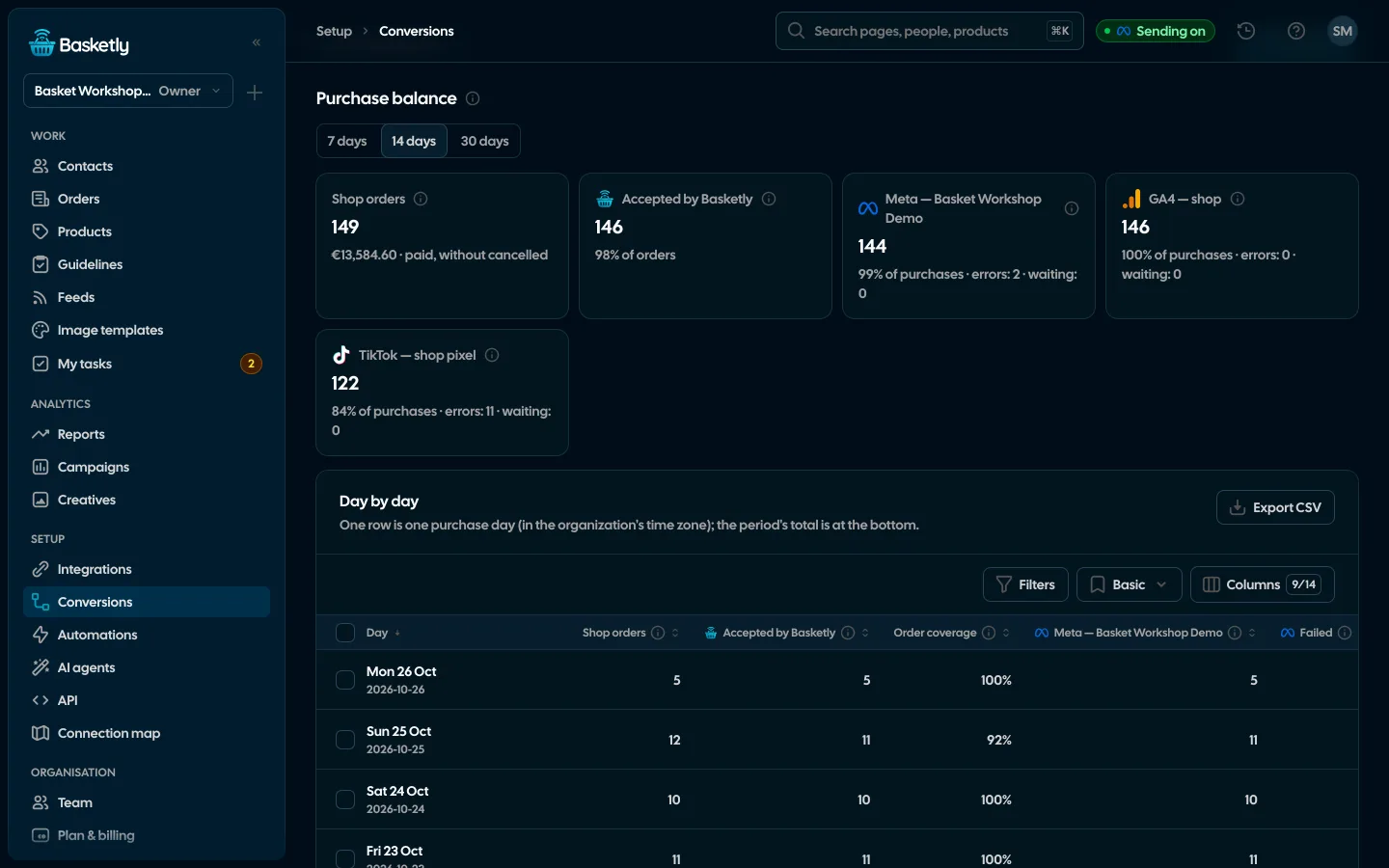
A flow says what goes to Meta and under which name. For a shop that is a purchase as Purchase. The receiver’s Meta configuration report shows the dataset’s events of the last 28 days and the ad sets optimising on it; empty results are labelled as empty.
Test first, then go live
Two ways to see purchases in Events Manager before you rely on them.
Receiver test mode
When you check the whole delivery before launch.
- Events carry your Test Events code
- Deduplicated separately from live
- Switch modes once nothing is waiting in the queue
Test event
When you want to check one order.
- Sends the newest shop event once, with your test code
- Stores nothing in the queue
- Up to 10 times an hour per receiver
Connection map
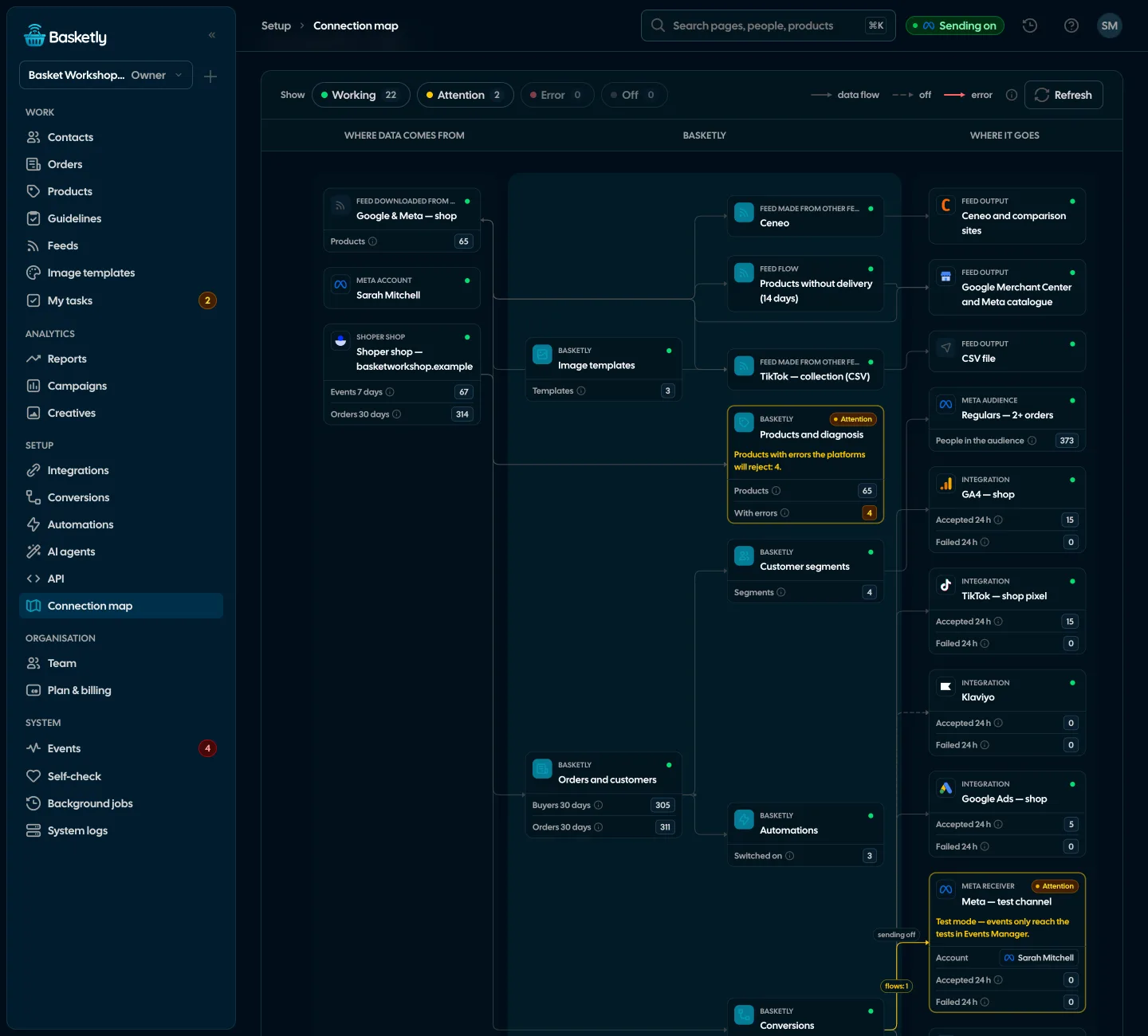
The whole shop setup on one canvas: where data comes from, what happens to it and where it goes, with a status colour on every element and connection. The map changes nothing.
An event accepted by the Conversions API means Meta received and counted it. It does not prove match quality, that a campaign optimises on this data, or how Meta attributes conversions. Check that in Events Manager and Ads Manager.
No. The pixel and the Conversions API can run together. If both send the same purchase with the same name and event id, Meta counts it once.
The delivery gets an error status with Meta’s description. Transient errors are retried automatically; the rest you can retry by hand after a fix, as long as the event is at most 7 days old.
Yes, to GA4, TikTok, Pinterest, Klaviyo, Google Ads and Microsoft Ads, once you connect them in Integrations and switch on “Send purchases” in Conversions. Klaviyo gets only purchases with an email address, and Google Ads and Microsoft Ads purchases from clicks on their ads. Each platform has its own queue and its own result in the purchase balance.
Related features
- ConversionsShop purchases sent server-side to Meta and seven more platforms, and a day-by-day balance: how many orders, how many purchases accepted and where something got lost.See details
- IntegrationsShop, ads, product catalogues, analytics and marketing in one catalogue, each integration’s state counted from what is actually connected.See details
- Self-checkOne check of your whole setup: the shop, purchases sent to Meta, logins, background jobs and automations, with a link to the fix for every problem.See details
- Orders and buyersEvery shop order with its lines and state, revenue, average basket, new and returning buyers, and 24 months of history.See details
- Product feedsYour shop’s feed fixed automatically and by your rules, every product diagnosed against Google Merchant Center and Meta catalogue requirements, served at its own address.See details
- Sales reportOne sentence on how the shop is doing, the six key figures and conclusions with a next step — and tabs below, each answering one question. Every number with its truth level: the shop, a platform or the last click.See details


Get started in under 5 minutes
Connect your shop and Meta and see how many purchases really arrive.
- Free up to 100 orders a month
- No developer needed
- Purchase balance and self-check