

Which products Meta shows and which it skips
Catalogue ad automation favours a few products and nearly hides the rest. Basketly shows for every product how often an ad showed it, how often shoppers viewed it in your shop and how many sold.
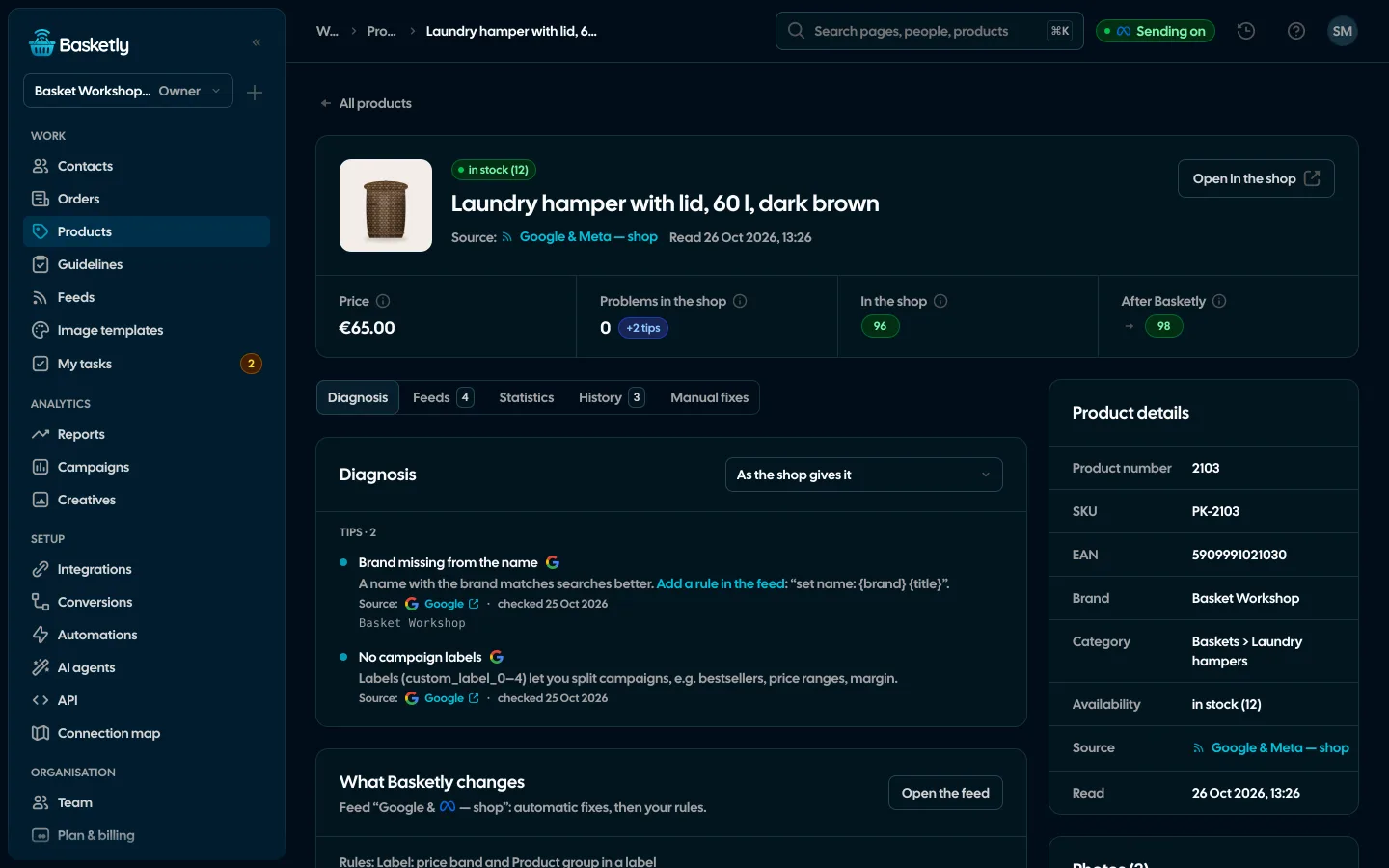
Screenshots from a demo organisation. People and numbers are fictional.
Three sources of numbers per product
A period of 7, 14, 30 or 90 days in the organisation’s time zone. The “Results” column on the Products list puts ads, shop and sales side by side, and the list sorts by impressions, clicks, sales or views.
| Source | What | How often |
|---|---|---|
| Meta catalogue ads | Impressions, clicks, spend | At most every 6 hours, 28 days back on the first read |
| Script in your shop | Views, adds to cart, checkout starts | As they happen, only with the shopper’s consent |
| Orders | Orders, units, revenue | From the shop’s bought orders |
Exposure in catalogue ads
Tiles split products into not shown, barely shown (under 100 impressions in the period) and shown. Clicking a tile filters the list.
Not shown
Zero impressions in the period.
Barely shown
Under 100 impressions in the period.
Shown
100 impressions or more.
A feed of unseen products in one click
“Create a feed from products without exposure” builds a flow feed: every feed of yours as input, a “Product results” block with “impressions under 100”, and the output. Give that feed its own product set or campaign so those products get a chance.
See product feeds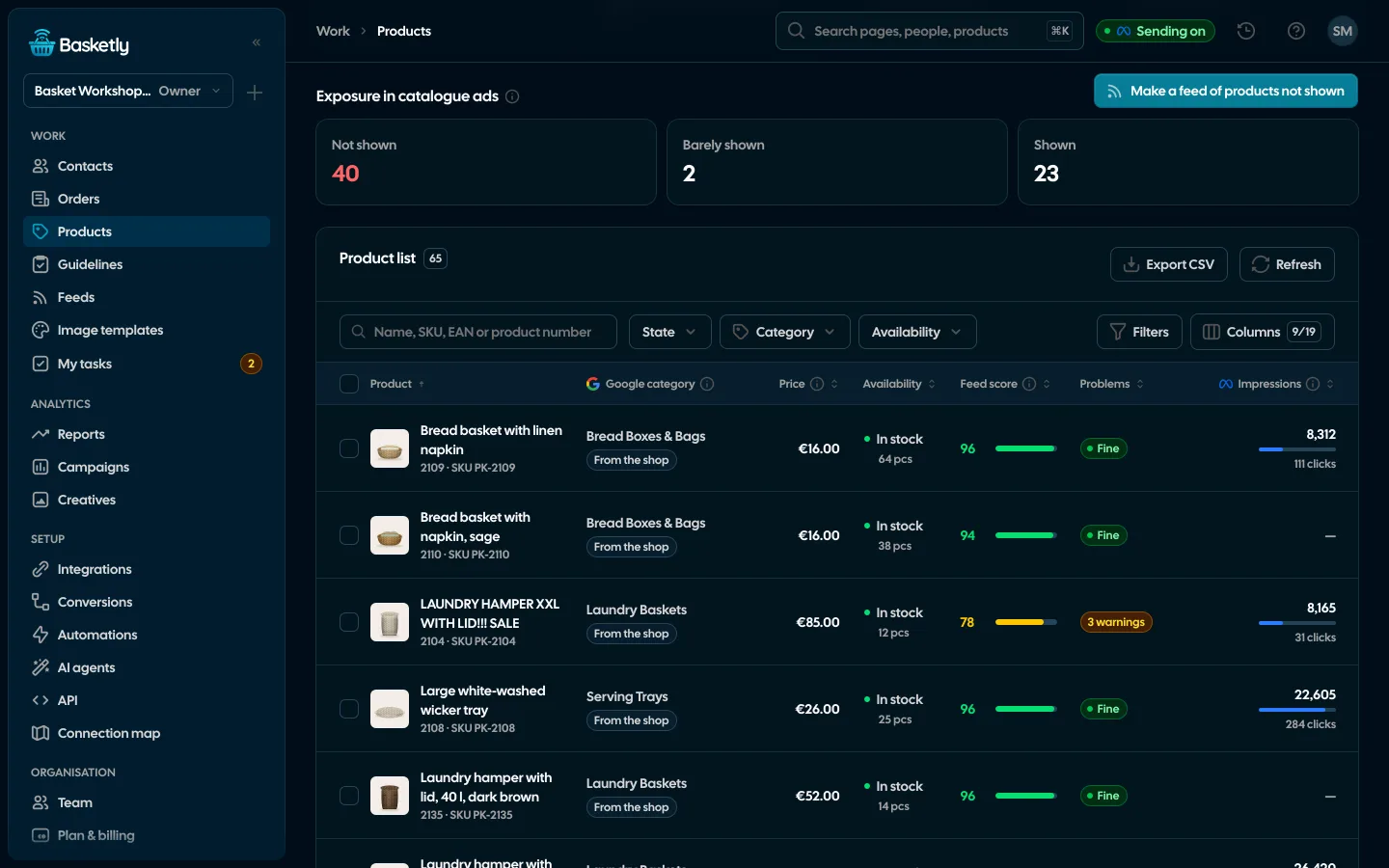
Products in a campaign and in a template
The same numbers appear elsewhere in the panel.
- Campaigns: “Show products” on a campaign or ad, with ad results and shop sales
- Product record: “Product results” with a day-by-day chart
- Image templates: results of the products in each template’s feeds
- Feed flow: a “Product results” block splits products by their result
Meta gives no purchases per product, so a product’s sales come from the shop and are not attributed to an ad. Views and carts are daily counters without any person, collected only with the shopper’s consent.
From the Basketly script in your shop. It counts product views, adds to cart and checkout starts only after the shopper consents in the cookie banner. We store daily counters per product, without any person.
Shop and sales statistics still work. The page says where ad results come from when they are missing.
Not yet. Ad results come only from Meta catalogue ads today.
Related features
- Product feedsYour shop’s feed fixed automatically and by your rules, every product diagnosed against Google Merchant Center and Meta catalogue requirements, served at its own address.See details
- Image templatesImages for carousel and catalogue ads drawn for each product: 122 ready designs, an editor and import from Figma.See details
- Orders and buyersEvery shop order with its lines and state, revenue, average basket, new and returning buyers, and 24 months of history.See details
- Sales reportOne sentence on how the shop is doing, the six key figures and conclusions with a next step — and tabs below, each answering one question. Every number with its truth level: the shop, a platform or the last click.See details
- ConversionsShop purchases sent server-side to Meta and seven more platforms, and a day-by-day balance: how many orders, how many purchases accepted and where something got lost.See details
- For agenciesA separate workspace for every client shop, roles, an all-clients overview and a job queue for each.See details


Get started in under 5 minutes
Connect your shop and Meta and see how many purchases really arrive.
- Free up to 100 orders a month
- No developer needed
- Purchase balance and self-check