

Server-Side Purchase Events for Online Stores: Sending Orders to Meta Conversions API
How to send paid online store orders to Meta as server-side Purchase events: a direct Shoper API connection, webhooks, consent, Pixel deduplication and checks.
On this page
A server-side Purchase event is a purchase sent to Meta by a server rather than the shopper's browser. It doesn't disappear when the shopper runs an ad blocker, ignores the cookie banner or closes the tab before the thank-you page. Below: the fields Meta requires, how Basketly reads orders straight from the Shoper API, how other stores send them, how to avoid counting an order twice and where to check that purchases arrive. At the end, honestly: what this setup does not do.
Why isn't the Pixel enough?
The Pixel is a browser script. It sends Purchase only when the thank-you page loads, the script isn't blocked and the shopper has accepted marketing cookies. Each of those conditions fails some of the time, and you never learn how many purchases slip through.
Meta itself recommends running the Conversions API alongside the Pixel, not instead of it. Your server sees every paid order, so it can send Purchase no matter what happened in the browser.
One caveat up front: better data is not a guaranteed result. The Conversions API gives Meta a fuller picture, but it does not prove your campaigns are optimising for those events, and it does not settle attribution. More on that in What is the Meta Conversions API.
Which fields does a server-side Purchase need?
A server-side Purchase needs a name, a time, an action source, a value and currency, plus data Meta can use to recognise the shopper. Without them the event is rejected or matched poorly to the person who clicked the ad.
| Field | What it is | Meta's rule |
|---|---|---|
event_name | What it isevent name | Meta's rulePurchase, same as the Pixel |
event_time | What it ispurchase time (Unix seconds) | Meta's ruleat most 7 days in the past, otherwise the whole batch is rejected |
event_id | What it isstable event identifier | Meta's ruleneeded for deduplication with the Pixel |
action_source | What it iswhere the conversion happened | Meta's rulewebsite for a purchase with browser data; system_generated for a purchase read from the store's system |
client_user_agent | What it isshopper's browser | Meta's rulerequired for website events, not hashed |
em, ph | What it isemail and phone | Meta's rulenormalised and SHA-256 hashed |
fbp, fbc | What it isMeta cookie identifiers | Meta's rulenot hashed |
value, currency | What it isamount and currency | Meta's rulerequired for Purchase, ISO 4217 code such as PLN |
Two details trip people up. First, client_user_agent must be the shopper's browser, never your server's. Second, timing matters: Meta's end-to-end implementation guide recommends sending in real time or within an hour of the event. Which customer data helps matching most is covered in Event Match Quality.
How does Basketly read orders from Shoper?
Basketly connects to your Shoper store's API as a separate API user, creates a webhook in the store and catches up on orders every 15 minutes. Each paid order becomes one Purchase event in the queue to Meta, with no code on your side.
What you enter when connecting
In the store admin you add an administrator of type "API access" with read rights to orders, products, categories, producers and currencies, and to webhooks (webhooks also with create and delete). On the Shoper source in Basketly you open "Shoper API connection" and provide:
- the login and password of that user; the password is stored encrypted,
- statuses that count as a purchase on top of Shoper's "paid" flag, e.g. a cash-on-delivery status (status numbers separated by commas),
- the product id in the Meta catalogue: Shoper product ID (default), variant ID (
stock_id), product code (SKU) or EAN; it must match your catalogue, or catalogue ads cannot link the purchase to the product, - confirmation of the legal basis for passing order data (email, phone) to Meta.
Webhook plus a 15-minute catch-up
After connecting, Basketly signs in to the store and creates a webhook for order.create, order.paid, order.status and product changes. Every notification is checked against Shoper's signature. Shoper delivers each webhook only once, with no retry, so every 15 minutes Basketly also reads the orders whose status changed since the last read. On first connection it reads orders from the last 7 days and all products. "Fetch now" runs the order and product read straight away, and "Disconnect" removes the webhook from the store and forgets the login.
What goes to Meta
An order Shoper marks as paid, or one with a status you chose as a purchase, is sent as Purchase:
external_idis the order number andevent_idisshoper-order-<number>, so the same order never enters the queue twice.- Value and currency from the order, and product ids from its lines (up to 100) using the field you chose.
- The shopper's email and phone, normalised and SHA-256 hashed; a bare 9-digit number is treated as Polish.
- The shopper's IP address as recorded by the store, not hashed.
- An order read from the API carries no browser data, so without a user agent it goes as
system_generated, notwebsite.
Every order, including unpaid and cancelled ones, stays in the panel on the Orders page, and the buyer becomes a person in Clients. Once per connection Basketly also reads the last 24 months of orders, but nothing from that history is sent to Meta. More on the Orders and buyers page.
What is the script in the store for?
You install the collector script in the store and call it from your consent banner. Before consent it stores and sends nothing. It never confirms a purchase on its own: only the server does, because anyone who opens the page can see the script's public key.
After consent (setConsent(true)) the script:
- reuses the existing
_fbpcookie or creates its own identifier, so it works without the Pixel, - keeps
_fbcand a realfbclidparameter from the ad link; it never inventsfbcwithout an actual click, - keeps its identifier in the browser for up to 30 days,
- can count product views, add-to-carts and checkout starts (
track('view_item' | 'add_to_cart' | 'begin_checkout', [product ids])) for product statistics; these are daily counters with no person attached.
Withdrawing consent (setConsent(false)) clears browser state and server-side attribution data. It does not recall conversions already sent to Meta.
What if my store isn't on Shoper?
Other stores and in-house systems post confirmed orders to the source's secure address with a private token. That needs code on the store side, but the rules are the same: only the purchase status, a mandatory event_id, a value and a currency.
POST /api/ingest/SOURCE_ID
Authorization: Bearer PRIVATE_SOURCE_TOKEN
Content-Type: application/json
Such an adapter sends the order ID, event_id, time, email or phone, value, currency and consent. It can also pass the script's tracking_id (the purchase then carries the shopper's fbp and fbc) or the real shopper's IP and user agent. The page URL must belong to the store's domain, and a website event without the shopper's user agent is rejected. Never send your own server's IP or user agent. consent: true means your process confirms a valid legal basis for sharing the data; see GDPR and the Conversions API (not legal advice).
How do you avoid counting an order twice?
If the store runs a Pixel that sends Purchase, Meta receives the same purchase from the browser and from the server. It counts it once only when both events share the same name and the same ID: eventID in the Pixel and event_id in the Conversions API.
Meta deduplicates pairs that arrive within 48 hours. For Shoper the server sends shoper-order-<order number>, so the Pixel on the thank-you page should use exactly that eventID. If your Pixel setup cannot set it, the double-send problem isn't honestly solved. Details and common mistakes are in our guide to Pixel and CAPI event deduplication.
Basketly adds a second safeguard: the same combination of dataset, event name, event_id and mode (test or live) never enters the queue twice.
Where do you check that purchases arrive?
Every order goes into a durable queue. On a network error, rate limit (429) or Meta server error, Basketly retries up to 6 times with growing intervals and honours the Retry-After header. Other errors wait for a manual retry once the cause is fixed.
You see the result in several places:
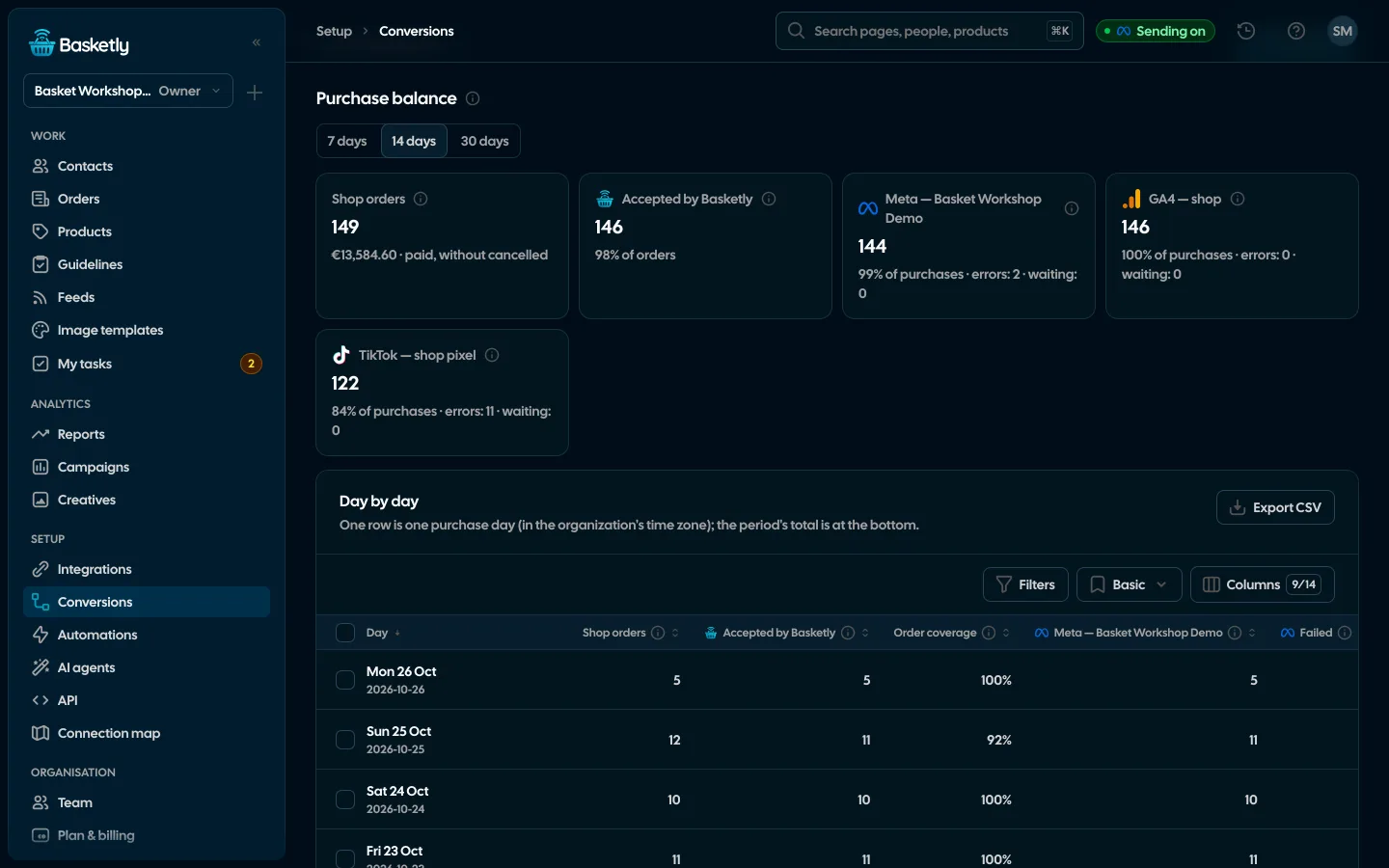
- Conversions (purchase balance over 7, 14 or 30 days): shop orders, purchases accepted by Basketly and, per destination, accepted, failed and waiting, day by day, with the most common error reasons.
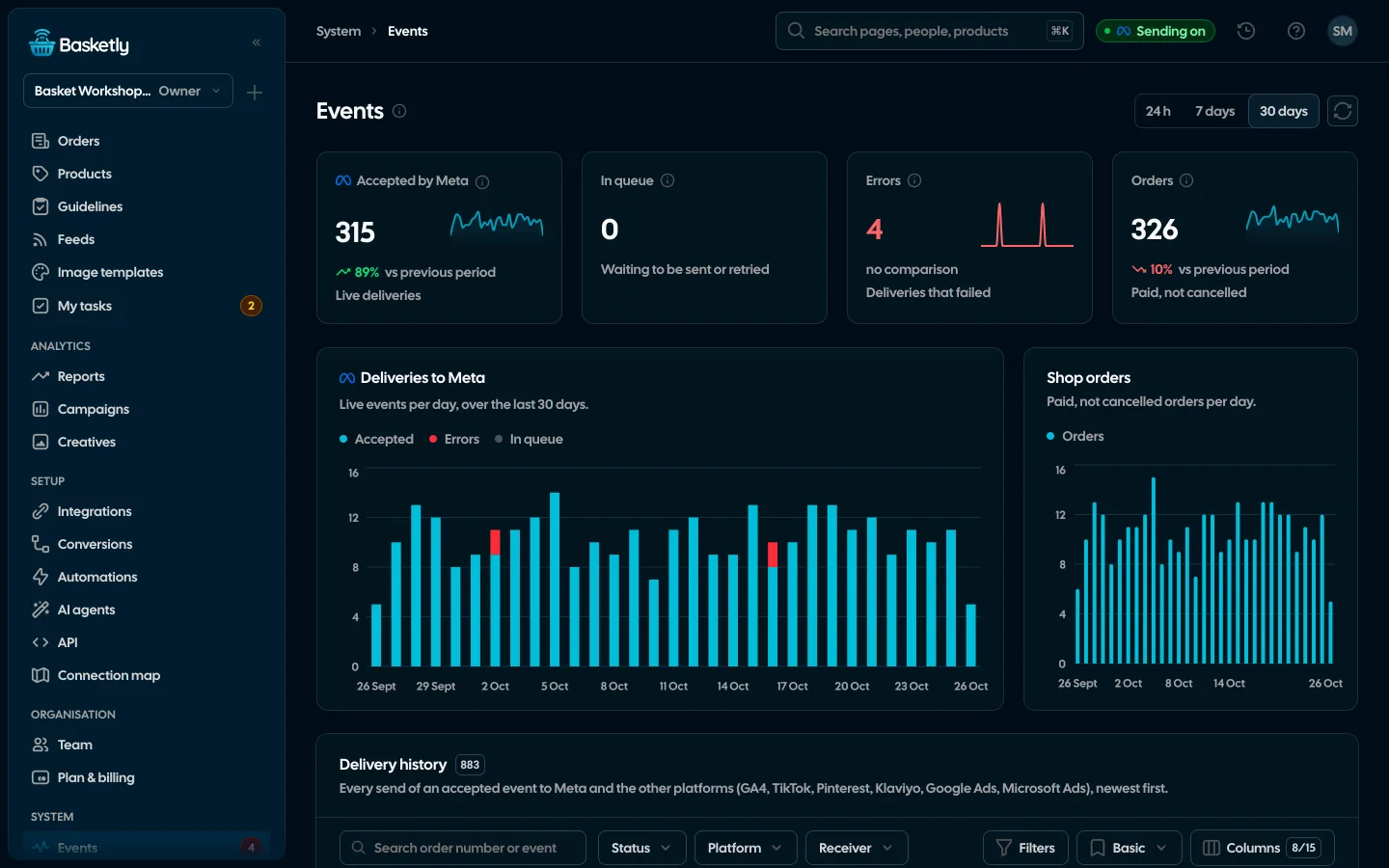
- Events: every delivery to Meta with its status, attempts and last error.
- Campaigns: purchases, their value and ROAS as Meta reports them (Meta's attribution), next to shop revenue.
- Reports: shop revenue next to the spend of every ad channel (MER blended), orders by source and the share of orders accepted for sending.
"Accepted by Meta" means Meta answered and counted the event. That confirms receipt, not match quality, campaign optimisation or attribution. If you want, the same purchases can also go from the server to GA4, TikTok, Pinterest, Klaviyo (purchases with an e-mail), Google Ads and Microsoft Ads (purchases from clicks on their ads): switch on "Send purchases" for the connection on the Conversions page. More on sources on the Integrations page.
Limits
Check these before you start:
- The ready-made connection is Shoper only. IdoSell, WooCommerce, Shopify and BaseLinker are planned; other stores post orders to the source address with their own code.
- An API order has no browser data. It goes as
system_generatedwith email, phone and IP but nofbporfbc, so matching relies mostly on the shopper's contact details. - Paid purchases only. Carts, started payments and refunds are not sent to Meta as events.
- The 7-day limit. Meta will not accept orders older than 7 days; the 24-month history stays in the panel only.
- Shoper's limits. Basketly waits when the store asks it to slow down (
Retry-After) and reads up to 40 pages of orders per run, so under very heavy traffic it catches up over the following runs. - A local server address gets no webhooks; then only the 15-minute catch-up runs.
- Purchases in Campaigns are Meta's report; shop revenue is never credited to individual campaigns.
Next step
Create an organisation, add a test Meta destination and a Shoper source, connect it to the store's API and place a test order. Plans and monthly order limits are on the pricing page.
Sources
- Meta for Developers: Conversions API (what the interface is and which events it accepts)
- Meta for Developers: Server Event Parameters (7-day limit for
event_time,action_source,event_id) - Meta for Developers: Customer Information Parameters (which customer fields must be normalised and SHA-256 hashed)
- Meta for Developers: Standard Parameters (custom data) (
valueandcurrencyfor a purchase) - Meta for Developers: Deduplicate Pixel and Server Events (
event_id+event_name, 48-hour window, both channels recommended) - Meta for Developers: Conversions API End-to-End Implementation (sending in real time or within an hour)
About the author
Aleksander
Founder of Basketly.io, BooksyAudit.pl and SMSPortal.app
Founded Basketly.io, BooksyAudit.pl and SMSPortal.app. In the knowledge base he explains how to send shop purchases to Meta, how to keep a product catalogue in shape and how to measure what a purchase from ads costs.
All articles by the authorFrequently asked questions
Do I still need the Meta Pixel if I send purchases from the server?
The Pixel runs in the browser, so it misses purchases when the shopper blocks scripts, declines consent or closes the tab before the thank-you page. Meta recommends running the Conversions API alongside the Pixel, not instead of it. The server-side Purchase fills in what the browser cannot report.
Do I need a developer to send Shoper orders?
No. You create an API user in Shoper, enter its login and password on the Shoper source in Basketly, choose which statuses count as a purchase and which field is the product id. Basketly creates the webhook in the store itself. A developer is only needed for other stores that post orders with their own code.
How do I stop the Pixel and the server counting the same order twice?
Both events need the same name (Purchase) and the same ID. For Shoper orders the server sends event_id as shoper-order-<order number>. Meta deduplicates pairs that arrive within 48 hours. If your Pixel setup cannot set that eventID, don't treat the double send as solved.
Will orders from the store's history be sent to Meta too?
No. Once per connection Basketly reads the last 24 months of orders into the Orders page and the client records, but sends none of them. Only orders paid from now on go to Meta, and Meta only accepts purchases up to 7 days old anyway.
Where can I see whether purchases reached Meta?
On the Conversions page (the purchase balance: shop orders, purchases accepted by Basketly and each destination's result) and on Events, which lists every delivery with its error or confirmation. Accepted means Meta received the event, not that a campaign optimises for it.

