Offline Conversions from Google Sheets to Meta: Columns, Hashing and Deduplication
How to send phone and in-store sales from a Google Sheet to Meta via the Conversions API: required columns, date and phone formats, hashing and the 7-day limit.
On this page
Plenty of shops log part of their sales in a Google Sheet: orders taken by phone, sales in a physical shop, or business orders paid by bank transfer. Someone adds a row and, once the money arrives, marks it "paid". Meta never hears about it, because the Pixel sees your website, not your spreadsheet. The Conversions API lets you pass those changes to Meta as offline conversions, meaning events that happened away from your site. This guide shows how to lay out the columns, how the data is hashed, how double counting is avoided, and where this approach stops working.
What are offline conversions in Meta?
They're events your business knows about and the browser doesn't: a phone sale, a purchase in a physical shop, an order paid by bank transfer a few days later. Meta now takes them through the same Conversions API as website events. It describes its older, separate offline conversions interface as legacy and recommends the Conversions API for new integrations.
An event from a sheet uses action_source = system_generated, i.e. raised by a business system. The key rules from Meta's server event parameters:
event_timeis when the event really happened, at most 7 days before sending- one event that's too old makes Meta reject the whole request
- each event needs at least one customer identifier
Which columns does the sheet need?
Column names are up to you, because you map them in the panel. What matters is the content.
| Column (example) | What it holds | Watch out for |
|---|---|---|
id | What it holdsA stable record ID, e.g. the order number | Watch out forNot the row number, which changes when you sort. No emails or names |
status | What it holdsOrder status, e.g. RECEIVED, PAID | Watch out forCase must match the flow |
status_changed_at | What it holdsWhen the record entered that status | Watch out forA date cell or ISO 8601 with time zone. Not the sync time |
email | What it holdsCustomer email | Watch out forHashed before sending |
phone | What it holdsPhone with country code, e.g. +14155550123 | Watch out forText column, so the sheet keeps the plus sign |
value, currency | What it holdsAmount and ISO 4217 code, e.g. EUR | Watch out forRequired for Purchase |
consent | What it holdsTRUE when you have a lawful basis to share the data | Watch out forDon't fill it in wholesale without checking your process |
The minimum is record ID, status, time, consent and at least one person identifier: email or phone.
Why does the status change time matter so much?
Because Meta ties a conversion to the moment it happened. If a tool stamped events with the sync time, a Friday sale would look like a Monday sale. So Basketly never substitutes the read time for a missing date: a row without one is rejected, and the message points to the first failing row number without showing any customer data.
Date cells are read in the sheet's own time zone. Text dates must include a zone, e.g. 2026-04-14T10:30:00-05:00.
How is data from the sheet hashed?
Meta requires email and phone to be normalised and SHA-256 hashed. Following Meta's customer information parameters:
- Email: trim spaces, lowercase, then SHA-256.
Jane.Doe@Example.comandjane.doe@example.comproduce the same hash. - Phone: strip spaces, dashes and brackets; the country code is mandatory; hash the digits only.
+1 (415) 555-0123becomes the hash of14155550123.
Basketly does this on the server. A phone number without a country code is rejected rather than guessed, because a wrong prefix produces a hash that matches nobody. Hashes are still personal data under laws like the GDPR; see GDPR and hashing in the Conversions API (not legal advice).
How do you map statuses to Meta events?
A flow defines which source status becomes which Meta event. For example:
| Status in the sheet | Meta event |
|---|---|
RECEIVED | Meta eventnot mapped, so nothing is sent |
PAID | Meta eventPurchase (with value and currency) |
CANCELLED | Meta eventnot mapped, so nothing is sent |
Pick event names that match what you'll later use in a campaign or custom conversion. One source can feed several destinations (two Pixels, say), and each destination has its own delivery status.
How does deduplication work with a sheet?
A sheet read every minute means the same row is seen hundreds of times. If every read sent an event, Meta would get a flood of duplicates. There are two layers of protection:
- Business event: a record ID plus status from a source is a one-off conversion. Re-entering the same status doesn't create a new one.
- Delivery: each event has a stable
event_idderived from the record ID and status, and the queue won't send the same event to the same Meta dataset in the same mode twice, even from two different connections.
Retries keep the same event_id, so if Meta's response is lost in transit, Meta can still deduplicate the repeat. The Pixel never sends sheet events, so there's nothing to reconcile with the browser. More in Pixel and CAPI event deduplication.
What can't a sync reconstruct?
A sheet shows a row's current state, not its history. If someone moves a row from RECEIVED to PAID within a minute, a read might only see the second status. If statuses can change faster than the sheet is read, log events in a separate tab: one row per change, each with its own ID.
How do you check that events arrive?
- Create a Meta destination in test mode with the code from Events Manager.
- Change the status of one row containing test data.
- Check the delivery in the panel: "Accepted by Meta" means a response with
events_received: 1. - In Events Manager's test events tab, confirm the event arrived with the right name and parameters.
- Only then create a production destination and flow. Test and production keep separate deduplication.
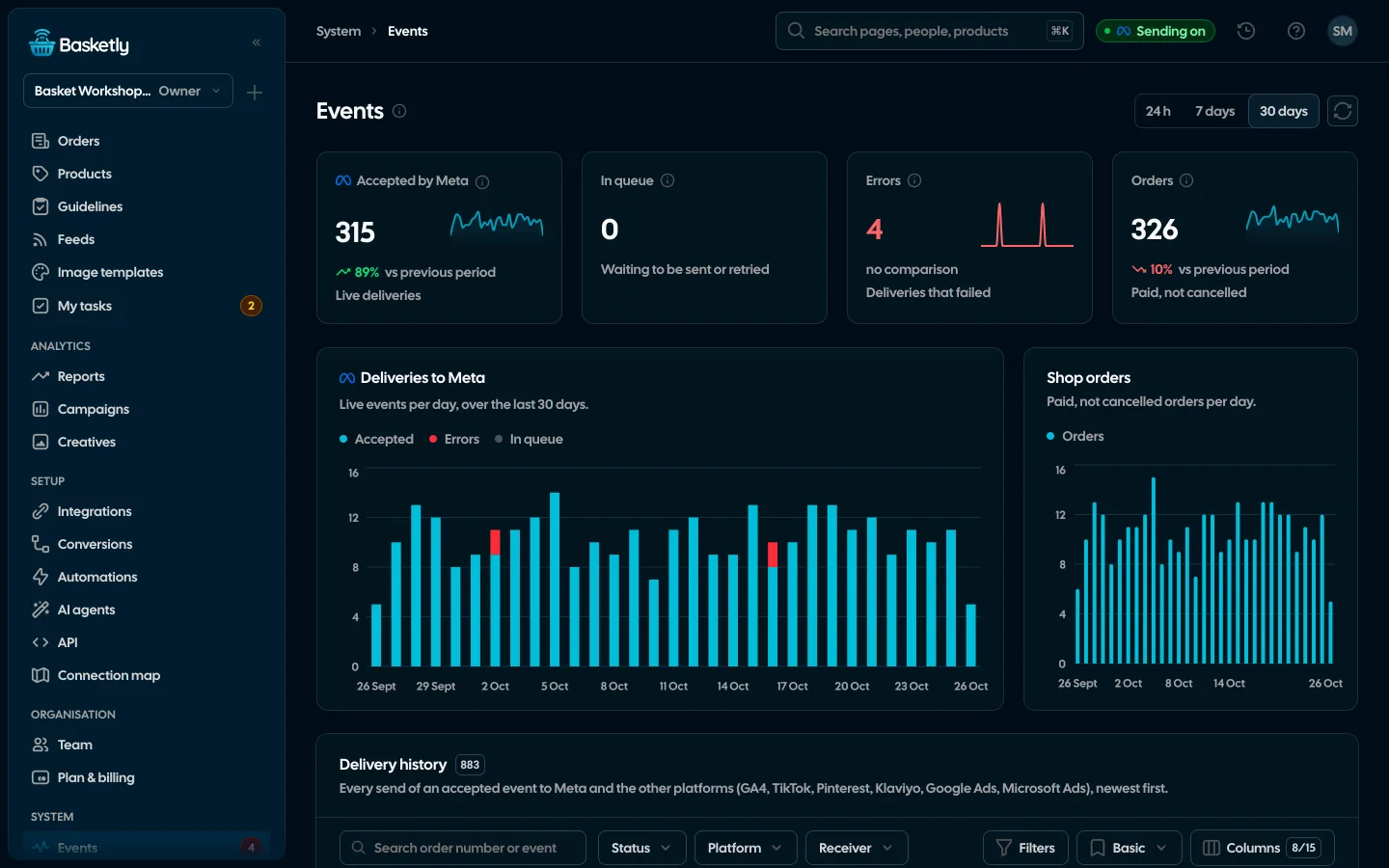
Acceptance says nothing about how well Meta matched the event to a person. Events Manager shows that as Event Match Quality; see how to improve Event Match Quality.
Common errors and their causes
| Symptom | Cause | Fix |
|---|---|---|
| Row rejected: missing time | CauseEmpty date column, or text without a time zone | FixFill in the date or add the zone in ISO 8601 |
| Row rejected: phone | CauseNumber without country code | FixStore +<country code>… in a text column |
| Event too old | CauseStatus changed more than 7 days ago | FixMeta won't take it. Keep the sheet current |
| Nothing is sent | CauseNo active flow, or the status uses different letter case | FixCheck the flow mapping |
| Data change rejected | CauseEditing a row already reported with the same status | FixA new business event needs a new record ID |
When is a spreadsheet the wrong source?
- You update statuses once a week. Some events will pass the 7-day limit and be lost. The sheet has to be kept current.
- Your orders come from an online store. Then it's better to connect the shop itself (Shoper, IdoSell, BaseLinker): Basketly stores the order with its lines, the buyer and the purchase without copying anything into a sheet. How that works is covered in server-side purchase events for online stores.
- You have tens of thousands of active rows. At 500 rows per minute a full pass takes a while; a server-side integration suits that volume better.
- The sheet has no person identifier at all. Without email or phone, Meta has nothing to match against.
Next step
Add the columns from the table, connect the sheet in test mode and change one row's status. Read more about the sheet as a source on the Integrations page; plans are on the pricing page.
About the author
Aleksander
Founder of Basketly.io, BooksyAudit.pl and SMSPortal.app
Founded Basketly.io, BooksyAudit.pl and SMSPortal.app. In the knowledge base he explains how to send shop purchases to Meta, how to keep a product catalogue in shape and how to measure what a purchase from ads costs.
All articles by the authorFrequently asked questions
Do I need to install Apps Script in my sheet?
No. You connect the sheet by signing in with Google and picking the file in Google's own file picker. The app only gets access to the file you choose, not your whole Drive, and it only reads data.
How quickly does a change in the sheet reach Meta?
The server reads the sheet every minute, up to 500 rows per pass, so a full pass over a large sheet takes a few minutes. A new status goes into the delivery queue and from there to Meta, usually within minutes of the edit.
What happens if I change the status of a row that was already sent?
A new status is a new event, so it is sent if your flow maps it. The same record ID with the same status is a one-off conversion: re-entering a status doesn't create a second conversion, and changing the data of a pair that was already reported is rejected.
Why is the phone number from my sheet rejected?
Because it has no country code, or the sheet swallowed the leading plus. Format the phone column as plain text and store numbers as +48… before you start syncing.
Can a sheet replace connecting my shop?
No. Online store orders are better read through the shop connection (Shoper, IdoSell, BaseLinker), because then Basketly stores the order, the buyer and the purchase itself. A sheet works well for sales outside the online store: by phone, in a physical shop or on an invoice paid by transfer.