Shop purchases to GA4 and TikTok from the server: what is sent, how to switch it on and what not to expect
How to send paid shop orders to Google Analytics 4 (Measurement Protocol) and TikTok (Events API) from the server: a key connection, one switch and honest limits.
On this page
Purchases to GA4 and TikTok from the server are the same paid orders the shop already sends to Meta, passed on to Google Analytics 4 and TikTok as well. No extra code in the shop, no tags, and no risk that a purchase vanishes because the customer closed the tab before the thank-you page. Below: exactly what is sent, how to switch it on and what this kind of sending will not do.
Why send purchases to GA4 and TikTok from the server?
A purchase sent from the server does not depend on the customer's browser. A script on the thank-you page fails when the customer blocks ads, refuses cookies or pays at a payment gateway and never comes back to the shop. The server sees every paid order, so it passes it on whatever happened in the browser.
Each platform gets something different out of it:
- GA4 receives the transaction with the order number, value and products. Revenue in reports gets closer to what the shop shows.
- TikTok receives the purchase event it needs to measure and optimise campaigns, also when the pixel in the browser did not fire.
It is the same principle we describe in the article on server-side purchase events from your shop: a purchase is confirmed by the server that sees the payment, not by a public script.
What exactly does GA4 receive?
GA4 receives a Measurement Protocol purchase event whose transaction id is the order number, with value, currency and the products (catalogue ids, quantity 1), plus, when the order has an e-mail, its SHA-256 hash as user-provided data. Consent is marked as granted, because a purchase only goes through with a confirmed legal basis.
| GA4 field | Source | Notes |
|---|---|---|
transaction_id | Sourcethe shop's order number | NotesGA4 recognises a repeated transaction |
value, currency | Sourcethe purchase value and currency | Notesa purchase without a currency is refused as an error |
items | Sourceproduct ids from the order | Notesthe same catalogue id you choose in the shop connection |
user_data | Sourcehashed e-mail | Notesonly when the order has an e-mail |
client_id | Sourcederived from the order | Notesnot from the browser, see below |
consent | Sourcegranted | Noteswe only send purchases with a confirmed legal basis |
The thing to understand is client_id. GA4 needs it on every event. Normally it comes from a browser cookie and joins the event to a visit, and through the visit to a traffic source. A server-side purchase knows no such visit, so Basketly derives a stable id from the order number. The result: GA4 counts revenue and transactions but cannot attribute them to a campaign or traffic source. If you want GA4 to show where purchases came from, you need purchases from the browser.
The second boundary: GA4 accepts Measurement Protocol events at most 3 days old. An older purchase ends with the error "GA4 takes events at most 3 days old." and is not retried. Google also states that the Measurement Protocol returns a 2xx status code even when the data is wrong, so look for the first purchases in GA4 reports.
What exactly does TikTok receive?
TikTok receives an Events API CompletePayment event with the same event id the shop's purchase uses, with value, currency and products. To match the person we send the hashed e-mail, an external id and, when the shop's script collected them, the customer's IP address, browser and page address.
The shared event id matters if the shop also runs the TikTok pixel. TikTok then recognises the pixel + server pair as one purchase, as long as the pixel sends the purchase with the same id. If your pixel sets its own id, the purchase may be counted twice, just as with Meta; we explain the mechanism in the article on Pixel and CAPI event deduplication.
The TikTok token is checked when you save it: Basketly reads the ad account's pixel list and looks for your pixel code on it. When TikTok later refuses the token, the send ends with the readable error "TikTok refused the token. Save the integration with a new token."
How do the queue and retries work?
Every purchase goes into a separate queue for GA4 and TikTok, next to the Meta queue. One purchase goes to one integration at most once, because the queue keys on the event id. Network errors, rate limits and platform outages are retried with growing pauses, up to 6 attempts. A refused key or a too-old event is an error without retries.
A few rules worth knowing:
- Sending follows the same server switch as Meta. When the top bar says "Sending off", purchases wait in the queue.
- New purchases only. Switching it on does not send past purchases. Switching it off stops the next ones.
- Customer data in the queue is erased together with the event data, under the event retention.
- A purchase needs no Meta flow when GA4 or TikTok takes it. You can send only to GA4 if you prefer.
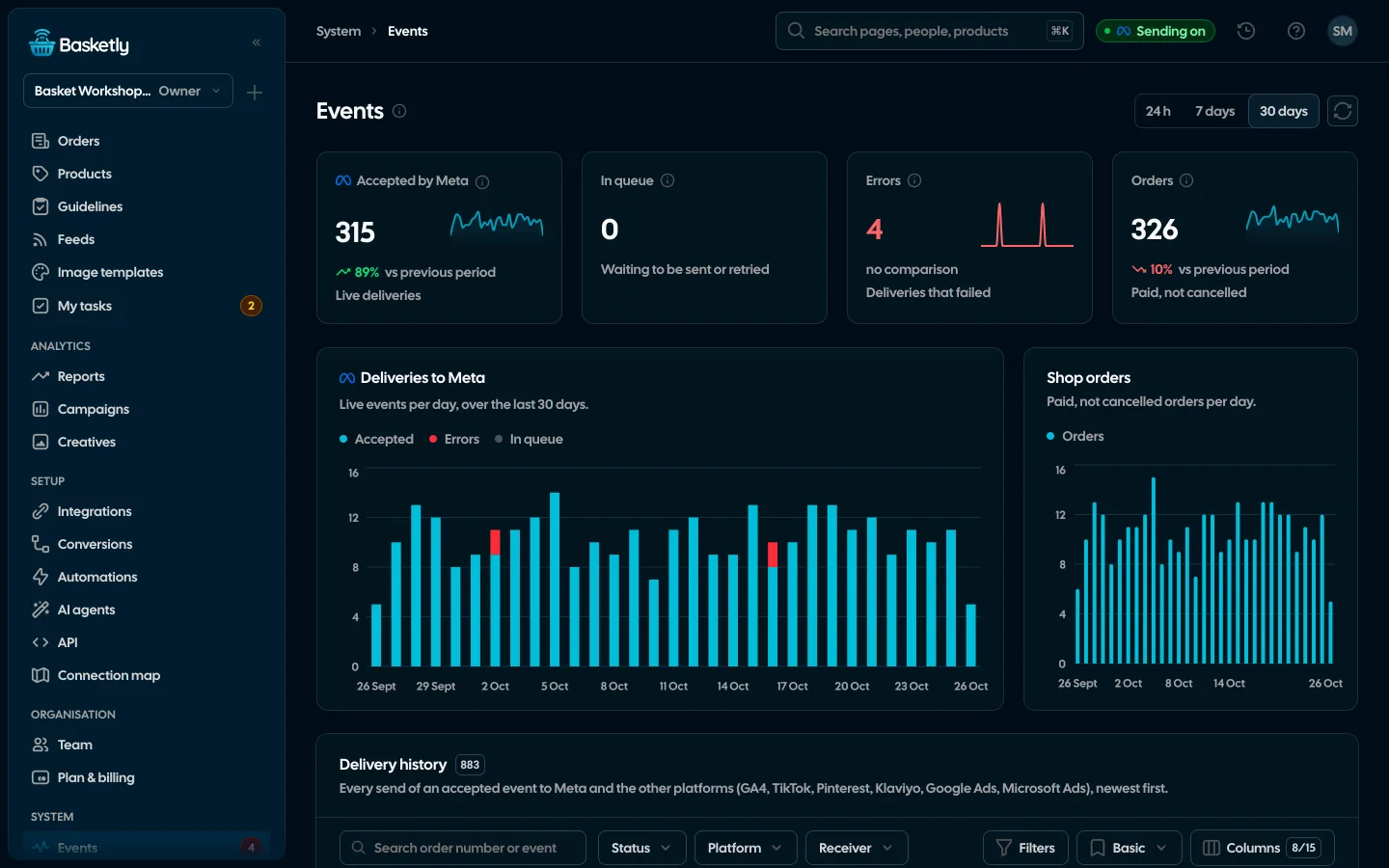
The state of every send shows in the purchase balance: accepted, errors and waiting for each integration, day by day, with the most common error reasons.
How it looks in Basketly
In Basketly everything happens in two places: the connection in Integrations, sending in Conversions. You enter a key once and never see it in the panel again; when editing, an empty field keeps the stored key. You can connect at most 5 accounts of each integration.
Step 1. Connect GA4. Setup → Integrations, Overview tab, the Google Analytics 4 tile → Connect. Enter the measurement ID (G-…) and the Measurement Protocol secret. You find the secret in GA4: Admin → Data streams → Measurement Protocol API secrets. The connection is saved as "Saved, not checked", because Google does not confirm the secret up front.
Step 2. Connect TikTok. The TikTok tile → Connect. Enter the ad account ID, pixel code and access token (TikTok Ads Manager → Assets → Events → the pixel → Settings). After saving you see "Working" or an error with the reason TikTok gave.
Step 3. Switch on sending. Setup → Conversions, the Other platforms section. Each connected integration has a "Send purchases" switch. Changing it needs edit rights on Conversions (owner and administrator by default).
Step 4. Check. After the first orders look at the balance on the same page, then at GA4 reports and TikTok's Events Manager.
If you are only starting to connect the shop to platforms, the order of steps is in shop integrations: where to start.
Does this replace the GA4 tag and the TikTok pixel in the shop?
No. Server-side sending adds to the browser tags; it does not replace them. The GA4 tag measures visits, traffic sources, pages viewed and the path to purchase. The TikTok pixel collects events before the purchase and click ids. The server adds a reliable purchase the browser may have missed.
| Need | Browser tag | Server-side purchase |
|---|---|---|
| Traffic source and campaign in GA4 | Browser tagyes | Server-side purchaseno |
| Purchase when the customer did not return from the payment page | Browser tagnot always | Server-side purchaseyes |
| Purchase without consent to marketing cookies | Browser tagno | Server-side purchasedepends on the shop's legal basis |
| Events before the purchase (views, cart) | Browser tagyes | Server-side purchaseno |
The "depends" in the consent row is deliberate. Whether you may pass order data to Google and TikTok follows from your shop's legal basis, not from the technology. General principles are in the article on GDPR and the Conversions API (not legal advice).
Limits
- GA4 does not join the purchase to a browser session. Revenue matches, the traffic source is unknown.
- GA4: at most 3 days back, and a 2xx answer does not confirm the data is right.
- Purchases only. Product views, cart and started checkouts do not go to GA4 or TikTok from the server.
- New purchases only from the moment the switch is on, nothing sent backwards.
- Pinterest, Klaviyo, Google Ads and Microsoft Ads get purchases with the same switch. Pinterest as checkout (Conversions API), Klaviyo as Placed Order — only purchases with an e-mail, subscribing nobody to newsletters; Google Ads and Microsoft Ads only purchases from clicks on their own ads (the click id, in Google Ads also the e-mail under enhanced conversions).
- Products go with quantity 1 for each id in the order.
- Accepted is a confirmation of receipt, not proof of campaign optimisation or attribution to an ad.
Next step
Connect GA4 in Integrations, switch on "Send purchases" in Conversions and after a day compare revenue in GA4 with the orders tile in the balance. The whole conversions part is described on the Conversions page, and the list of all connections on the Integrations page.
About the author
Aleksander
Founder of Basketly.io, BooksyAudit.pl and SMSPortal.app
Founded Basketly.io, BooksyAudit.pl and SMSPortal.app. In the knowledge base he explains how to send shop purchases to Meta, how to keep a product catalogue in shape and how to measure what a purchase from ads costs.
All articles by the authorFrequently asked questions
Will GA4 show which campaign a server-side purchase came from?
No. A purchase from the server has no browser session GA4 could join it to, so Basketly derives the client id from the order number. GA4 counts the transaction and revenue but cannot attribute them to a traffic source or campaign.
Will TikTok count a purchase twice if the shop also runs the TikTok pixel?
It should not, as long as the pixel sends the purchase with the same event id. Basketly sends CompletePayment with the purchase id from the shop, and TikTok deduplicates pixel and server events by that id.
Will Basketly send last month's purchases to GA4?
No. Sending covers new purchases from the moment you switch it on; nothing is sent backwards. On top of that, GA4 accepts Measurement Protocol events at most 3 days old, so an older purchase ends with an error.
Why is GA4 “Saved, not checked”?
Google gives no way to confirm a Measurement Protocol secret up front. Basketly checks that the measurement ID has the right format and saves the connection unchecked. TikTok is checked at once against the ad account's pixel list.
Does Pinterest receive purchases too?
Yes. Once Pinterest is connected with a key and Send purchases is on, a purchase goes through the Pinterest Conversions API as checkout with the same event id as the Pinterest tag. Klaviyo works the same way (a Placed Order event, only purchases with an e-mail). Google Ads and Microsoft Ads connect by signing in and get only purchases from clicks on their own ads, so in all Basketly sends purchases to seven platforms.