
Suspended Merchant Center account (Misrepresentation): what to check in your shop and what a feed cannot fix
Google suspended your Merchant Center account for misrepresentation? What the policy means, a shop checklist (business details, returns, costs) and what a feed can do.
On this page
Key facts (as of 2026-10-30)
- The "Misrepresentation" policy (in Polish, "Wprowadzanie użytkowników w błąd") is about trust in the shop: business details, returns, costs and whether the site matches the feed.
- For serious violations Google may suspend an account at once, without prior warning.
- According to Google, a review after your fixes usually takes about 7 business days, sometimes longer.
- A corrected feed can remove some causes, but it does not lift a suspension.
- Basketly will not appeal a suspension and cannot show what Google flagged.
You open Merchant Center and the account is suspended. Product ads are stopped and the message is generic. On r/ecommerce the author of a thread about such a case writes bluntly: "GMC won't tell you WHAT is being flagged as misrepresentative" (thread). In Polish, a user on Google's community forum puts it like this: "Moje konto Google Merchant Center zostało zawieszone z powodu naruszenia zasad »Misrepresentation / wprowadzanie użytkowników w błąd«" (my Merchant Center account was suspended for violating the Misrepresentation policy; Google Help community).
This article does not promise a quick reinstatement. It shows what Google checks, how to go through your shop in an hour and where a feed helps and where it does not.
What it means
The policy prohibits offers that push people to buy without giving all material information, or that describe the business or products untruthfully. Google says it may review product data, your site, accounts and external sources.
According to the same page:
- for serious violations (the categories "Unacceptable business practices" and "Dishonest pricing and transaction terms") the account may be suspended immediately and without warning,
- for other violations you get at least 7 days to fix things before a suspension,
- after fixes you ask for a review, which usually takes about 7 business days, sometimes longer.
In practice: this is a judgement of your shop as a whole. An error in one feed attribute is a separate matter, covered in the article on disapproved products and GTIN.
Shop checklist (an hour of work)
Go through it on your site, the way a customer would. The points follow what Google lists in the policy.
- Business details and contact. A real name, address, phone and e-mail, visible in the footer or on a Contact page. Google lists false contact details, and a fake or virtual mailing address used as the business address, as violations.
- Returns and complaints. A return policy that is easy to find and, above all, followed. Refusing a return despite a policy that allows it is listed as a violation. Return costs and terms must be visible before purchase.
- Full cost of buying. Taxes, fees, delivery, recurring charges and return costs visible before payment. Google looks for a lack of clear information about the payment model or full costs.
- Site matches feed. Price, availability and description on the product page must match what is in Merchant Center. Showing a product as available when you cannot fulfil the order is an example from the list of violations.
- A true offer. No impersonation of a brand, no bait-and-switch pricing, no hiding where goods really ship from.
- The right to sell. Products you have no licence for are another example on that list.
Write down what you changed and when. A review request should be detailed and truthful.
What to do with the feed
Google describes three steps: read the advertising policies, fix the problem (including removing violating products from the data source and updating data in Merchant Center), and request a review. Order matters: for a bulk appeal you must first remove all violating products, otherwise the appeal may be rejected at once.
A feed helps in part:
- prices and availability in the feed should be the same as in the shop,
- products you cannot deliver should not be "in stock",
- names without empty advertising slogans and exclamation marks, descriptions without contradictions.
How to approach the review request
Google says a request should be detailed, truthful and complete. In practice:
- Fix first, ask second. Sending a request before the fixes usually ends in a refusal, and with a bulk appeal it may restrict later ones.
- Describe what you changed. One sentence per checklist point: what it was, what it is now, where to see it on the site (the subpage address).
- Take screenshots. The footer with business details, the returns page, a cart with the full delivery cost. Attach them if the form allows.
- Wait. According to Google a review usually takes about 7 business days. Do not send further requests meanwhile; they will not speed things up.
- Keep the date and wording of the request. It saves hours on the next round.
A plan for the week
- Day 1. Shop checklist, points 1-3. Fix what can be fixed right away.
- Day 2. Points 4-6, and prices and availability matching the product page. Remove from the feed products that do not match the offer.
- Day 3. Go through the product error list so the feed has no obvious gaps.
- Day 4. Screenshots and a description of the changes.
- Day 5. The review request.
This plan guarantees nothing. It only makes sure the request is complete when you send it.
What Basketly does here
Basketly has no view into Google's decision or your Merchant Center account. It helps on the data side:
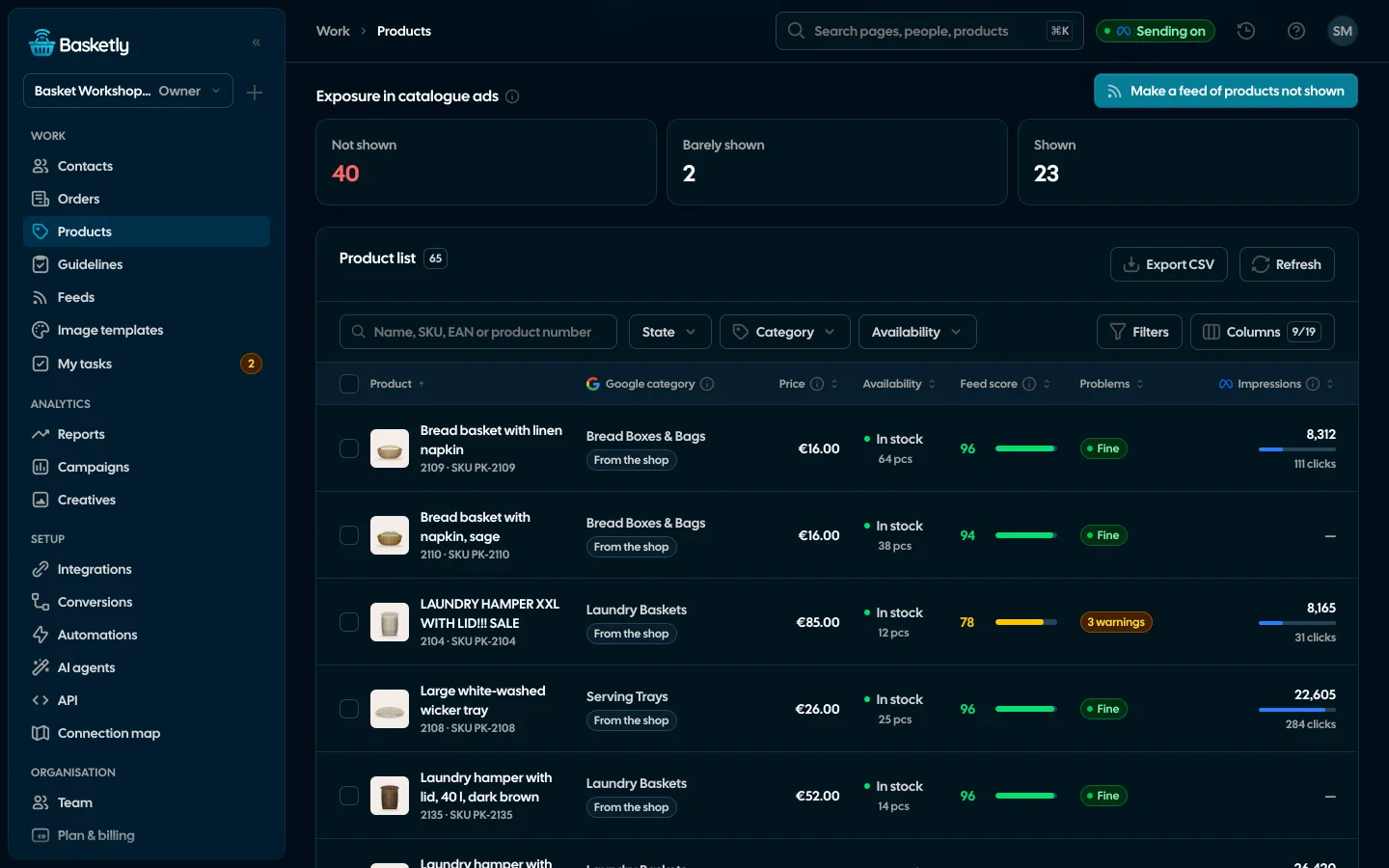
- Products. 47 checks of each product against Merchant Center and Meta catalogue requirements, with a score of 0-100. You will see, among others, products without a price, with a price in the wrong format, "in stock" with quantity 0, with a link without https or without a photo. Each check names the value that is wrong.
- Guidelines. 50 rules with links to the vendors' pages (Google, Meta, TikTok, Pinterest), with the date they were last read.
- Feeds. A corrected feed under its own address, with automatic fixes and rules. Feed rules let you leave out products you do not want to show.
What you will see: a list of products with scores and concrete errors, instead of guessing in Merchant Center.
What Basketly will not do
- Appeal the suspension or send an appeal for you.
- Say what Google flagged. Only Google sees that, and often even Google does not state the reason plainly.
- Check your website. Returns, business details and delivery costs you must verify yourself. Basketly sees product data, not the shop's subpages.
- Guarantee approval. A corrected feed gives no certainty that Google will restore the account.
- Speed up Google's review.
A separate question: do you have disapprovals over GTIN or price without a suspension? That is another matter, covered in disapproved products in Merchant Center, and vendors' requirements are collected in the guidelines overview.
Next step
Open your shop and do points 1-3 of the checklist: 15 minutes. To see product scores and the error list in one place, open the demo. To check your own products, create an account and connect your shop; plan limits are in pricing. The Merchant Center connection is described on the Google Merchant Center page, and a typical feed error on Missing GTIN.
Sources
- Google Merchant Center Help: Misrepresentation (Wprowadzanie użytkowników w błąd) (scope, what Google checks, timelines, review request; Polish)
- r/ecommerce: thread about an account suspension (quote)
- Google Help community: suspended Merchant Center account (user's question, quoted in Polish)
About the author
Aleksander
Founder of Basketly.io, BooksyAudit.pl and SMSPortal.app
Founded Basketly.io, BooksyAudit.pl and SMSPortal.app. In the knowledge base he explains how to send shop purchases to Meta, how to keep a product catalogue in shape and how to measure what a purchase from ads costs.
All articles by the authorFrequently asked questions
What does Misrepresentation mean in Merchant Center?
It is a Google policy (in Polish, "Wprowadzanie użytkowników w błąd"). It prohibits offers that leave out important information or describe the business or products untruthfully. Google may review product data, your website, accounts and external sources.
Will Google tell me exactly what is wrong?
Not always. Many people say the message is generic. On r/ecommerce one line reads: "GMC won't tell you WHAT is being flagged as misrepresentative". That is why a checklist of the whole shop is safer than guessing one cause.
How long does an appeal take?
Google's page says an account review usually takes about 7 business days, sometimes longer. There is no guarantee and we cannot promise a date or an outcome. A longer wait does not mean something went wrong.
Will a corrected feed lift the suspension?
Not by itself. The suspension concerns the account and the shop, not one file. The feed matters only in part of the cases, for example when the price, availability or offer in the feed does not match the page. Removing non-matching products is one of the steps Google names.
Will Basketly appeal the suspension or tell me what Google flagged?
No. Basketly has no access to Google's decision or to appeals. It checks product data and serves a corrected feed, which can remove some data-related causes, but only Google decides about the suspension.
Is a fake address or phone number a reason for suspension?
It can be. Among violations Google lists giving false personal data, business name or contact details, and using a fake or virtual mailing address as the business address.