Meta counts your purchases twice: where the duplicates come from and how to find them in 15 minutes
Duplicate purchases in Meta: four sources (plugin, Pixel, GTM, page refresh), how to count them in Events Manager and fix them in three steps.
On this page
Key facts (as of 2026-10-29)
- Meta merges Pixel and server events when they have the same name and the same identifier (
eventID/event_id) and arrive within 48 hours. - Without a shared identifier the same order is counted twice or more.
- The alternative method (
fbp/external_id) usually works only when the browser event comes first. - Basketly sends one purchase to one dataset once; duplicates from other routes need a shared identifier or switching one route off.
- Meta accepting an event is not proof of optimisation or of the purchase being attributed to an ad.
The shop has 22 orders and Meta shows 60 purchases. Shop owners describe exactly this: "We’re using the native Shopify integration and the purchase events are massively overblown. Like 3x." (r/FacebookAds, thread). Or, in a Polish agency's words: a simultaneous Pixel, plugin and GTM Server-Side send the same event without a shared event_id, and the result is duplicated conversions and "reports nobody trusts" (KC Mobile, in Polish).
Below: where duplicates come from, how to count them and how to fix them. If your problem is the opposite (Meta shows less than the shop), start with Why does Meta show fewer purchases than my shop.
Four sources of duplicates
1. Several routes sending the same purchase
A Pixel pasted into the shop code, a shop-platform plugin, a tag manager and GTM Server-Side can each send Purchase separately. Meta gets three events for one order. This is the most common case in shops that kept adding tools over time.
2. No shared identifier
Even when you want two channels (Meta recommends the Pixel alongside the Conversions API), two things must match: the Pixel's eventID equal to the API's event_id, and the same event name. When the browser and the server pick the identifier independently, the pair does not match. One Reddit user put it: "constant problem with event deduplication as capi and browser ID are always different" (thread).
3. Refreshing the thank-you page
The purchase code sits on the thank-you page. The customer refreshes it, returns from a tab or opens the link from the email, and the event fires again. Agency guides list this as a separate cause of "double Purchase".
4. Two Pixels at once
An old and a new dataset in the shop code, or a Pixel added once by a plugin and once by hand. Each sends its own event, and deduplication between two Pixels with different identifiers will not work.
How to count whether you have duplicates
- Pick one full day at least two days ago. Count paid orders in the shop.
- Open Events Manager, your dataset, the Purchase event, and see how many events were received that day and from which sources (browser, server).
- Result: clearly more events than orders means duplicates. Fewer than orders is a different problem, covered in the article on missing purchases.
- The deduplication tab. In the event details Meta shows the share of deduplicated events. Higher is better, and a warning appears when it is too low. Meta describes a low share as "Low Overlap": you send non-unique deduplication keys, or a key from only one source.
- Inspect the identifiers. For one order, check which
event_idthe browser event and the server event carry. Different ones, or one missing, is the cause.
The fix in three steps
- List every route
Purchasetravels: the Pixel in the code, a plugin, tags, GTM Server-Side, a custom adapter, a tool such as Basketly. For each, note whether it sends from the browser or from the server. - Keep one route per event, or join them with an identifier. If you need two channels, set the same event name and the same identifier built from the order number in both, e.g.
purchase_ORDER-123. In the Pixel you pass it aseventID, on the server asevent_id. Repeats of the same order must get the same identifier. Full description: Pixel and Conversions API event deduplication. - Check after a few days. The deduplication tab and the comparison of events with orders. If the shop turns out to have two server integrations, keep one.
Do not try to correct data backwards: duplicates already counted stay in the reports. What matters is that new purchases are counted once from now on.
How to avoid a duplicate at the next change
Duplicates usually return after a new tool is added. Before you switch on another plugin, tag or integration that sends purchases, ask three questions:
- Does it send
Purchase, and if so, from the browser or from the server? - Which event identifier does it set, and can it be made the same as on the other routes?
- Can I switch the purchase off in one of the existing tools instead of adding another channel?
After each such change go back for two days to comparing events with orders. It takes five minutes and saves weeks of reports you would later have to explain to a client or a boss.
How Basketly avoids duplicating purchases
In Basketly one purchase is one send to a given dataset. Two mechanisms guard it:
- The same purchase is accepted once. An event is recognised by source, order identifier and status. An order read a second time (for example at the next shop read) does not create a second purchase.
- The same send is not created twice. The queue will not take the same combination twice: dataset, event name, event identifier and mode (test or production), even from two connections to the same dataset. Retries after a network error use the same identifier, so Meta can deduplicate them.
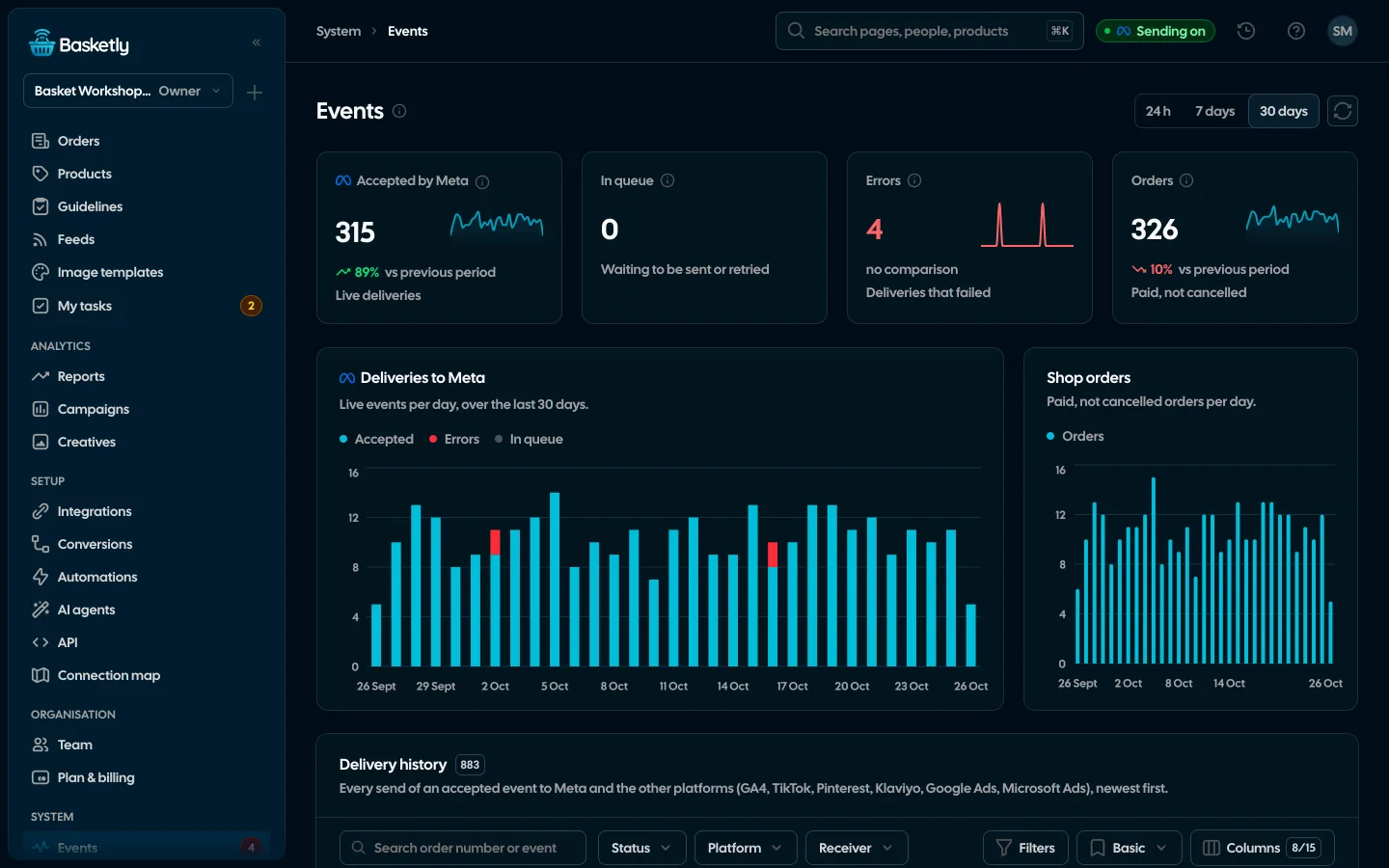
Shop purchases have a stable identifier built from the order number (e.g. shoper-order-<number>). You see it in System → Events → Send history (an optional column with the event identifier). That makes it easy to compare with what your Pixel sends.
One thing Basketly will not do for you: it does not change the Pixel code or the shop plugin. If the Pixel and Basketly both send the same purchase, Meta will merge them only with a shared name and identifier. If your Pixel does not let you set eventID, it is more honest to send Purchase from one side only: usually from the server, leaving the Pixel for browser events (product view, add to cart).
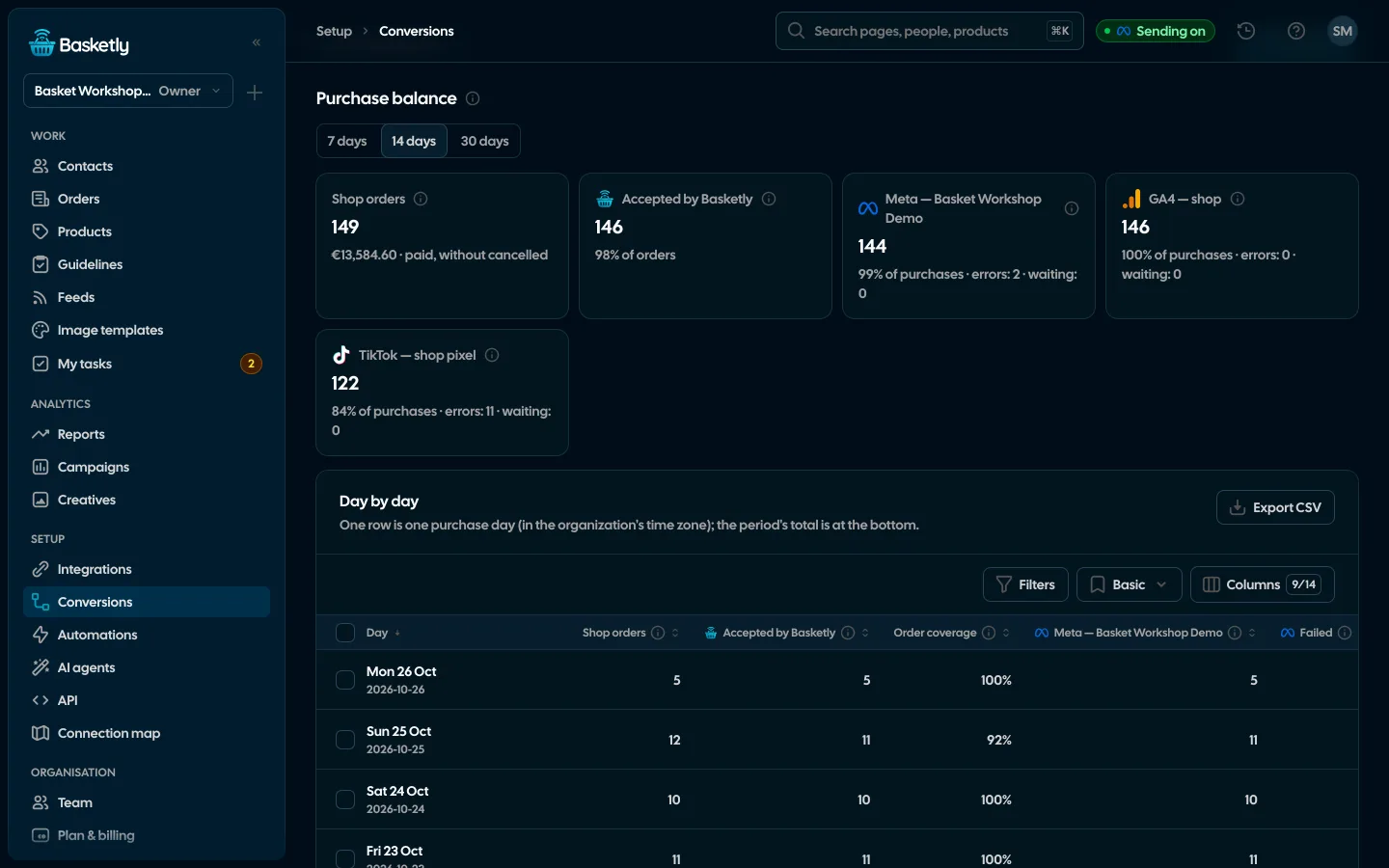
Useful after the change: Conversions → Purchase balance shows how many purchases Basketly sent and had accepted, day by day, and Self-check → Sending to Meta compares your dataset's statistics (from Meta) with Basketly's sends. Twice as many events at Meta as in Basketly hints that purchases flow through yet another channel. We describe this in the purchase balance article.
What Basketly will not fix
- Duplicates from other people's channels. Basketly deduplicates what it sends itself. Events from a plugin, a tag manager and GTM go alongside it.
- Exactly-once delivery. The queue works on an at-least-once model, and Meta has the last word in deduplication.
- Duplicates already counted. Past reports stay as they were.
- Attribution to an ad. Meta accepting a purchase is not proof of optimisation or attribution.
Next step
Do steps 1 and 2 of the "How to count" list for yesterday. To see Send history with event identifiers, open the demo. To connect your own shop, create an account; plan limits are on the pricing page. How sending from the server works is on the Meta Conversions API page.
Sources
- Meta for Developers: Deduplicate Pixel and Server Events (
event_id+event_name, 48-hour window, thefbp/external_idmethod and its limits) - Meta for Developers: Verifying Your Setup (deduplication tab, "Low Overlap")
- Meta for Developers: Server Event Parameters (
event_idrecommended for deduplication) - KC Mobile: How much the Conversions API costs on Facebook (quote on duplicated conversions, Polish)
- r/FacebookAds: thread on inflated purchases (Shopify), thread on differing CAPI and browser identifiers
About the author
Aleksander
Founder of Basketly.io, BooksyAudit.pl and SMSPortal.app
Founded Basketly.io, BooksyAudit.pl and SMSPortal.app. In the knowledge base he explains how to send shop purchases to Meta, how to keep a product catalogue in shape and how to measure what a purchase from ads costs.
All articles by the authorFrequently asked questions
How do I check whether I have duplicates?
Take one full day, count paid orders in the shop and Purchase events in Events Manager. Clearly more events than orders means duplicates. Then open the Purchase event details and the deduplication tab: Meta shows the share of deduplicated events there and warns when it is too low.
Can I run the Pixel and the Conversions API at once?
Yes, Meta even recommends it as a redundant setup. The condition: the same event from both channels has the same name (event_name) and the same identifier (eventID in the Pixel, event_id in the API), and the pair arrives within 48 hours. Without that Meta counts two events.
Does a duplicate only spoil reports, or optimisation too?
Reports for sure, because they show more sales than there are. The effect on optimisation depends on Meta and cannot be measured from outside, so we do not promise an outcome. Inflated data is simply a poor basis for budget decisions.
Why is a purchase counted on every refresh of the thank-you page?
Because the Pixel code sits on the page and fires every time the page loads. A stable eventID built from the order number helps: Meta merges repeated events with the same identifier into one, provided they arrive within the 48-hour window.
Does Basketly duplicate purchases itself?
Not on its own side. One purchase is one send to a given dataset: Basketly will not send the same event with the same identifier twice. Duplicates from another route (Pixel, plugin) have to be merged by Meta, which needs a shared identifier or switching the purchase off in one channel.
Can fbp deduplication replace event_id?
Meta describes it as an alternative that usually works only when the browser event arrives before the server one, and it does not remove duplicates when you use a single source. The recommended method is event_id with event_name.