Why does Meta show fewer purchases than my shop? Six causes and a 10-minute check
Meta shows fewer purchases than your shop has orders? Six causes: attribution windows, consent, blockers, bank-redirect payments, duplicates, timing. A 10-minute check.
On this page
Key facts (as of 2026-10-29)
- Ads Manager shows purchases attributed to ads in the chosen attribution window; the shop counts every paid order.
- In Meta's API documentation the default window is 7 days after a click and 1 day after a view.
- A server event may carry a time at most 7 days older than the moment it is sent.
- Basketly reads a purchase from the order in the shop and sends it from the server, but it does not equalise Meta's numbers with the shop's.
- Meta accepting an event is not proof of optimisation or of the purchase being attributed to an ad.
Your shop shows 22 orders, Meta shows 17. Or the other way round: Meta 40, shop 22. The first reaction is "something broke". Sometimes it did, sometimes not. This article helps you tell the two cases apart with nothing but Events Manager and Ads Manager, and in the second half it shows what Basketly does about it.
Shop owners all over the world describe these gaps. On r/FacebookAds: "Meta detected 4 orders but it is closer to 7-8." (thread) and "meta shows that in the past 30 days i've had 278 orders when ive actually had 346" (thread). The Polish agency Verilo, in its Shoper FAQ, answers briefly: a small difference is normal, a large one usually means a setup error (Verilo, quoted in Polish: "Niewielka różnica jest normalna, duża zwykle oznacza błąd we wdrożeniu").
Is the difference normal?
Partly, yes. The two numbers you compare do not count the same thing.
- The shop counts every paid order, whatever way the customer arrived.
- Ads Manager shows purchases that Meta attributed to ads in the chosen attribution window. Meta's API documentation names the default as 7 days after a click and 1 day after a view. An order from a customer who came from a newsletter, from search or typed your address does not have to show up there.
So "Meta shows less than the shop" is a natural state for many shops. What is not natural: the ratio suddenly changes, Meta shows more than the shop, or Events Manager shows fewer Purchase events than you have orders. Those are symptoms of a fault.
A note on the documentation: the same Meta page describes the default window differently in another place (the click and view parts are swapped), so always check which window your own Ads Manager uses instead of assuming a number from a guide.
Six causes: why purchases vanish or multiply
1. Different attribution windows
The most common cause and the only one no tool removes. Meta assigns a purchase to an ad by its own rules, the shop assigns nothing. Changing the window in Ads Manager changes the number although sales did not change.
2. No cookie consent
The browser Pixel fires only after consent. Shop owners put it plainly: "A decent chunk of visitors refuse cookies, which means the pixel never fires for them." (thread). Those customers' purchases are in the shop but not in the Pixel.
3. Ad blockers and browsers with tracking protection
A purchase sent only from the browser disappears when the browser blocks the script. A purchase sent from the server has no such problem, because it does not pass through the customer's browser.
4. Payments with a redirect to the bank
BLIK, Przelewy24 and PayU send the customer to a payment page and only then (sometimes never) back to the shop. If the Pixel fires on the thank-you page and the customer never sees it, the purchase is not in the Pixel. Przelewy24's documentation states that the status notification is sent regardless of whether the customer was redirected back. We describe the mechanism in detail in a separate article on redirect payments.
5. Duplicates: the same purchase counted twice
Here Meta shows more than the shop. The Pixel and the Conversions API send the same purchase without a shared identifier (event_id), or the thank-you page fires the event on every refresh. Meta deduplicates only events with the same name and the same identifier that arrive within 48 hours. How to find and fix it is in Meta counts purchases twice, and the identifier mechanics are in event deduplication.
6. Time, currency and event version
An order placed at 23:50 and paid at 00:10 lands on two different days depending on which date a report uses. The time zone of the ad account and of the shop may differ too. Test events left in test mode do not count as real purchases either. Before comparing, fix the same day, the same zone and drop cancelled orders.
How to check in 10 minutes
- Pick one full day at least two days ago and count paid orders in the shop (without cancelled ones). Write the number down.
- Open Events Manager, your dataset, and see how many Purchase events were received that day and from where (browser, server). This is every purchase received, with no attribution filter.
- Open Ads Manager and put the purchases next to the same day. Check which attribution window the report has.
- Recognise the case:
- fewer Purchase events than orders: something loses purchases on the way (causes 2, 3, 4),
- more Purchase events than orders: duplicates (cause 5),
- Purchase events equal to orders but fewer results in Ads Manager: an attribution difference (cause 1). Everything works, it just counts differently.
- Look at the deduplication tab of the Purchase event. Meta writes that a higher share is better and that a warning appears when it is too low.
What Basketly does here
Basketly does not fix the Pixel. It gives purchases a second, independent route and shows where they get lost. Specifically:
- A purchase from the order, not from the browser. A connected shop (Shoper, IdoSell, BaseLinker, WooCommerce, Shopify) is read from the server. A paid order becomes a purchase sent to Meta from the server, so it does not depend on consent, an ad blocker or whether the customer came back from the bank. The purchase gets a stable order-based identifier and a queue with retries.
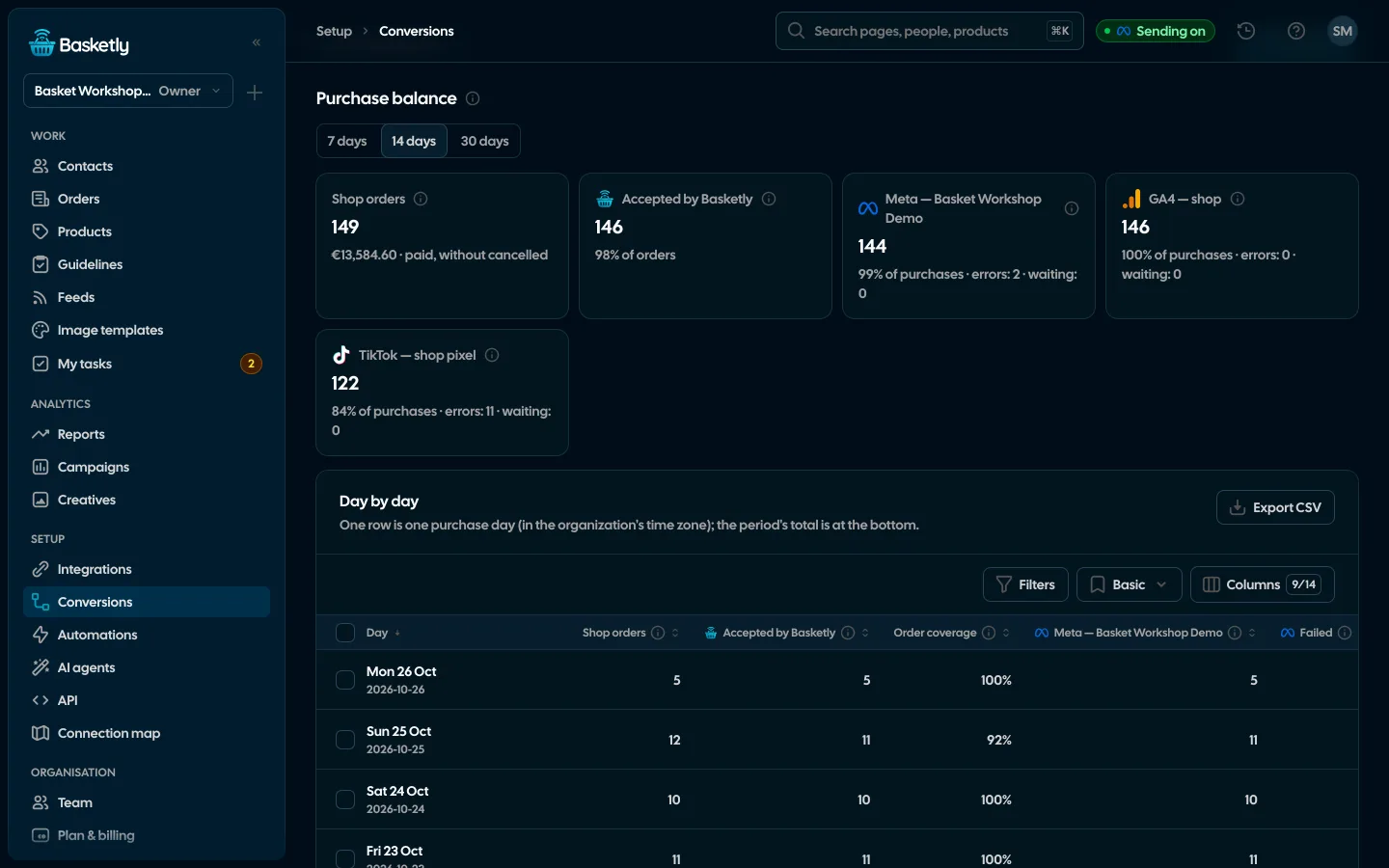
- Conversions → Purchase balance. Shop orders, purchases Basketly accepted and what each platform accepted, day by day, for 7, 14 or 30 days. You see on which day and at which stage the gap is. We describe it in the purchase balance article.
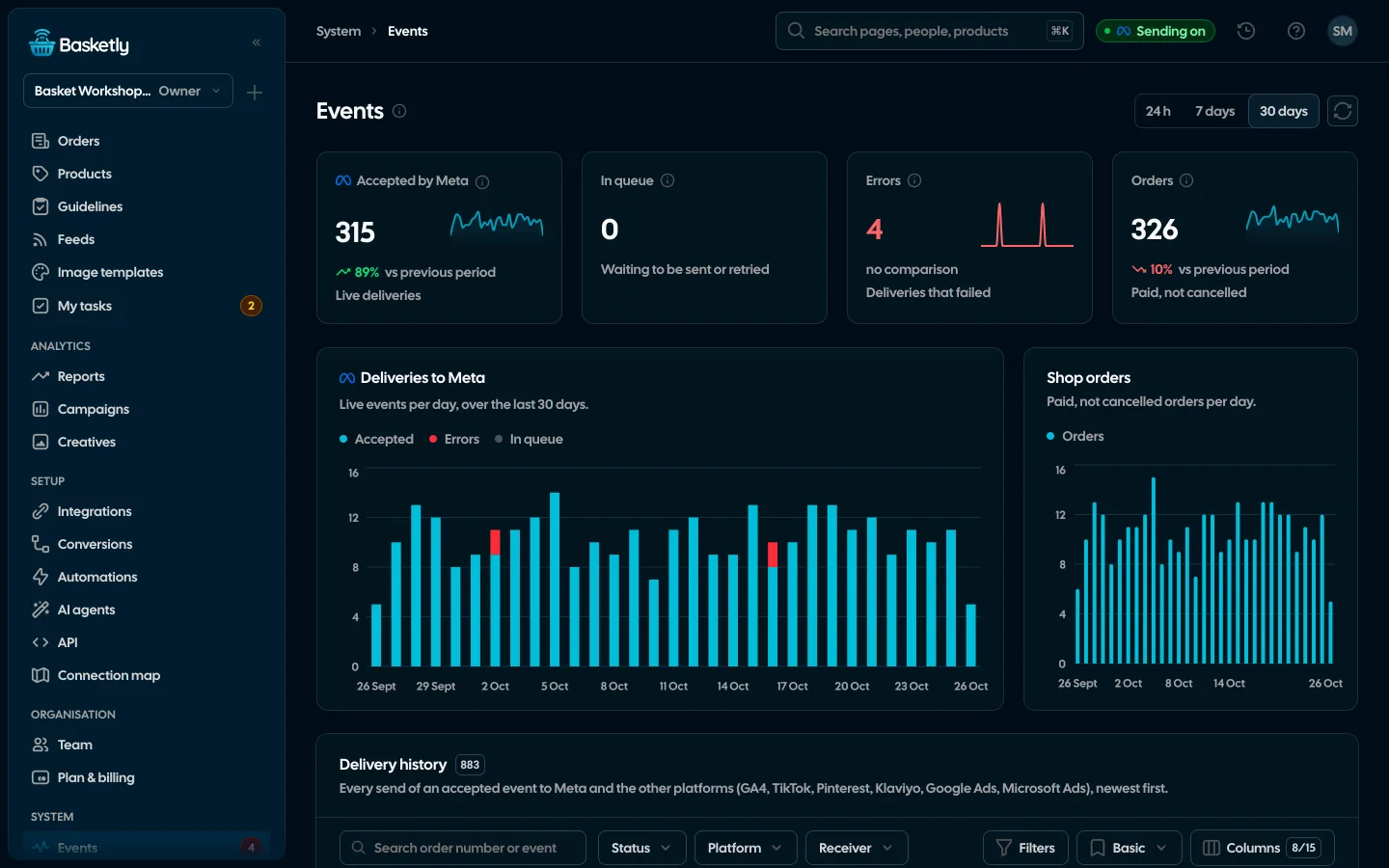
- Self-check → Sending to Meta. After "Check now", Basketly compares the statistics of your dataset as Meta reports them with what it actually sent (last 24 hours and 7 days). Sending switched off, test mode, a refused token or a backlog of sends show up there as specific items with a link to the fix.
- Orders → Source column. Next to each order you see the channel of the last click as Basketly read it (Meta, Google Ads, email and others). It is its own reading of the visit, not Meta's attribution, so it does not have to match Ads Manager. Details in where an order came from and which ad sold it.
What you will see after connecting: in the Purchase balance the number of shop orders stands next to the number of purchases Meta accepted, and any gap has a date and a reason.
What Basketly will not fix
- Attribution windows. Meta still assigns a purchase to an ad by its own rules. Basketly shows both numbers side by side and does not equalise them.
- Attribution to an ad. Meta accepting an event is a receipt. It does not prove the campaign optimises for that purchase or that the purchase was attributed to a specific ad.
- Weaker data in a purchase read from the order. A purchase read from the shop's API carries no browser data (such as the click id
fbc) and reaches Meta as a system-generated event. The Basketly script in the shop, run after the customer's consent, can add that data, but without consent it will not be there. - Old purchases. Meta accepts events up to 7 days back.
- The browser Pixel and the shop plugin. We cannot correct their errors. If you use both channels, the shared event identifier has to exist on both sides.
Next step
Do steps 1 and 2 of the list above for yesterday: two numbers, three minutes. To see what the Purchase balance and Self-check look like, open the demo. When you are ready to connect your own shop, create an account; the free plan has an order limit described on the pricing page. The whole sending mechanism is on the Meta Conversions API page and the diagnosis on Self-check.
Sources
- Meta for Developers: Ad Campaign Group Insights (
action_attribution_windowsparameter, default window) - Meta for Developers: Deduplicate Pixel and Server Events (
event_idandevent_name, 48-hour window) - Meta for Developers: Server Event Parameters (event time up to 7 days back,
action_source) - Meta for Developers: Verifying Your Setup (deduplication tab in Events Manager)
- Przelewy24: REST documentation,
urlReturnandurlStatus - Verilo: Facebook Pixel on Shoper (FAQ quote, Polish)
- r/FacebookAds: thread on 4 vs 7-8 orders, thread on 278 vs 346 orders, thread on cookie refusal
About the author
Aleksander
Founder of Basketly.io, BooksyAudit.pl and SMSPortal.app
Founded Basketly.io, BooksyAudit.pl and SMSPortal.app. In the knowledge base he explains how to send shop purchases to Meta, how to keep a product catalogue in shape and how to measure what a purchase from ads costs.
All articles by the authorFrequently asked questions
What difference between Meta and my shop is normal?
Meta gives no threshold, so no number is official. A Polish agency writing about Shoper puts it this way: a small difference is normal, a large one usually means a setup error. A practical test is stability: if the ratio of Meta purchases to orders is similar week to week, it is most likely an attribution difference. If it suddenly drops or jumps, look for a failure.
Does Meta count all purchases from my shop?
No. Ads Manager shows purchases attributed to ads within the chosen attribution window. An order from a customer who came from a newsletter, from search or typed your address does not have to appear there. Events Manager, on the other hand, shows every Purchase event Meta received, regardless of attribution.
How do I check whether my purchases are duplicated?
In Events Manager open the Purchase event details and the deduplication tab. Meta shows the share of deduplicated events there and warns when it is too low. A second test: compare the number of Purchase events with the number of orders from the same day. Clearly more events than orders almost certainly means duplicates.
Will the Conversions API fix missing purchases?
It fixes the ones that were lost in the browser, because a purchase sent from the server does not depend on an ad blocker or on the customer returning to the thank-you page. It does not fix attribution window differences and it cannot make Meta attribute a purchase to an ad. Meta accepting an event is not proof of attribution.
Will Basketly make the numbers in Meta and in my shop equal?
No. Basketly shows both numbers side by side and points out where purchases are lost on the way, but it does not equalise them. The difference that comes from Meta's attribution windows stays.
How many days back can I resend lost purchases?
According to Meta's documentation an event time can be at most 7 days older than the moment you send it. Older purchases cannot be sent any more, so check the gap every few days.