Order source: which campaign and ad brought the buyer
How Basketly works out an order's source: URL parameters in your ads, the shop script, a call on the thank-you page and each platform's own click id.
On this page
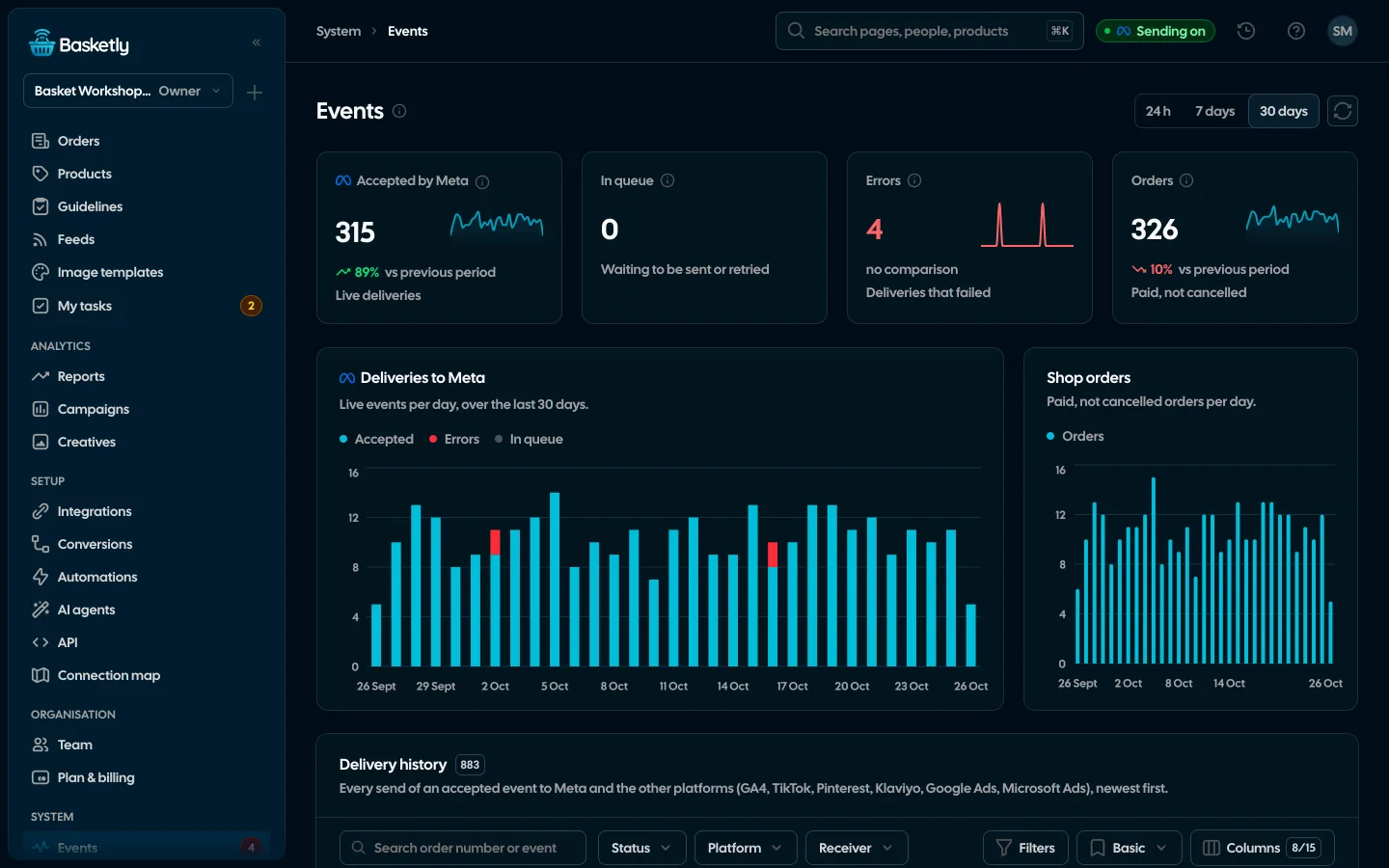
The order source answers which campaign and ad brought the buyer. Basketly shows it on every order (the Source column), in the Orders list filters, on Campaigns on each channel's tab and in Reports (the "Orders by source" bar and the Channels table). It also lets the purchase go to each platform with that platform's own click id, which improves event matching.
How does Basketly know which ad an order came from?
From the shop script, which runs only after the buyer's consent. On every visit it records the UTM parameters, the campaign, ad set and ad ids in the address, the kind of click id (fbclid, gclid, msclkid, ttclid, epik), the referring site (host only) and the landing path. We keep neither the query string nor personal data.
Links from feeds Basketly serves can also carry the Basketly marker (bk_f and bk_pid — the feed and the product id). You switch it on on the feed page in step 3, “Link tagging”, together with UTM parameters for Meta, Google or Ceneo. With it, an order from a catalogue ad shows the feed and product the buyer landed on, even when the click had no click id.
The server keeps two things: the first visit and the last ad click. A later visit without ad parameters does not replace the click, and reloading the page does not change its time.
How is an order tied to a visit?
In three ways, most reliable first:
| Way | How it works |
|---|---|
| tracking_id in the order | How it worksYour server integration passes the script's id with the order. It wins over the others. |
| Thank-you page | How it worksAfter consent you call baskety.linkOrder('<order number>'). The first link stays and counts from 10 minutes before to 24 hours after the order was placed. |
| Shop landing data | How it worksWhen the shop platform reports the landing page and the referrer, we read the same parameters from them. |
The number in linkOrder is the one the shop passes the order to Basketly under. For Shoper it is the order id. How an order becomes a server-side purchase for Meta is covered in server-side purchase events.
What does an order show?
The platform or channel (Meta, Google Ads, Microsoft Ads, TikTok, Pinterest, e-mail, price comparison sites, other, direct visit or unknown), the campaign › ad set › ad path, how it was recognised, the UTM parameters, the click time, the first visit, the click ids of the visit and — for a tagged feed link — the feed and product (“From feed”). Campaign, ad set and ad names are matched with the ads read from Meta (by id, or by the utm_campaign and utm_content text) and with Google Ads and Microsoft Ads campaigns; an ad or ad group id of Google Ads, Microsoft Ads, TikTok and Pinterest also names its ad group and campaign.
E-mail is recognised by utm_medium email, e-mail or newsletter, or by a source such as Klaviyo, Mailchimp, GetResponse, FreshMail or Brevo. Comparison sites by a source such as Ceneo, Skąpiec, Nokaut, Okazje or Idealo, or by a tagged feed link with the Ceneo preset. An ad click id always wins over an e-mail medium.
Purchase sent to platforms lists every destination of the purchase with its status and the names of the identifiers it carried, such as fbc and fbp for Meta or ttclid and ttp for TikTok. Their values are never shown.
Why do the numbers differ from Meta's report?
Because they are two different measures. Meta counts purchases with its own attribution, with click and view windows. Basketly looks at the last ad click in this particular buyer's visits. On Campaigns both numbers sit side by side: Purchases (Meta) and Orders (Basketly), and on other channels' tabs that platform's conversions next to Basketly orders. Don't add them up. In the Channels table of Reports every order has exactly one source, so the shares add up to 100%, which cannot be said of the conversions the platforms claim. Whether purchases reach Meta at all shows in the purchase balance.
Which parameters go into the ads?
Ready templates are in Integrations → shop → Connect → “URL parameters in ads”. For Meta:
utm_source=facebook&utm_medium=paid&utm_campaign={{campaign.name}}&utm_content={{ad.name}}&utm_id={{campaign.id}}&campaign_id={{campaign.id}}&adset_id={{adset.id}}&ad_id={{ad.id}}In Google Ads and Microsoft Ads paste the template as the final URL suffix and keep auto-tagging on. TikTok and Pinterest have their own macros in the templates. An unfilled macro is dropped, so it never shows up as a campaign name.
About the author
Aleksander
Founder of Basketly.io, BooksyAudit.pl and SMSPortal.app
Founded Basketly.io, BooksyAudit.pl and SMSPortal.app. In the knowledge base he explains how to send shop purchases to Meta, how to keep a product catalogue in shape and how to measure what a purchase from ads costs.
All articles by the authorFrequently asked questions
Is the order source Meta's attribution?
No. It is our reading: the last ad click in the visits of the buyer who placed the order. Meta counts purchases its own way, with other windows and its own model, so on Campaigns “Orders (Basketly)” sit next to “Purchases (Meta)” or another platform's conversions and are never added up.
What if the buyer came from an ad and later returned from search?
The last ad click stays. A visit without ad parameters, from a search engine or a bookmark for example, does not replace it. The first visit is kept separately and shows on the order.
Why do some orders show “Unknown”?
Because the order could not be tied to a visit: the buyer declined cookies, the thank-you page does not call baskety.linkOrder(), or the order was placed outside the shop. The self-check warns when, with ad spend, more than half of the paid orders of 30 days have no source.
Do you send campaign ids to Meta?
No. Platforms do not take campaign ids in a purchase event. Each gets its own click id: Meta fbc, Google Ads gclid, gbraid or wbraid, Microsoft Ads msclkid, TikTok ttclid and the _ttp cookie, Pinterest click_id.