All your shop orders in one place: how to read revenue, average basket and buyers
What the Orders page shows: bought, unpaid and cancelled orders, revenue per currency, average basket, new and returning buyers, and 24 months of order history.

On this page
- What exactly does the Orders page store?
- How do you read the tiles: revenue, orders, average basket and buyers?
- What do you see when you click an order?
- Where do 24 months of history come from, and why are they not sent to Meta?
- Which orders go to Meta as a purchase?
- How it looks in Basketly
- Limits
- Next step
The Orders page gathers every order of the connected shop in one place: what sold, for how much and who bought it. It also keeps unpaid and cancelled orders, because without them you cannot see how much of your sales falls away on the way. Below: what each tile means, when an order counts as bought, where the history comes from and what this page does not do.
What exactly does the Orders page store?
The Orders page stores every order of the connected shop, whether it was paid or not. Each order has its number, order time, the shop's status name, total, currency, shipping, number of items, city and country, plus every line with product name, variant, code, EAN, quantity and price. Today the only connected shop platform is Shoper.
Data arrives in two ways. Shoper sends a notification (webhook) about a new order, a payment and a status change. Because the shop sends each notification only once, the panel also reads orders whose status changed every 15 minutes. That way an order is not lost when a notification fails to arrive.
Every order is in one of three states:
| State | What it means | Counts towards revenue |
|---|---|---|
| Bought | What it meansPaid, or carrying a status the connection counts as paid (e.g. cash on delivery) | Counts towards revenueYes |
| Unpaid | What it meansPlaced, but not paid yet | Counts towards revenueNo |
| Cancelled | What it meansCancelled in the shop | Counts towards revenueNo |
You choose the statuses that count as paid on the Shoper connection. This matters for shops with cash on delivery: such an order has no "paid" flag, yet in practice it is a sale.
How do you read the tiles: revenue, orders, average basket and buyers?
The tiles at the top count only bought, not cancelled orders of the chosen period: the last 7, 30 or 90 days, or 12 months. Revenue is shown separately for each currency, the average basket in the main currency, and buyers are split into new and returning. The numbers of unpaid and cancelled orders sit next to the bought count.
- Revenue is the sum of bought orders. If the shop sells in several currencies, each has its own sum. The panel does not convert exchange rates.
- Bought orders is their count. Underneath are the unpaid and cancelled orders of the same period, so you can see at once how many orders never turn into a sale.
- Average basket is revenue in the main currency divided by the number of bought orders in that currency. The main currency is the one with the most orders.
- Buyers is the number of different people who bought in the period. New buyers are people whose first bought order ever falls in this period; returning buyers had bought before.
The period follows the organisation's time zone, so an order placed just before midnight lands on the right day. Under the tiles is a table of orders (25 a page by default): you pick the columns in "Columns" (customer, shop, state, value, products with a photo, Source — the channel of the last click: Meta, Google Ads, Microsoft Ads, TikTok, Pinterest, e-mail, comparison sites, other, direct visit or unknown —, ad campaign, purchase sending, country and more), headers sort by date, value and units, and the filters cover the state (bought, unpaid, cancelled — several at once), shop, shop status, value from–to, ad source, sending to Meta, product and country. Search works by number or by the buyer’s full e-mail or phone. The tiles always describe the whole selection, not just the visible page of the list.
What do you see when you click an order?
A click on a row opens the order: state and the shop's status, value, shipping cost, shop, delivery place and every line. A line whose id matches a product from the catalogue opens that product's record. At the bottom are the buyer's totals, meaning all their purchases, and the "Open customer card" button.
That last part joins orders with the customer records. The buyer becomes a person in Contacts, matched by phone first and then by e-mail, so the same person behind two orders has one card. An owner can be assigned by hand. When the order becomes bought, their card gets one "Order" history line.
The person's card has a Shop purchases section: the number of bought orders, their value, the dates of the first and last order, and the five newest orders. Each opens with one click. On the Contacts list the "Purchases" column shows the value and number of orders, and the filters in the "Shop purchases" section let you pick, for example, people who bought at least twice. Such filters become segments, described in the article on customer segments and Meta audiences.
Where do 24 months of history come from, and why are they not sent to Meta?
After you connect Shoper, a background job reads the orders of the last 24 months once, oldest first, with their lines and buyers. An interrupted read continues where it stopped. None of these orders is sent to Meta: the history feeds statistics, the customer records and the split into new and returning buyers.
Why not send it? Meta accepts events whose time is at most 7 days in the past, so orders from a year ago could not reach campaigns anyway. More importantly, sending old sales as new would distort the data Meta learns from.
The history does change the numbers in the panel a lot. Without it every regular customer would look like a new buyer on their first order after connecting. You can follow the read in System → Background jobs as the "Shoper order history" job.
Which orders go to Meta as a purchase?
Only a bought order read as it happens, no older than 7 days, goes to Meta as a purchase event (Purchase), and only once. The event id is built from the Shoper order number, so reading the same order again does not create a second purchase. An unpaid order waits until it becomes bought.
For a purchase to leave, the organisation needs a flow from the Shoper source to a Meta receiver, or purchase sending switched on for another platform. How to check that purchases actually arrive is covered in the article on the purchase balance. The event itself, its fields and deduplication with the Pixel are in the piece on server-side purchase events.
Keep in mind: "accepted by Meta" only means Meta received the event. It does not prove that a campaign optimises for purchases, nor that the purchase will be attributed to an ad.
How it looks in Basketly
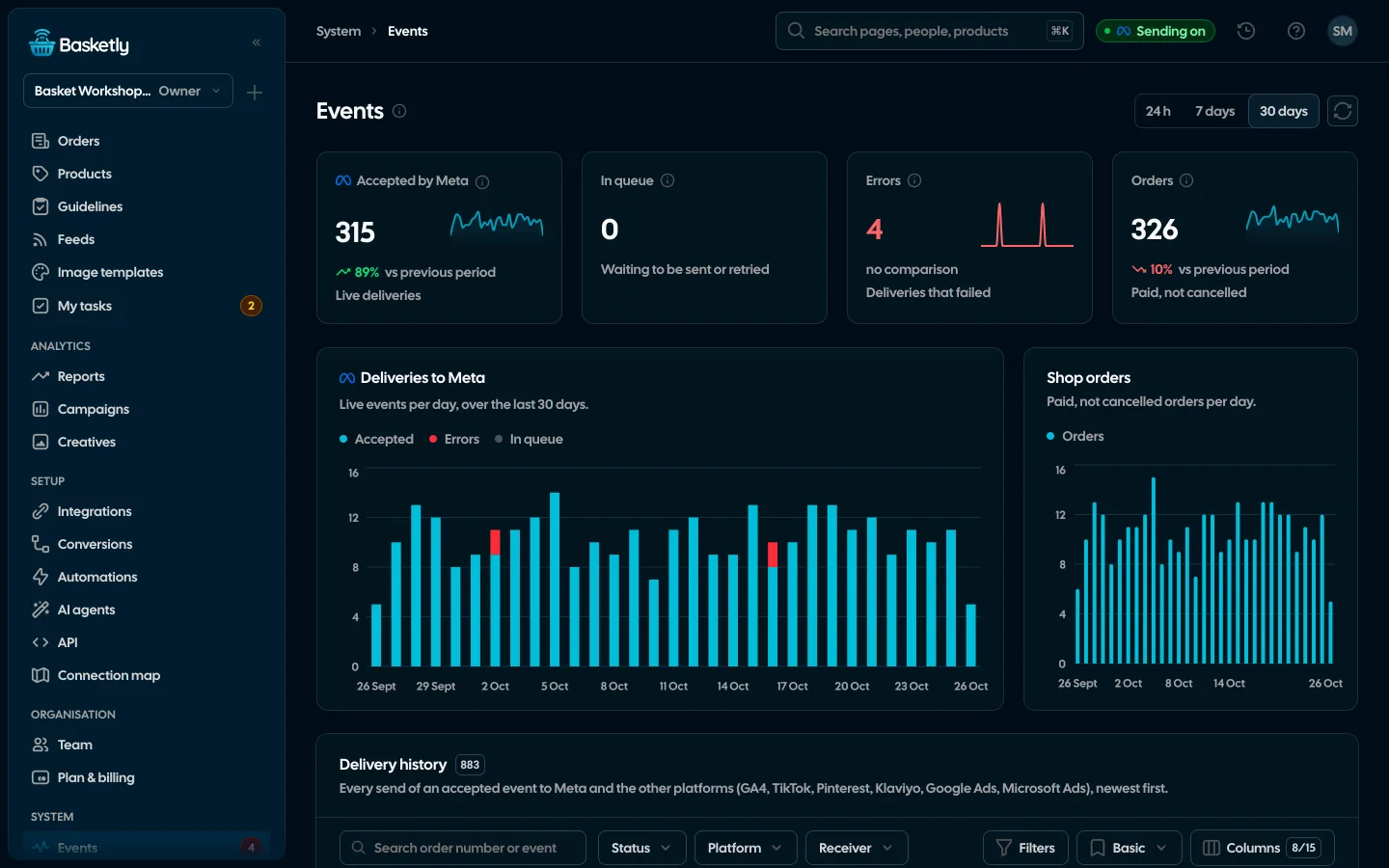
The page is in the menu under Work → Orders. Anyone with at least view access to Contacts can open it; a role set to "only own" sees the orders of its own people. While no shop is connected, the page shows an empty state that leads to Integrations, never sample numbers.
A typical morning check takes a few minutes:
- Set the period to 7 days and compare revenue with what you remember from the week before.
- Look at unpaid orders next to bought ones. A clear rise is a reason to check payments in the shop.
- Glance at the buyer split. If almost everyone is new while campaigns were meant to bring regulars back, that is worth discussing.
- Open a few of the largest orders and check who bought what.
- Switch the filter to "Cancelled" and see whether cancellations cluster around one product or one day.
Once a month it is worth doing the same check over 90 days. Short periods show swings, longer ones show the trend, for example whether the share of returning buyers grows after you introduce a loyalty programme.
A full comparison with the previous period, the spend of every ad channel, MER (blended), the Channels table and best-selling products are on the Reports page, described in the article on the weekly shop sales report. More about the feature on the Orders and buyers page.
Limits
- One shop platform: Shoper. Other platforms (IdoSell, WooCommerce, Shopify, BaseLinker) are planned and not connected today.
- No currency conversion. Revenue in each currency is separate, and the average basket uses the main currency only.
- Cancelling after sending does not undo the purchase in Meta. The panel stops counting a cancelled order as revenue, but a purchase sent earlier stays in Meta.
- History without sending. Orders from the last 24 months do not reach campaigns and will not improve ad results.
- No attribution to ads. The page shows the shop's sales, not which ad brought them. Meta reports that in its own tools, by its own attribution.
Next step
Connect your Shoper shop in Integrations, wait for the history to load and open Orders with a 30-day period. Then check on the Conversions page whether last week's bought orders reached Meta. Plans and monthly order limits are on the pricing page.
About the author
Aleksander
Founder of Basketly.io, BooksyAudit.pl and SMSPortal.app
Founded Basketly.io, BooksyAudit.pl and SMSPortal.app. In the knowledge base he explains how to send shop purchases to Meta, how to keep a product catalogue in shape and how to measure what a purchase from ads costs.
All articles by the authorFrequently asked questions
What is the difference between a bought and a paid order?
Bought means paid, or carrying a shop status that the connection counts as paid, such as cash on delivery. You choose those statuses on the Shoper connection. A cancelled order is never counted as bought.
Do unpaid orders go to Meta?
No. An unpaid order is stored in the panel, but it goes to Meta as a purchase only once it becomes bought. The same purchase goes once, because its event id is built from the order number.
Where do orders from before the shop was connected come from?
After you connect Shoper, a background job reads the orders of the last 24 months, oldest first. These past orders feed statistics and the customer records. None of them is sent to Meta.
Who counts as a new buyer?
A new buyer is a person whose first bought order ever falls in the chosen period. Anyone who bought before is returning. That is why the 24-month history matters: without it every regular customer would look new.
Why does the average basket use one currency only?
Amounts in different currencies cannot be added up fairly without exchange rates, and the panel does not convert them. The average basket is counted in the main currency, the one most orders use. Revenue in other currencies is shown separately.