BLIK, Przelewy24, PayU: why the Pixel loses these purchases and how to get them back
The customer pays through a bank and never returns to the thank-you page, so the Pixel never sees the purchase. How the redirect works, how to spot it, three fixes.
On this page
Key facts (as of 2026-10-29)
- The Pixel fires the purchase on the thank-you page, so a purchase without the customer returning to that page never reaches the Pixel.
- Przelewy24 sends the status notification regardless of whether the customer returned to the return address (REST documentation).
- PayU sends notifications asynchronously after a payment status change and expects an HTTP 200 reply.
- Basketly reads the paid order from the shop and sends the purchase from the server; without the customer's consent and the shop script, attribution to an ad can be weaker.
- Meta accepting an event is not proof of optimisation or of the purchase being attributed to an ad.
In Polish shops online payments through BLIK, Przelewy24 and PayU are popular. They all share one trait that matters for the Pixel: before the order is paid, the customer leaves the shop (to the bank, to the banking app, to the operator's page). What happens to the Purchase event then?
What happens at the redirect to the bank
The Meta Pixel is JavaScript on a page. Meta's documentation tells you to call the purchase event on the purchase confirmation page. In a typical shop it goes like this:
- The customer places an order and chooses Przelewy24.
- The shop registers a transaction with the operator and sends the customer to its page.
- The customer pays at the bank.
- The operator redirects the customer to the return address in the shop. That is the thank-you page with the Pixel code.
Step 4 is the only moment at which the browser can send the purchase to Meta. If the customer does not complete it, the Pixel stays silent although the order is paid. Przelewy24 describes the two addresses separately: urlReturn is where the customer comes back, urlStatus is where the operator sends the transaction status. The REST documentation says the notification is sent regardless of whether the customer was redirected to urlReturn. PayU works similarly: it sends status notifications asynchronously, right after a payment status change and expects an HTTP 200 reply.
So the shop learns about the payment from the operator's server. The customer's browser may never learn it.
Why might the customer be absent in step 4? We list what is technically possible, without a scale we have not measured: closing the tab right after confirming in the bank app, a lost connection, a bank without an automatic return, a thank-you page that does not load the full code, or a script blocked in the browser. They all end the same: the order is paid, the event does not exist.
The second effect of the redirect is data quality. After returning from the bank the page address may no longer carry the ad's parameters, so attributing the purchase to a click can be weaker. We do not know the scale of this in Polish shops, so treat it as a risk to check, not a number.
How to spot it in Events Manager
There is one symptom: there are more paid online orders than browser Purchase events. The check takes a quarter of an hour:
- Take a full day at least two days ago. Count paid orders by payment method: BLIK, Przelewy24, PayU separately from card and cash on delivery.
- In Events Manager open the Purchase event and see how many browser events were received that day.
- If the gaps concentrate in redirect payments and cards "add up", this is the cause. If gaps are even, look elsewhere: cookie consent and blockers are covered in Why does Meta show fewer purchases than my shop.
- Place a test order in the operator's test mode, close the tab right after paying and check whether the event was created.
There is no universal number here. BLIK does not "always" lose the purchase. In some shops customers return politely, in others they do not. So measure in your own shop.
Three fixes
1. Fire the purchase after payment confirmation, not at order placement
If your Pixel sends the purchase already when the order is placed (before the bank confirms), you also count unpaid and abandoned orders. The purchase should fire only on the page shown after payment is confirmed. This tidies the numbers but does not solve the case where the customer never returns.
2. A plugin or gateway that sends the event from the server after the operator's notification
Some shop plugins send the purchase to the Conversions API at the moment the shop receives the payment notification. That is the right direction, but check in its settings whether it uses a shared event identifier with the Pixel (otherwise duplicates; see Meta counts purchases twice) and whether it knows your operator's payment statuses.
3. A purchase from the order, by a separate tool
A paid order is a fact stored in the shop, independent of the browser. A tool that reads orders from the shop's API can send the purchase to Meta from the server. The difference between the Pixel, the Conversions API and a gateway is covered in what is Meta Conversions API. This is how Basketly works.
What to do today, before changing anything in the shop
Before you pick a fix, measure the scale. Three questions help assess it without any extra tool:
- What share of paid orders last week came through a redirect payment, and what share through card or cash on delivery? The data is in the shop admin and at the payment operator.
- Do the missing Purchase events concentrate in those payments?
- Do you optimise campaigns for purchases? If so, missing purchases in the Pixel mean Meta sees fewer signals than actually happened in the shop. How much this affects results is up to Meta and cannot be measured from outside, so we give no number.
If the answer to the first two questions is "significant", the server route is worth considering.
How Basketly reads a purchase from the order
Basketly does not wait for the customer to return. A paid order in the shop becomes a purchase:
- Shoper: Basketly creates its own webhook in the shop (among others for a paid order) and additionally reads orders every 15 minutes, so a purchase is not lost if a single notification does not arrive. Paid = Shoper's "paid" flag, or a status you choose (e.g. cash on delivery).
- IdoSell, BaseLinker, WooCommerce, Shopify: orders are read every 15 minutes; a purchase is created when payments cover the order value or the status is one you selected.
- Sending: the purchase goes into a queue with retries, gets a stable identifier from the order number and is sent to Meta from the server. Meta accepts events up to 7 days back.
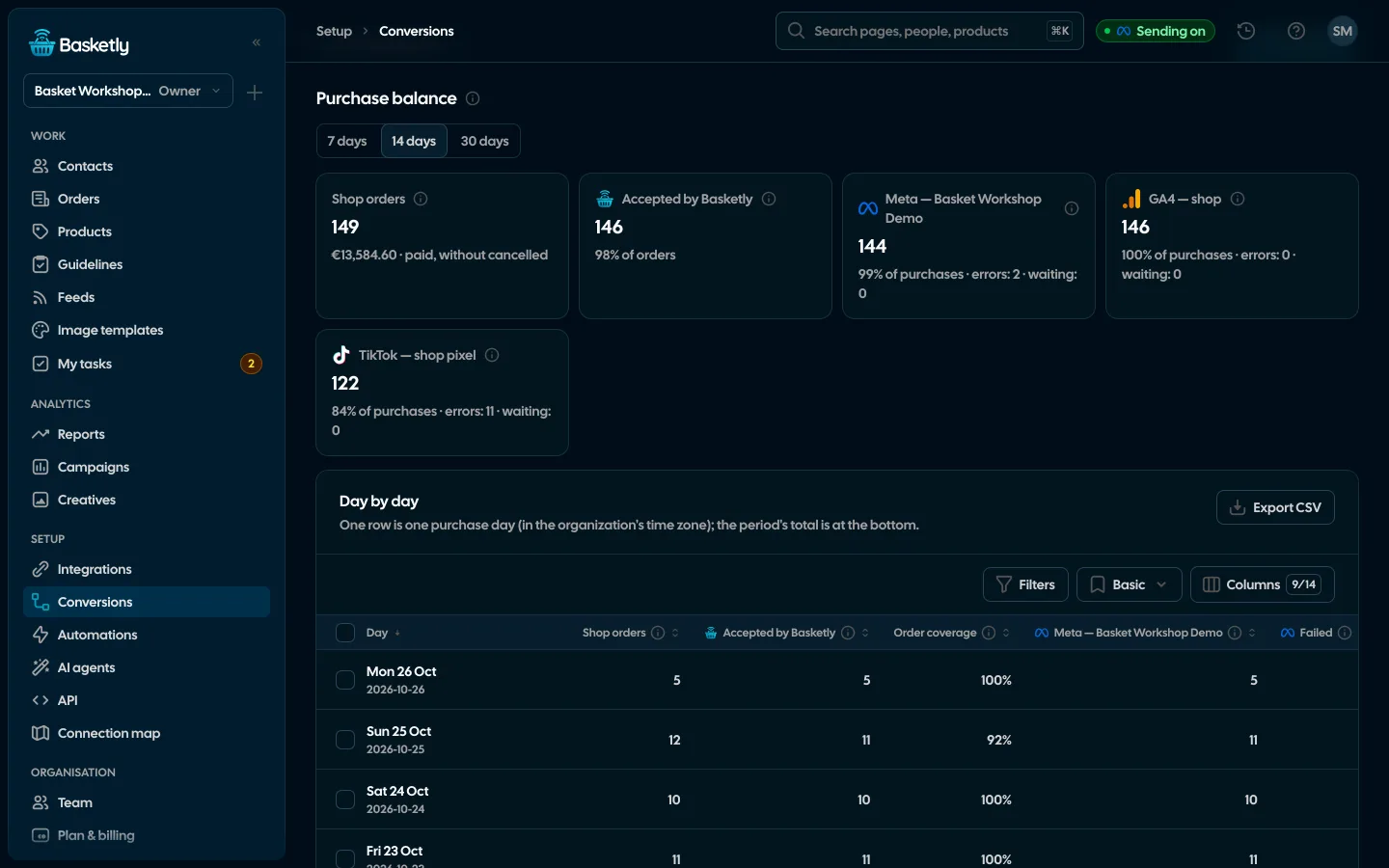
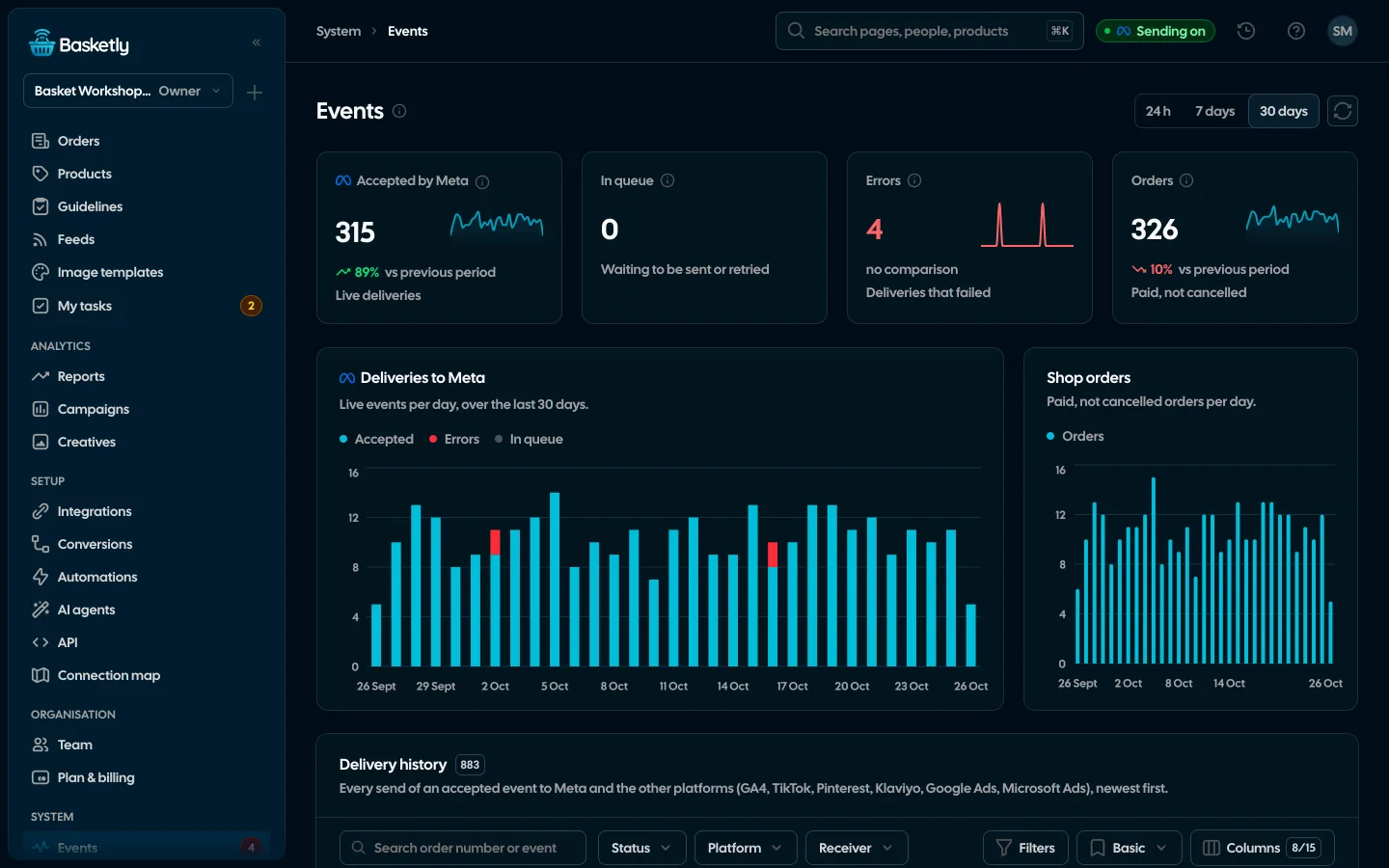
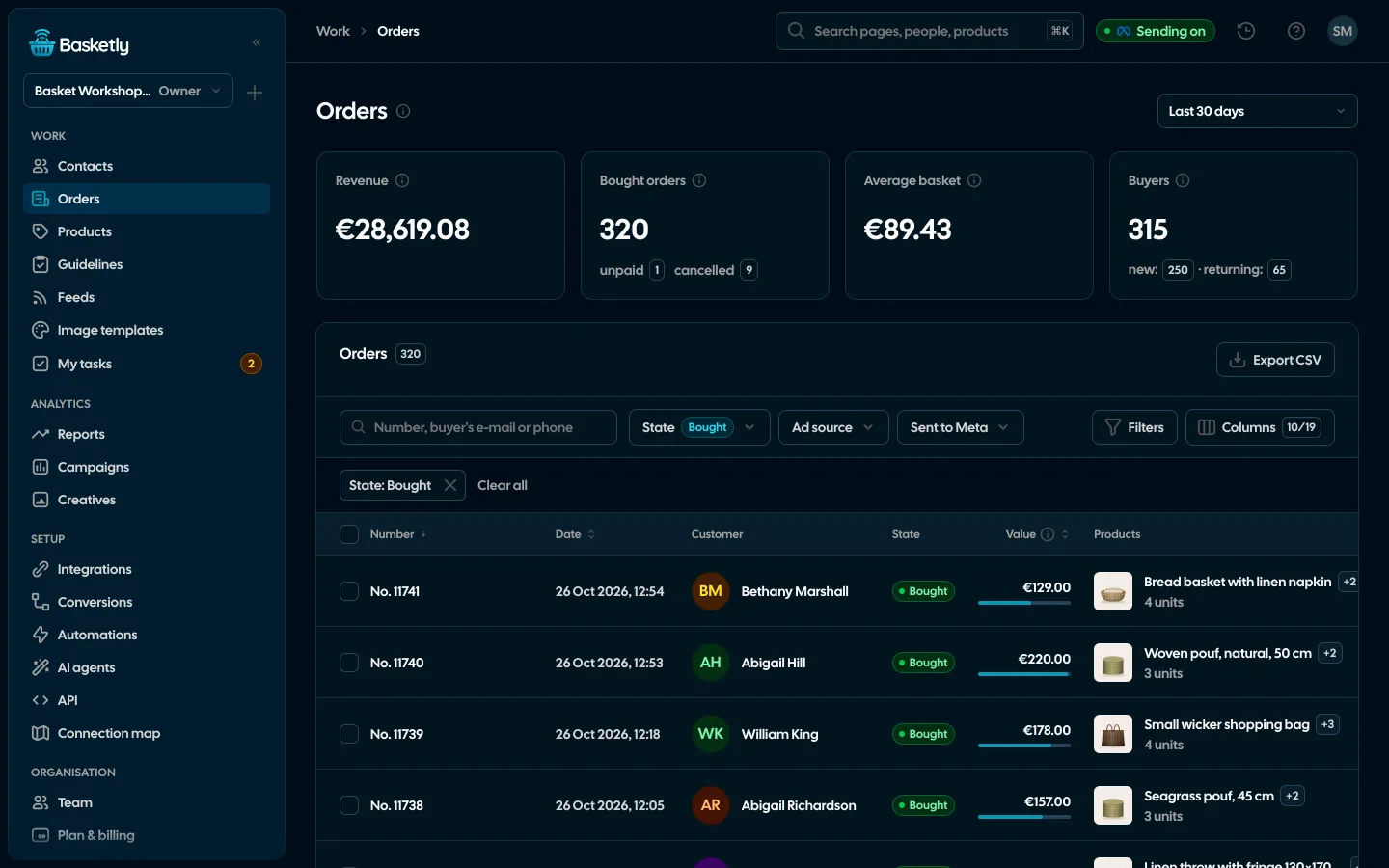
What you will see: in Orders a paid order appears right after the read, and in Conversions → Purchase balance you see the number of purchases Meta accepted approach the number of paid orders also for redirect payments. The Source column shows the channel of the last click as Basketly read it, provided the customer's visit was recorded.
You can keep the Pixel. Just remember a shared event identifier or switching the purchase off in one channel. More about a purchase from the order in Shoper in Shoper and Meta Conversions API.
What Basketly will not fix
- Weaker attribution to an ad without consent. A purchase read from the shop's API carries no browser data (such as the click
fbc) and reaches Meta as a system-generated event. The Basketly script in the shop adds it only after the customer's consent and only when the order can be linked to the visit. Without it Meta has less to match on, and attribution can be weaker. Basketly reduces this, it does not remove it. - The browser Pixel. We do not repair it or change the shop plugin.
- Read delay. Platforms other than Shoper are read every 15 minutes, so a purchase from those shops appears with that delay.
- Proof of optimisation. Meta accepting a purchase does not mean the campaign optimises for it or that it was attributed to an ad.
- Purchases older than 7 days.
Next step
Do steps 1 and 2 of the "How to spot it" list for yesterday, split by payment method. To see what the Purchase balance and the orders list look like, open the demo. To connect your own shop, create an account; plan limits are on the pricing page. The whole queue mechanism is on the Conversions page.
Sources
- Przelewy24: REST documentation (
urlReturn,urlStatus, notification independent of the customer's return) - PayU: Payment lifecycle (
notifyUrl, asynchronous notifications, HTTP 200 reply) - Meta for Developers: Meta Pixel, conversion tracking (Purchase event on the purchase confirmation page)
- Meta for Developers: Server Event Parameters (event time up to 7 days back,
action_source,event_id) - Meta for Developers: Deduplicate Pixel and Server Events (shared identifier and name, 48-hour window)
About the author
Aleksander
Founder of Basketly.io, BooksyAudit.pl and SMSPortal.app
Founded Basketly.io, BooksyAudit.pl and SMSPortal.app. In the knowledge base he explains how to send shop purchases to Meta, how to keep a product catalogue in shape and how to measure what a purchase from ads costs.
All articles by the authorFrequently asked questions
Does BLIK always lose the purchase in the Pixel?
No. It depends on how payment is implemented in the shop. If the customer returns to the thank-you page after paying, the Pixel fires. The problem appears when, after the redirect to the bank or the confirmation in the banking app, the customer closes the tab, does not wait for the return, or the thank-you page does not load on the shop's side. Compare orders paid by BLIK with the number of Purchase events to see the scale in your shop.
How does the shop know the payment succeeded if the customer did not return?
From a notification sent by the payment operator's server to the shop's address. Przelewy24 states in its documentation that the notification is sent regardless of whether the customer was redirected to the return address. PayU sends notifications asynchronously right after a payment status change and expects an HTTP 200 reply.
What is fbc and does a server purchase have it?
fbc is the parameter of a click on a Meta ad that helps attribute a purchase to a specific ad. A purchase read from the order does not carry it by itself. The Basketly script in the shop, run after the customer's consent, saves it during the visit and attaches it to the purchase when the order can be linked to the visit. Without consent it will not be there and attribution to the ad may be weaker.
Will a server purchase replace the Pixel?
No. It is a second, independent route for purchases. Browser events (product view, add to cart) are still sent by the Pixel. If a purchase goes through both channels you need a shared event identifier, or Meta counts it twice.
How far back can I send a purchase that was lost earlier?
According to Meta's documentation an event time can be at most 7 days older than the moment you send it. Older purchases cannot be sent any more.
Will Basketly fix the Pixel on the thank-you page?
No. Basketly does not change the Pixel or the shop plugin. It reads the paid order from the shop platform and sends the purchase from the server. You can keep the Pixel, remembering a shared identifier or switching the purchase off in one of the channels.